

Your team probably loses hours every week to copy and paste work. Leads sit in inboxes. Reports wait on someone to pull numbers. Follow-ups slip through the cracks.
The best AI workflow automation tools fix that by connecting your apps and letting AI handle the busywork. Modern AI automation tools can read emails, sort leads, draft replies, and update your CRM without anyone clicking a button.
But the market is crowded. Some workflow tools suit beginners. Others need a developer. A few cost thousands per month.
This post compares 15 platforms side by side. You will see pricing, strengths, weak spots, and which tool fits your business size and goals.
Key Takeaways
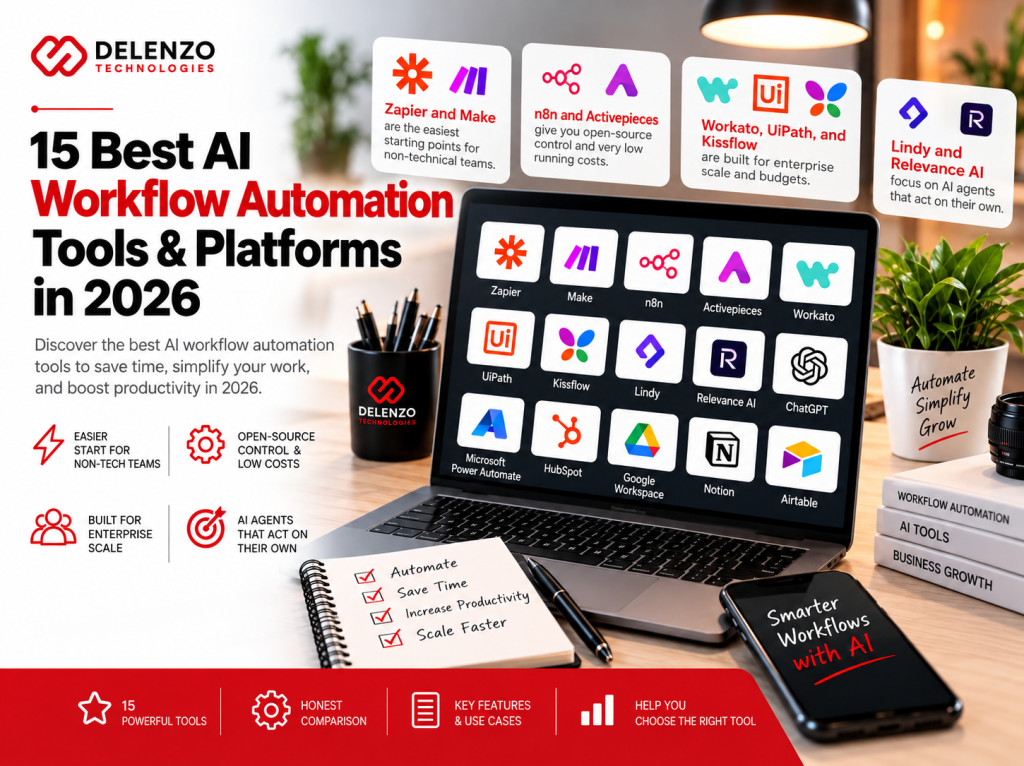
- Zapier and Make are the easiest starting points for non-technical teams.
- n8n and Activepieces give you open-source control and very low running costs.
- Workato, UiPath, and Kissflow are built for enterprise scale and budgets.
- Lindy and Relevance AI focus on AI agents that act on their own.
- Most tools offer a free plan or trial, so test before you commit.
- Pricing below reflects public vendor pages as of October 2026 and can change.
What Are AI Workflow Automation Tools?
AI workflow automation tools are platforms that connect your apps and run multi-step tasks, using AI to make decisions.
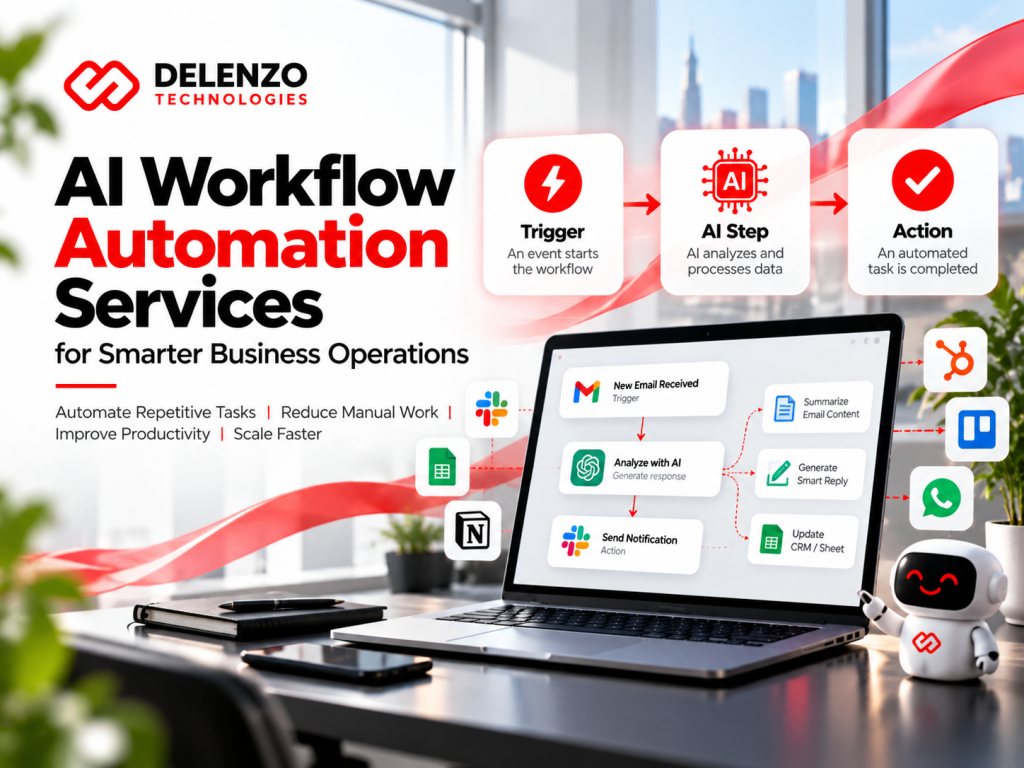
Think of them as a smart assistant sitting between your apps. A trigger starts the workflow. Then actions run in order. AI steps can read, summarize, classify, or write content in the middle.
Older automation only followed fixed rules. AI adds judgment. It can tell a sales lead from a support request, even when the wording is messy.
How AI Workflow Automation Software Works
AI workflow automation software runs on three building blocks: a trigger, actions, and AI steps that guide each decision.
Most platforms follow a simple flow:
- Trigger: Something happens, like a new form submission or email.
- AI step: A language model reads the data and labels or summarizes it.
- Logic: Filters and branches route the task based on the AI result.
- Actions: The tool updates your CRM, sends a Slack alert, or drafts a reply.
- Logging: Each run is recorded so you can review and fix errors.
You build this visually in most tools. Some, like n8n and Pipedream, also let you add custom code.
Key Features of AI-Powered Workflow Tools
The core features of AI-powered workflow automation are app integrations, built-in AI steps, visual builders, and error handling.
Look for these when you compare options:
- Integrations: Native connectors for the apps you already use.
- AI steps: Built-in access to models like GPT, Claude, or Gemini.
- AI agents: Assistants that can plan and act across several tools.
- Visual builder: A drag-and-drop canvas instead of code.
- Human approvals: A pause point where a person reviews before the next step.
- Error handling: Retries, alerts, and run history for troubleshooting.
- Security: SSO, audit logs, and data controls for larger teams.
15 Best AI Workflow Automation Tools in 2026
We picked these best workflow automation tools for 2026 based on AI depth, ease of use, pricing, and integrations.
Each entry covers who it suits, key AI features, starting price, and one honest drawback.
1. n8n: Best for Custom AI Workflows
Pick n8n if you want full control over custom AI workflows at a low running cost.
It is a visual builder with an open-source core. You can self-host it for free or use n8n Cloud. Its AI nodes let you build agents, chain models, and connect vector databases. That makes n8n AI automation workflows popular with technical marketers and developers.
- Best for: Technical teams, agencies, and anyone building AI agents.
- Key AI features: AI agent nodes, LLM chains, memory, and custom code steps.
- Pricing: Free self-hosted Community Edition. Cloud starts at about €20 per month billed annually.
- Watch out: Self-hosting needs server skills and ongoing maintenance.
2. Zapier: Best for No-Code Business Automation
For non-technical teams, Zapier is the fastest way to automate work across thousands of apps without code.
It has one of the largest integration libraries among workflow automation tools. Setup takes minutes. Zapier now adds AI steps, Copilot for building Zaps, and separate add-ons for Agents and Chatbots.
- Ideal users: Small businesses and teams without developers.
- Standout AI: AI by Zapier steps, Copilot, Agents, and Chatbots add-ons.
- Cost: Free plan with 100 tasks per month. Professional starts at $19.99 per month billed annually.
- Trade-off: Costs climb fast because every action step counts as a task.
3. Make: Best for Visual Workflow Automation
Make shines when you want to see complex logic laid out on a visual canvas.
Its drag-and-drop editor shows every branch and filter as a connected bubble. That makes it a strong AI workflow builder for multi-path scenarios. You can add AI modules, routers, and iterators without writing code.
- Who it suits: Marketers and ops teams who want visual control at a fair price.
- AI strengths: AI modules, AI agents, and connections to major model providers.
- Price: Free plan with 1,000 credits per month. Core starts at $9 per month billed annually.
- Downside: Credit usage can surprise you on loops and frequent polling.
4. Gumloop: Best for AI-Powered Task Automation
Gumloop puts AI at the center of every workflow instead of adding it on later.
It was built AI-first, so nodes for scraping, enrichment, and prompt chains feel natural. Gumloop is one of the newer AI workflow tools, and it gives you unlimited seats on paid plans.
- Best for: Growth teams doing lead enrichment, research, and data extraction.
- Key AI features: AI agents, 35+ model options, and bring-your-own API keys.
- Pricing: Pro starts at $37 per month with 20,000 credits. A 14-day trial is available.
- Watch out: Credit math is tricky, and an orchestration fee applies on agent runs.
5. Microsoft Power Automate: Best for Microsoft Ecosystems
If your business already runs on Microsoft 365, Teams, and Dynamics, Power Automate is the natural fit.
It connects natively with Outlook, SharePoint, Excel, and Teams. As a workflow automation platform, it also covers desktop automation, which lets bots click through older software.
- Ideal users: Companies standardized on Microsoft tools.
- Standout AI: AI Builder credits, Copilot flow creation, and document processing.
- Cost: Basic flows come with many Microsoft 365 plans. Premium costs $15 per user per month billed annually.
- Trade-off: Licensing gets confusing once you add unattended bots or premium connectors.
6. Pipedream: Best for API and Developer Workflows
Developers who want prebuilt connectors plus real code will feel at home in Pipedream.
You can write steps in Node.js, Python, Go, or Bash right inside a workflow. That flexibility makes it a favorite automation workflow software for API-heavy projects. It lists 2,400+ integrated apps on its pricing page.
- Who it suits: Developers and technical teams building API integrations.
- AI strengths: AI-assisted development, built-in AI tokens, and AI steps inside code.
- Price: Free plan available. Basic starts at $29 per month and Advanced at $49, billed annually.
- Downside: Credits are based on compute time, which is hard to estimate upfront.
7. Workato: Best for Enterprise Integrations
Large companies choose Workato for governed automation across ERP, HR, and finance systems.
It is one of the most mature AI automation platforms for enterprise IT. Workato handles complex data syncs, API management, and AI agents with strong security controls.
- Best for: Mid-market and enterprise companies with IT teams.
- Key AI features: AI agents, Workbot for Slack and Teams, and agentic orchestration.
- Pricing: Not published. Industry estimates often start around $10,000 per year.
- Watch out: Contracts are custom, and premium connectors can add cost.
8. UiPath: Best for Robotic Process Automation
When bots must work inside legacy apps with no API, UiPath is the go-to platform.
It is a leader in robotic process automation. Bots mimic human clicks and keystrokes across desktop software. Combined with document AI and agents, it delivers deep AI process automation for finance, insurance, and healthcare.
- Ideal users: Enterprises automating screen-based, high-volume back-office work.
- Standout AI: Document understanding, AI agents, and Autopilot assistance.
- Cost: Basic starts at $25 per month but is hosted in Europe only. Standard and Enterprise are quoted by sales.
- Trade-off: Total cost grows quickly with robots, users, and consumption units.
9. Activepieces: Best for Open-Source Automation
Activepieces gives teams simple, open-source automation without worrying about every task they run.
Its builder is clean and beginner-friendly. You can self-host the free Community Edition or use the cloud version. It ranks among the most generous free workflow automation tools for small teams.
- Who it suits: Startups and budget-conscious teams that value data control.
- AI strengths: AI agents, chat, MCP support, and AI steps inside flows.
- Price: Free cloud plan and free open-source edition. Plus starts at $16 per month billed yearly.
- Downside: Its connector library is smaller than Zapier or Make.
10. Bardeen: Best for Browser and Productivity Automation
Bardeen automates the repetitive clicks and copy work you do inside your web browser.
It runs as a Chrome extension. You can scrape LinkedIn profiles, fill sheets, and push data to your CRM from any open tab. These AI automation tools work well for sales and recruiting research.
- Best for: Sales reps, recruiters, and researchers working in the browser.
- Key AI features: AI scraping, natural language playbook building, and enrichment.
- Pricing: Bardeen did not show public prices in late 2026. Check its pricing page for current plans.
- Watch out: It has shifted toward go-to-market teams, so general use cases may feel limited.
11. Pabbly Connect: Best for Budget-Friendly Automation
Small businesses watching costs get unlimited workflows at a predictable, low price with Pabbly Connect.
It covers common app connections, routers, and filters, plus AI steps through ChatGPT and other model integrations. For simple AI workflow management, it delivers strong value per task.
- Ideal users: Solopreneurs and small businesses watching every dollar.
- Standout AI: OpenAI and other AI app integrations, routers, and formatters.
- Cost: Free plan with 100 tasks per month. Third-party reviews put paid plans around $16 to $19 monthly.
- Trade-off: Workflows follow straight paths, and lower plans get email support only.
12. Lindy: Best for AI Assistant Workflows
Lindy works like a personal AI assistant that takes routine tasks off your plate.
It handles inbox triage, meeting notes, scheduling, and follow-ups. You can even message it by text. Lindy sits at the friendly end of AI agent workflow automation tools.
- Who it suits: Founders, executives, and busy solo operators.
- AI strengths: Email and calendar agents, meeting recording, and text message access.
- Price: Plus starts at $29.99 per user per month. A 7-day free trial is available.
- Downside: There is no permanent free plan, and credits limit heavy use.
13. Relevance AI: Best for AI Agent Workflows
Relevance AI lets you build teams of AI agents that handle sales and support work.
You design agents with tools, knowledge, and goals. Then they work through tasks like research or ticket triage on their own. It is a capable AI automation platform for revenue teams.
- Best for: Sales, support, and ops teams building AI agent workforces.
- Key AI features: Multi-agent systems, custom tools, and bring-your-own model keys.
- Pricing: A free tier exists for testing. Paid plans are quoted through sales.
- Watch out: Costs split into Actions and model credits, which makes budgeting harder.
14. IFTTT: Best for Simple App Automations
IFTTT keeps things simple with single-purpose automations between consumer apps and smart devices.
The name stands for If This Then That. It is one of the easiest automation tools online for personal tasks, social posting, and smart home routines.
- Ideal users: Individuals, creators, and very small teams.
- Standout AI: AI services and filter code on the Pro+ plan.
- Cost: Free plan with 2 applets. Pro starts at $2.99 per month billed yearly.
- Trade-off: It is too basic for multi-step business workflows.
15. Kissflow: Best for Business Process Management
Kissflow suits organizations that need structured approval processes across departments.
It focuses on forms, approvals, and process tracking rather than app-to-app triggers. Among workflow management tools, it suits procurement, HR onboarding, and finance requests.
- Who it suits: Mid-size and large organizations with formal processes.
- AI strengths: AI Copilot on Enterprise, low-code app building, and analytics.
- Price: Quotes come through sales on annual agreements. Third-party guides estimate entry plans near $1,500 monthly.
- Downside: The entry price is high for small businesses.
AI Workflow Automation Tools Comparison
The fastest way to compare these platforms is by ease of use, AI depth, and starting price.
Use this section to narrow your shortlist to two or three best workflow automation software options.
Compare Features, Pricing and Integrations
Most workflow automation platforms below offer a free plan or trial, but costs vary widely.
| Tool | Best For | Starting Price | Free Option |
| n8n | Custom AI workflows | ~€20/mo (annual) | Yes, self-hosted |
| Zapier | No-code automation | $19.99/mo (annual) | Yes, 100 tasks |
| Make | Visual workflows | $9/mo (annual) | Yes, 1,000 credits |
| Gumloop | AI-first tasks | $37/mo | 14-day trial |
| Power Automate | Microsoft users | $15/user/mo | With Microsoft 365 |
| Pipedream | Developers | $29/mo (annual) | Yes |
| Workato | Enterprise IT | Custom quote | No |
| UiPath | RPA | $25/mo (Europe) | Trial |
| Activepieces | Open source | $16/mo (annual) | Yes |
| Bardeen | Browser tasks | Not published | Check site |
| Pabbly Connect | Budget teams | ~$16 to $19/mo | Yes, 100 tasks |
| Lindy | AI assistants | $29.99/user/mo | 7-day trial |
| Relevance AI | AI agents | Custom quote | Yes, limited |
| IFTTT | Simple automations | $2.99/mo (annual) | Yes, 2 applets |
| Kissflow | Process management | Quote (est. $1,500/mo) | No |
In short, IFTTT, Make, and Activepieces cost the least to start, while Workato and Kissflow target enterprises.
Best Tools for Beginners vs Developers
Beginners do best with Zapier, Make, or IFTTT, while developers get more from n8n and Pipedream.
The right AI workflow tools depend on who builds and maintains the workflows.
| Aspect | Beginners | Developers |
| Top picks | Zapier, Make, IFTTT, Lindy | n8n, Pipedream, Activepieces |
| Setup style | Templates and drag-and-drop | Code steps and APIs |
| Learning curve | Hours | Days to weeks |
| Flexibility | Moderate | Very high |
If nobody on your team writes code, start with Zapier or Make and grow from there.
Best Platforms for Small Businesses vs Enterprises
Small businesses should favor low-cost, easy tools, while enterprises need governance, security, and scale.
Choosing between AI automation platforms often comes down to budget and compliance needs.
| Aspect | Small Businesses | Enterprises |
| Top picks | Zapier, Make, Pabbly, Activepieces | Workato, UiPath, Power Automate, Kissflow |
| Typical budget | Under $100 per month | Thousands per month or more |
| Key need | Speed and simplicity | Security, SSO, and audit logs |
| Support | Email and community | Dedicated account teams |
Most small businesses can automate their core processes for less than $100 per month. Learn how to choose a small business marketing agency if you need outside help.
Best Free AI Workflow Automation Tools
The best options for AI workflow automation free plans are n8n, Activepieces, Make, Zapier, and Pipedream.
Free plans are great for testing ideas. They also work for low-volume workflows that run a few times a day.
Free Workflow Automation Platforms
Several free workflow automation tools let you run real workflows without paying anything.
- n8n Community Edition: Free forever when you self-host it.
- Activepieces: Free cloud plan plus a free open-source edition.
- Make: 1,000 credits per month and two active scenarios.
- Zapier: 100 tasks per month on two-step Zaps.
- Pipedream: A free plan with a small daily credit allowance.
- IFTTT: Two applets with unlimited runs.
- Pabbly Connect: 100 tasks per month.
Open-Source vs Free Cloud Automation Tools
Open-source tools are free to run on your own server, while free cloud plans are hosted for you but capped.
Picking an AI automation platform free option means trading control against convenience.
| Aspect | Open-Source (Self-Hosted) | Free Cloud Plans |
| Examples | n8n, Activepieces | Zapier, Make, Pipedream |
| Cost | Free software, paid server | Free, with usage caps |
| Setup | Needs technical skills | Sign up and start |
| Data control | Full control | Stored with the vendor |
Choose open source if you have technical help and care about data control. Choose free cloud plans for speed.
Limitations of Free AI Automation Software
Free plans limit volume, speed, and features, so most growing businesses outgrow them within months.
Expect these common limits with free workflow automation:
- Low monthly tasks or credit caps.
- Few active workflows at once.
- Slower polling, sometimes once every 15 minutes or more.
- No multi-step logic or premium apps on some plans.
- Limited AI credits and community-only support.
How to Choose the Right AI Workflow Automation Tool
The best AI workflow automation tool is the one that matches your workflow complexity, team skills, and budget.
Follow these three steps before you sign up for anything.
Evaluate Workflow Complexity and Automation Needs
Start by listing the exact tasks you want to automate and how often they run.
Simple tasks like form to spreadsheet work in any tool. Multi-branch flows with AI decisions need stronger workflow optimization tools like Make or n8n.
Answer these practical points with your team before choosing:
- The number of steps in each workflow.
- How often each workflow runs per month.
- Whether AI needs to read or write content.
- Whether a human must approve any step.
Compare AI Capabilities and Integrations
Check that the tool connects to your core apps and supports the AI models you plan to use.
Not every AI automation software treats AI the same way. Some include model credits. Others ask you to bring your own API key. Confirm both your CRM and email tool have native connectors.
Review Pricing, Scalability and Security
Model your cost at three times your current volume, because automation usage grows fast.
Task-based workflow automation software like Zapier gets expensive at scale. Execution-based tools like n8n stay flatter. Enterprises should confirm SSO, audit logs, and data residency before signing.
Best AI Workflow Automation Tools by Business Use Case
The right tool depends on your industry and the processes that eat up the most time.
These are the strongest AI tools for business automation for each use case.
Best AI Tools for Marketing Agencies
Marketing agencies get the most value from Make, n8n, and Zapier for client reporting and content operations.
Strong content agency workflow automation tools can pull analytics, draft reports, and route content for approval. Agencies juggling many client accounts often prefer n8n for its low cost per run. Pair them with the right AI SEO tools to speed up audits and reporting. For social content, see our roundup of AI social media post generators.
- Make: Visual content pipelines across many client tools.
- n8n: Low-cost, high-volume reporting and AI drafting.
- Zapier: Quick wins for lead routing and client onboarding.
Best AI Automation Tools for Ecommerce
Ecommerce brands benefit most from Zapier, Make, and Gumloop for order, inventory, and review workflows.
These AI business automation tools can sync Shopify orders, flag low stock, and summarize customer reviews. They also help answer common order questions faster. Automation works best alongside a solid ecommerce digital marketing plan.
- Zapier: Shopify, WooCommerce, and email platform triggers.
- Make: Multi-step order and inventory logic.
- Gumloop: AI review analysis and product data enrichment.
Best AI Tools for Sales and Lead Generation
Sales teams should look at Gumloop, Relevance AI, and Bardeen for prospecting and lead qualification.
AI lead generation automation can research prospects, score leads, and draft first-touch emails. Reps then spend more time on actual conversations. Learn more in our guide to generating high-quality leads.
- Gumloop: Enrichment and lead scoring at scale.
- Relevance AI: AI agents that research and qualify accounts.
- Bardeen: Browser scraping from LinkedIn and company sites.
Best AI Tools for Customer Support
Support teams do well with Zapier, n8n, and Relevance AI for ticket triage and draft replies.
Good AI automation workflows read each ticket, tag its topic, and route it to the right agent. AI can also draft a reply for human review before sending.
- Zapier: Helpdesk triggers with AI classification steps.
- n8n: Custom AI agents with knowledge base lookups.
- Relevance AI: Agents that triage and resolve common issues.
Best AI Tools for Data Processing
Data-heavy teams get the most from Pipedream, n8n, and UiPath for cleaning, syncing, and extracting data.
These data workflow tools move records between databases, clean messy fields, and pull text from documents. UiPath is strongest for invoices and scanned forms.
- Pipedream: Code-based transforms and API syncs.
- n8n: Scheduled data pipelines with AI cleanup steps.
- UiPath: Document understanding for invoices and PDFs.
AI Workflow Automation Examples Using Popular Tools
Real examples make it easier to picture what an AI automation workflow looks like in practice.
These three examples show common setups you can copy and adapt.
Example: Automating Lead Management with Zapier
Zapier can capture, score, and route new leads in under a minute without any manual work.
A typical setup for Zapier workflows looks like this:
- Trigger: A new lead submits your website form.
- AI step: AI by Zapier reads the message and scores intent.
- Filter: High-intent leads continue. Others go to a nurture list.
- Action: The lead is added to HubSpot with its score.
- Alert: Your sales rep gets a Slack message with a summary.
Example: Building AI Agents with n8n
n8n lets you build an AI agent that answers questions using your own documents and tools.
A simple pattern for n8n AI workflows looks like this:
- Trigger: A customer message arrives through chat or email.
- AI agent node: The agent reads the question and plans a response.
- Tools: It searches your knowledge base and checks order data.
- Memory: It remembers earlier messages in the conversation.
- Output: It drafts a reply and sends it for approval or straight to the customer.
Example: Automating Content Production with Make
Make can turn a single topic idea into a draft, images, and a scheduled post.
A basic AI content automation scenario in Make works like this:
- Trigger: A new row is added to a content calendar in Google Sheets.
- AI module: A model drafts an outline and first draft.
- Router: The draft goes to an editor in Google Docs for review.
- Approval: Once marked approved, Make sends it to WordPress as a draft.
- Social step: Short social captions are created and queued.
Human review stays in the loop. AI speeds up drafting, but editors protect quality and brand voice. That balance sits at the heart of strong content marketing.
AI Workflow Automation Tools vs Custom AI Automation Services
Ready-made tools suit standard workflows, while custom services fit complex processes tied to your unique systems.
Most businesses start with AI automation tools for business and move to custom builds as needs grow.
| Aspect | Ready-Made Tools | Custom AI Automation |
| Setup time | Hours to days | Weeks |
| Upfront cost | Low | Higher |
| Flexibility | Limited by the platform | Built around your process |
| Maintenance | Handled by vendor | Needs ongoing support |
In short, use ready-made tools for speed and custom automation for complex, business-critical workflows.
When Should You Use Ready-Made Automation Software?
Ready-made automated workflow software is the right call when your workflows are common and your apps are popular.
Use an off-the-shelf tool when these points apply:
- Your apps already have native connectors.
- Your workflows follow clear, repeatable steps.
- You want results this week, not next quarter.
- Your budget is limited and volume is moderate.
When Does Your Business Need Custom AI Automation?
You need custom AI workflow automation when your process spans many systems, involves sensitive data, or breaks off-the-shelf tools.
Common signs include frequent workflow failures and messy workarounds. Your team may also be stitching five tools together by hand.
McKinsey research found fewer than 10% of organizations have scaled AI across marketing workflows. The gap is usually process design, not tool access. A clear AI digital marketing strategy closes that gap.
How Delenzo Technologies Helps Businesses Implement AI Workflow Automation
Delenzo Technologies helps businesses across the USA plan, build, and maintain AI workflows that actually save time.
Our team in Dallas, Texas, provides AI workflow automation services for small businesses, ecommerce brands, and growing companies. We focus on practical results, not shiny tools.
Selecting the Right AI Automation Platform
We start by auditing your current tools, processes, and goals to pick the right AI automation platform.
Week one is an audit of your site, analytics, and the tools your team uses daily. Then we map which tasks to automate first and which tool fits your budget.
Building Custom AI Workflows and Integrations
Our team builds and tests workflows in the platform that suits you, from Zapier to n8n.
We use each tool as an AI workflow builder for lead routing, reporting, content operations, and CRM updates. Every workflow includes error alerts and human review where it matters. We also connect workflows to your forms and site through our website development team.
Maintaining and Optimizing Business Automation
Automation is not a one-time setup, so we monitor, fix, and improve your workflows over time.
Strong AI workflow management means catching broken connections early and tuning AI prompts for accuracy. You get a weekly results summary and flexible contracts with no long lock-ins.
Stop losing hours to manual tasks. Delenzo Technologies helps teams in Dallas and across the USA implement the best AI workflow automation tools. Book a free consultation with our team today.
Frequently Asked Questions
What Are the Best AI Workflow Automation Tools?
The top AI workflow automation tools are Zapier, Make, and n8n. Zapier suits no-code teams, Make suits visual builders, and n8n suits custom AI agents.
n8n vs Zapier: Which Is Better for AI Automation?
In the n8n vs Zapier debate, n8n wins for complex AI agents and high volume. Zapier is easier for beginners and connects more apps without code.
Which Free AI Workflow Automation Tools Are Best?
The best free AI workflow automation tools are n8n Community Edition and Activepieces. Make, Zapier, Pipedream, and IFTTT offer free plans with monthly task limits.
What Is the Easiest AI Workflow Builder?
Zapier is the easiest AI workflow builder for most people. Its templates, plain-English Copilot, and simple trigger and action setup let beginners launch workflows in minutes.
What Is the Best Workflow Automation Software for Small Businesses?
Zapier and Make are the best workflow automation software for most small businesses. They are easy to learn, connect popular apps, and cost under $100 monthly.
Can AI Agent Workflow Automation Handle Complete Workflows?
Yes, AI agent workflow automation can run complete workflows that follow clear rules. Agents read data, make decisions, and act across apps, with human review for high-stakes steps.