


Choosing a website builder for a small business is no longer just a question of picking a template and publishing a homepage. In 2026, the platform you choose affects search visibility, page speed, lead generation, ecommerce, analytics, automation, content management, integrations, and how easily your website can grow with the business. A platform that works well for a solo consultant may be a poor fit for a growing online store, a construction company with multiple service areas, or a B2B company that needs CRM-connected lead funnels.
The best website builder for small business owners is therefore the one that matches the business model, technical comfort level, marketing goals, and long-term growth plan. Wix is a strong all-around option for many small businesses, Shopify remains the specialist choice for ecommerce, WordPress offers exceptional flexibility and SEO control, Squarespace is excellent for polished visual presentation, and tools such as Hostinger, GoDaddy, Framer, and Webflow serve more specific needs.
This guide compares ten leading options across ease of use, SEO, AI features, ecommerce, cost, design flexibility, and scalability. It also explains when a DIY website builder is enough – and when professional web design or custom development is the better investment.
What Is the Best Website Builder for a Small Business?
For most small businesses that want an easy setup, professional templates, built-in marketing tools, and room to add ecommerce or bookings, Wix is one of the strongest all-around choices in 2026. However, there is no single platform that is best for every company. Shopify is usually better for product-first ecommerce businesses, WordPress is stronger for content-heavy websites and advanced SEO, Squarespace is ideal for design-led service brands, and Webflow is better for teams that need more visual and CMS control.
The right decision depends on seven questions: How important is organic search? Do you need ecommerce? Will you publish content frequently? Do you need custom integrations? Who will maintain the site? How much design control do you want? And how difficult would it be to migrate later? Answering these before choosing a platform prevents expensive rebuilds after the business starts growing.
Best Website Builders for Small Business: Quick Comparison
The table below summarizes the strongest use case for each platform. Ratings are practical editorial assessments for typical small-business use, not absolute scores. Pricing and feature availability can change by market and billing period, so always confirm the current plan before purchasing.
| Platform | AI Capability | Ecommerce | Cost Position |
| Wix | Strong | Strong | Mid-range |
| Squarespace | Strong | Good | Mid-range |
| Shopify | Strong | Excellent | Mid to premium |
| WordPress | Plugin-based / flexible | Excellent with WooCommerce | Low to premium |
| Hostinger | Strong | Good | Budget |
| GoDaddy | Strong Airo tools | Good | Budget to mid-range |
| Framer | Strong | Limited / integrations | Budget to mid-range |
| Webflow | Strong and expanding | Good | Mid-range |
| 10Web | Strong | Good with WordPress stack | Mid-range |
| Durable | Strong for quick generation | Basic / service-focused | Budget to mid-range |
Best Overall Website Builder
Wix is our best overall pick for a typical small business because it combines a beginner-friendly editor with hosting, templates, business tools, forms, scheduling, ecommerce, analytics, and increasingly capable AI features. It is especially practical for owners who want to manage the site without relying on a developer for every update.
Best Affordable Website Builder
Hostinger is one of the most attractive low-cost options when the priority is launching quickly with hosting included. Promotional pricing can be aggressive, although businesses should compare renewal pricing and feature limits rather than choosing only on the introductory offer.
Best Website Builder for SEO
WordPress is the strongest choice for businesses that want maximum control over content architecture, schema, plugins, technical optimization, internal linking, redirects, and advanced SEO workflows. Webflow is also strong for teams that prefer a visual no-code environment with greater technical control than most mainstream builders.
Best AI Website Builder
Wix is a strong AI-assisted choice for mainstream business websites, while Framer stands out for modern design. For a deeper comparison of AI-first tools, see Delenzo Technology’s Best AI Website Builders 2026: 7 Platforms Compared & Reviewed.
Best Website Builder for Beginners
Wix and GoDaddy are among the easiest options for non-technical users. Both emphasize guided setup, templates, AI assistance, and straightforward site management. Hostinger is also easy to learn and works well when simplicity and low cost matter more than advanced customization.
Best Free Website Builder
Wix, Webflow, Framer, GoDaddy, and WordPress.com all provide ways to start free or experiment without a full paid commitment. Free plans are useful for testing, but a serious business website usually needs a paid plan to connect a professional domain, remove platform branding, unlock better analytics, expand storage or bandwidth, and access commercial features.
How We Evaluated the Best Small Business Website Builders
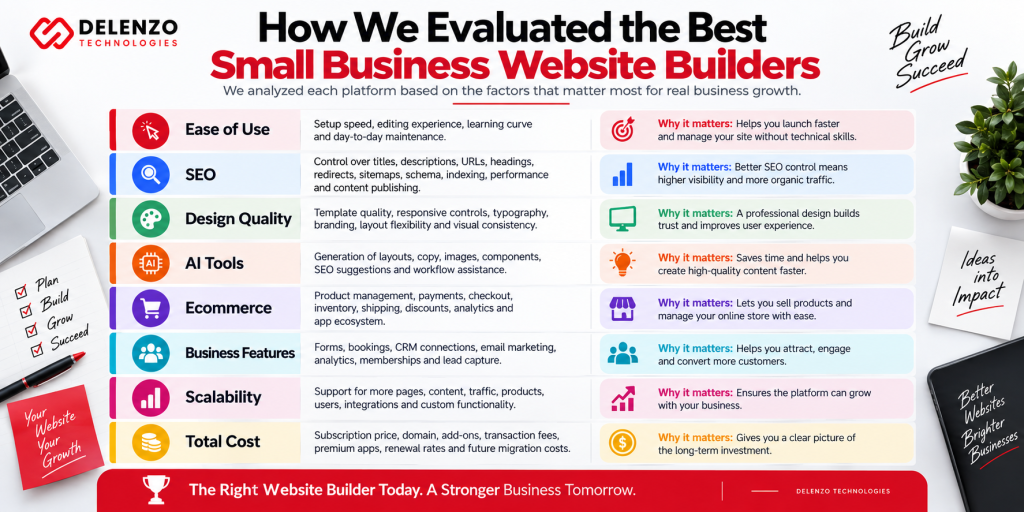
A good small business website builder should reduce technical friction without creating marketing limitations later. We evaluated the platforms around the factors that matter most after the website is live, not only how quickly a homepage can be generated.
- Ease of use: setup speed, editing experience, learning curve, and day-to-day maintenance.
- SEO: control over titles, descriptions, URLs, headings, redirects, sitemaps, schema, indexing, performance, and content publishing.
- Design quality: template quality, responsive controls, typography, branding, layout flexibility, and visual consistency.
- AI tools: generation of layouts, copy, images, components, SEO suggestions, and workflow assistance.
- Ecommerce: product management, payments, checkout, inventory, shipping, discounts, analytics, and app ecosystem.
- Business features: forms, bookings, CRM connections, email marketing, analytics, memberships, and lead capture.
- Scalability: support for more pages, content, traffic, products, users, integrations, and custom functionality.
- Total cost: subscription price, domain, add-ons, transaction fees, premium apps, renewal rates, and future migration costs.
Wix – Best Overall Website Builder for Small Businesses
Wix is one of the most complete website builders for small businesses that want to move from idea to live website without managing hosting or code. Its visual editor, broad template library, built-in business tools, and AI-assisted creation make it suitable for service businesses, consultants, restaurants, local companies, coaches, and small online stores.
For SEO, Wix provides editable page titles and descriptions, custom URLs, redirects, structured data options, sitemaps, image alt text, integrations, and built-in guidance. It gives most small businesses enough control to execute a serious on-page SEO strategy. Its main limitation is that teams with highly specialized development requirements may eventually want a more open or developer-controlled stack.
Wix is especially useful when the website owner values convenience. Hosting, security, design tools, forms, scheduling, analytics, and ecommerce can live in one ecosystem. That reduces the number of separate services a small team must maintain. Businesses should still plan navigation, keyword targeting, conversion paths, and content architecture before relying on AI to generate pages.
Best for: general small businesses, service companies, consultants, local businesses, appointment-based companies, and owners who want an all-in-one platform.
Squarespace – Best for Professional Small Business Website Design
Squarespace is a strong choice for businesses where visual presentation is a major part of the buying decision. Its templates and design system work particularly well for photographers, interior designers, architects, agencies, hospitality brands, restaurants, wellness companies, consultants, and portfolio-driven services.
The platform combines website building, hosting, analytics, forms, blogging, commerce, scheduling integrations, and built-in AI features. Current Squarespace plans support online selling across the plan family, while higher tiers reduce transaction friction and add more advanced business features. That makes it more capable than a simple portfolio builder.
Squarespace SEO is suitable for most small businesses, but advanced users may find the technical control less granular than WordPress or Webflow. Its advantage is consistency: business owners can create a polished site without spending weeks fine-tuning responsive behavior. If brand perception and visual quality are more important than deep customization, Squarespace is one of the safest choices.
Best for: professional services, creative businesses, portfolios, restaurants, boutique brands, and businesses that want strong design with low maintenance.
Shopify – Best for Small Business Ecommerce
Shopify is the strongest purpose-built option in this list for a small business whose website is primarily an online store. It provides product management, secure checkout, payments, inventory, shipping, discounts, analytics, customer management, multichannel selling, and a large app ecosystem. The platform is designed around commerce first rather than adding a store as a secondary feature.
For 2026, Shopify continues to combine storefront management with AI and automation tools. The Basic plan is positioned for solo entrepreneurs, while higher tiers add staff, reporting, shipping, and international capabilities. The main cost consideration is that apps, themes, payment processing, and advanced features can increase the total monthly spend as the store grows.
Shopify also performs well for SEO when product collections, internal links, product copy, structured data, site speed, and content are handled properly. WordPress still offers more freedom for content-heavy publishing, but Shopify is generally the better operational system for product-driven businesses.
Best for: ecommerce brands, retailers, direct-to-consumer products, multi-product stores, and businesses that plan to scale online sales.
WordPress – Best for Flexibility, SEO & Customization
WordPress remains one of the best choices for small businesses that want full control over content, SEO, design, and functionality. It is especially strong for websites that will publish many articles, target many search terms, build topic clusters, create location pages, or integrate with specialized marketing and business tools.
The platform can be used through managed WordPress services or a self-hosted setup. Plugins can extend SEO, schema, forms, caching, ecommerce, multilingual content, memberships, analytics, and almost every other function. WooCommerce turns WordPress into a flexible ecommerce system, while page builders can provide drag-and-drop design for non-developers.
The trade-off is maintenance. WordPress sites require more attention to hosting, updates, plugin compatibility, security, backups, and performance. A poorly managed WordPress website can become slow or unstable, while a professionally built and maintained WordPress site can outperform closed builders in flexibility and search strategy.
Best for: SEO-focused businesses, content marketing, B2B companies, service-area businesses, publishers, and organizations that need custom functionality.
Hostinger – Best Affordable Website Builder
Hostinger is a compelling option for small businesses that want low upfront cost, bundled hosting, AI assistance, and a simple website editor. Its website builder can generate a starter site from a business description, then let the owner refine the copy, sections, images, and layout without coding.
The main value is simplicity: hosting, domain benefits on eligible plans, templates, email options, and AI tools can be bundled together. This is useful for freelancers, startups, personal brands, and local service businesses that need a professional web presence quickly. Hostinger also supports ecommerce on suitable plans, although complex stores may be better served by Shopify or WooCommerce.
The key buying consideration is renewal cost. Introductory hosting offers can look extremely inexpensive, but the long-term price should be compared with the features you actually need. Businesses should also consider whether the platform will support more advanced integrations or content requirements two to three years from now.
Best for: budget-conscious startups, freelancers, small service companies, personal brands, and simple business websites.
GoDaddy – Best for Beginners & Fast Website Setup
GoDaddy is designed for owners who want to get online with minimal setup. Its website builder combines templates, domain services, marketing tools, analytics, and AI-assisted creation. GoDaddy Airo can generate a starter website from prompts and business information, which reduces the friction of starting from a blank page.
This makes GoDaddy practical for very small local businesses, independent professionals, events, and early-stage companies that need a functional website more than a highly customized digital experience. Higher plans can add bookings, commerce, and more marketing capability.
The limitation is design and structural flexibility compared with Webflow, WordPress, or a custom build. Businesses that expect complex content hubs, advanced SEO architecture, unique integrations, or highly differentiated user experiences may outgrow a simplified builder. For a straightforward launch, however, GoDaddy remains one of the easiest options.
Best for: beginners, local services, microbusinesses, and owners who want domain, website, and basic marketing tools in one place.
Framer – Best for Modern Website Design
Framer is a strong choice for startups and design-focused businesses that want a modern website with polished typography, motion, responsive layouts, and visually distinctive landing pages. It sits between a simple website builder and a professional design tool, giving users more control than most template-first platforms.
Framer has expanded its AI capabilities, CMS features, site search, redirects on higher tiers, analytics, and collaboration tools. It is particularly effective for SaaS websites, portfolios, creative agencies, startup launches, campaign sites, and product marketing pages. Current paid tiers position Basic as an entry plan and Pro for larger sites and more advanced needs.
Its ecommerce capabilities are less central than Shopify, and a content-heavy multi-location business may find WordPress or Webflow more suitable. But for a brand whose website must look contemporary and conversion-focused, Framer is one of the best no-code options available.
Best for: startups, agencies, portfolios, SaaS landing pages, creative brands, and design-led marketing websites.
Webflow – Best for Advanced Design & Customization
Webflow is one of the best no-code website builders for businesses that want advanced design control without building every component from scratch in code. It gives designers detailed control over layout, responsive behavior, CMS collections, interactions, components, SEO settings, forms, redirects, and publishing workflows.
In 2026, Webflow simplified its site-plan structure and expanded AI capabilities across its platform. The current entry site plan is designed for simpler sites, while the Premium tier supports content-rich sites with CMS needs. Webflow also offers ecommerce and workspace options for teams.
The learning curve is higher than Wix, Squarespace, or GoDaddy. For that reason, Webflow is often a better fit for a designer, agency, or in-house marketing team than a business owner who wants the simplest possible editor. When used well, however, it can support sophisticated marketing websites with strong performance, SEO, and visual control.
Best for: design teams, B2B companies, marketing sites, content-rich brands, agencies, and businesses that want advanced no-code control.
Best AI Website Builders in 2026
AI website builders can now generate layouts, copy, images, sections, components, and even parts of application logic. For small businesses, AI is most useful as a speed layer: it can create a strong first draft, but the final website still needs human decisions around positioning, conversion strategy, keyword targeting, navigation, trust signals, and brand consistency.
If you are deciding whether AI should build the entire site or simply accelerate the process, read Can AI Build Your Website? What Every Business Owner Needs to Know in 2026 from Delenzo Technology for a practical comparison of AI builders and custom development.
For general small businesses, Wix provides one of the most complete AI-assisted ecosystems. Framer is stronger when visual design is the priority. Hostinger is attractive for budget-friendly generation. 10Web is useful for teams that specifically want an AI-assisted WordPress workflow, while Durable is designed around fast setup for service businesses. The best AI website builder is not necessarily the one that generates the first draft fastest; it is the one that gives you enough control after generation.
Best Free Website Builders for Small Businesses
Free website builders are useful for testing an idea, learning an editor, creating a temporary page, or validating a simple concept. They are rarely the best long-term solution for a serious business because free plans typically use a platform subdomain, include branding, limit storage or bandwidth, and restrict analytics, ecommerce, or advanced SEO features.
Wix is a good free option for learning and building a basic site. WordPress.com is useful for content experiments. Webflow and Framer are strong for design testing and prototypes. GoDaddy also lets users start with a free website in many markets. Once the site represents the business publicly, upgrading to a professional domain and a plan that removes platform limitations is usually worth the cost.
Cheapest Website Builder for a Small Business
The cheapest website builder is not always the platform with the lowest advertised monthly price. Total ownership cost includes the subscription, domain, email, paid templates, apps, ecommerce fees, transaction fees, storage or bandwidth upgrades, integrations, and the cost of rebuilding if you outgrow the platform.
Hostinger and GoDaddy are often attractive for budget-focused businesses, especially during introductory promotions. WordPress can also be inexpensive when paired with cost-effective hosting, but premium plugins and maintenance can add up. Wix and Squarespace cost more than some entry-level builders but include a broader set of business features. Shopify has a higher commerce-oriented cost structure but can be more efficient for stores because the operational tools are built around selling.
Best Website Builder for SEO
The best website builder for SEO is the platform that gives you control over content architecture and technical signals while still allowing the team to publish consistently. WordPress is our top choice for maximum SEO flexibility. It supports advanced schema, internal linking systems, content plugins, custom templates, programmatic page structures, technical optimization, and a large ecosystem of SEO tools.
Webflow is also excellent for SEO-focused marketing websites because it gives strong control over page structure, metadata, redirects, CMS content, and responsive design. Wix has improved significantly and is more than capable for many small businesses, especially when the SEO strategy is executed correctly. Shopify is strong for ecommerce SEO but requires careful handling of product and collection architecture. No platform can compensate for weak content, poor keyword targeting, thin service pages, or a lack of authority.
Best Drag-and-Drop Website Builders
For visual editing, Wix is the best all-around drag-and-drop builder for non-technical small business owners. Squarespace offers a more structured editing experience with strong design consistency. Hostinger and GoDaddy prioritize simplicity, while Framer and Webflow provide greater visual freedom for users who are comfortable with more advanced design concepts.
When comparing drag-and-drop builders, do not judge only the editor. Check how the platform handles mobile layouts, global styles, reusable sections, navigation, forms, SEO, image optimization, blog templates, and future redesigns. A simple editor is valuable only if the underlying website can still support the business as it grows.
Best No-Code Website Builders
The best no-code website builder depends on how much control you need. Wix is best for mainstream business use, Framer is excellent for modern design, and Webflow is the strongest option when advanced layout, CMS structure, and responsive control matter. Squarespace is ideal for owners who prefer structured design over unlimited flexibility.
No-code does not mean no strategy. Even when coding is removed, businesses still need clear messaging, conversion-focused page hierarchy, accessibility, analytics, technical SEO, content planning, and testing. A no-code platform simply changes who can implement the plan.
Best Website Builder for B2B Businesses
B2B websites should prioritize lead generation, service clarity, credibility, case studies, downloadable resources, CRM integration, analytics, and SEO. WordPress and Webflow are usually the strongest choices because they support structured content, flexible landing pages, custom forms, content hubs, and integration with marketing systems. Wix can also work well for smaller B2B firms that need a simpler all-in-one setup.
The right B2B website builder should make it easy to create solution pages, industry pages, comparison pages, resources, case studies, and high-intent contact flows. It should also support conversion tracking and CRM handoff so leads do not disappear after form submission.
Best Website Builder for Construction Businesses
A construction website needs strong local SEO, project galleries, service-area pages, quote forms, testimonials, certifications, project details, and clear mobile contact options. Wix and WordPress are both strong choices. Wix is easier for internal teams to maintain, while WordPress provides more control for a business targeting many services and locations through SEO.
The platform should support high-quality image galleries without hurting performance, local landing pages, schema, call tracking, reviews, and fast quote requests. For larger contractors with complex lead routing or CRM requirements, a professionally developed WordPress or Webflow site may provide a better long-term foundation.
Website Builder vs Professional Web Design for Small Businesses
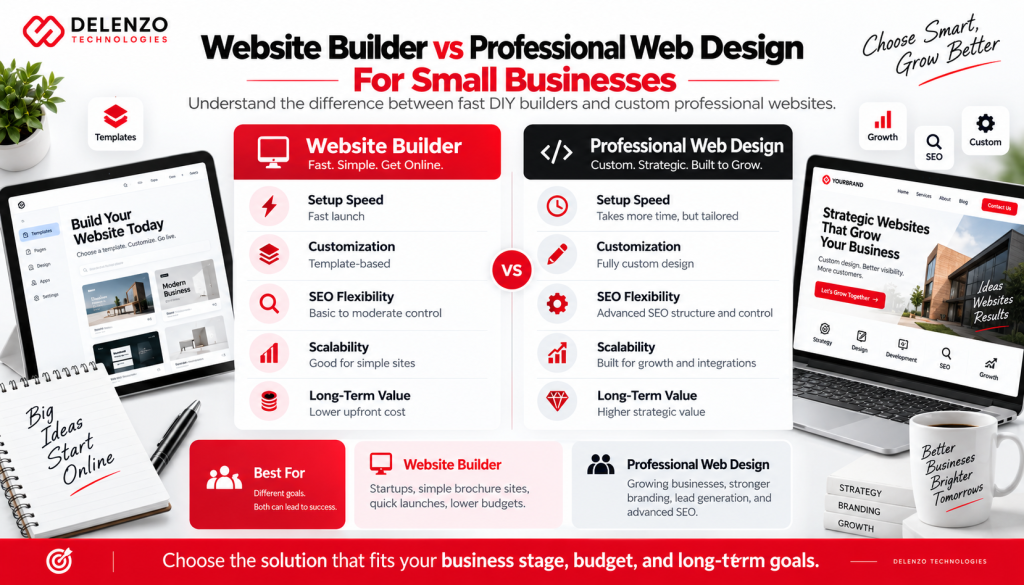
A website builder is a tool. Professional web design is a strategy and execution service. DIY builders are excellent when the business has a limited budget, simple requirements, a clear brand, and someone who can write the content and maintain the site. Professional design becomes more valuable when the website is expected to generate leads, rank competitively, support paid campaigns, communicate a premium brand, or integrate with business systems.
| Factor | DIY Website Builder | Professional Web Design |
| Upfront cost | Lower | Higher |
| Launch speed | Fast | Depends on scope |
| Brand uniqueness | Template dependent | Custom to the business |
| SEO planning | Owner managed | Strategy can be built in |
| Conversion strategy | Basic unless owner is experienced | Research and funnel focused |
| Integrations | Platform dependent | Can be planned around workflow |
| Scalability | Varies by builder | Designed around growth goals |
| Ongoing support | Mostly self-service | Can include maintenance and optimization |
Website Builder vs Custom Small Business Website Development
Custom website development is preferable when the business needs functionality that a standard builder cannot deliver cleanly. Examples include customer portals, complex booking logic, custom dashboards, advanced product configurators, unusual data integrations, multi-step workflows, unique membership systems, or strict performance and infrastructure requirements.
A website builder is usually more economical for brochure-style sites, service websites, simple content sites, and standard ecommerce. Custom development costs more upfront, but it can reduce platform constraints and create a better foundation when digital functionality is central to the business model. The decision should be based on operational requirements and expected growth, not on the desire to have something custom simply for its own sake.
How to Choose the Best Website Builder for Your Small Business
Use a decision framework instead of choosing the platform with the most advertising. Start with business requirements, then compare builders against those requirements.
- Define the primary goal: leads, bookings, ecommerce sales, portfolio visibility, content growth, membership, or a combination.
- Estimate the website size: number of core pages, blog posts, products, locations, languages, and future landing pages.
- Prioritize SEO if organic search will be a major acquisition channel. Check URL control, redirects, CMS flexibility, structured data, speed, and publishing workflow.
- Evaluate ecommerce depth if you sell products. Review payment options, inventory, shipping, taxes, discounts, checkout, reporting, and app costs.
- Match the editor to the team. A powerful platform is not helpful if nobody can update it confidently.
- Check integrations: CRM, email marketing, analytics, calendars, payment providers, chat, reviews, and automation tools.
- Calculate three-year ownership cost rather than only the first-year promotion.
- Consider migration risk. Ask what happens if you need to move the site, export content, or rebuild on another platform.
How to Make a Website for a Small Business
Building a professional small business website is easier when the work is completed in the right order. Avoid opening a builder and designing randomly. Start with strategy, content, and structure.
1. Choose the platform: Select the website builder based on business requirements, not only price.
2. Buy or connect a domain: Use a short, memorable domain that matches the brand.
3. Plan the site structure: Map the Home, About, Services, Contact, FAQ, Blog, Testimonials, and any industry or location pages.
4. Research keywords: Assign one primary search intent to each important page to prevent cannibalization.
5. Create conversion-focused copy: Explain the problem, service, proof, process, and next step clearly.
6. Design for mobile first: Ensure headings, buttons, forms, navigation, images, and spacing work well on small screens.
7. Set up SEO: Write metadata, optimize URLs, add internal links, alt text, schema where appropriate, and confirm indexing settings.
8. Connect analytics: Install measurement for traffic, forms, calls, purchases, and campaign conversions.
9. Test before launch: Check forms, checkout, mobile layouts, page speed, broken links, spelling, redirects, and contact details.
10. Publish and improve: Use search data, conversion data, and customer feedback to improve the website after launch.
What Pages Should a Small Business Website Have?
Most small business websites need a clear core structure. The exact page count depends on the industry and search strategy, but the following pages form a strong foundation:
- Home: a clear value proposition, main services, proof, and primary call to action.
- About: company story, experience, team, credibility, and why customers should trust the business.
- Service or product pages: one focused page for each meaningful offering or category.
- Contact: phone, email, address if relevant, form, map, hours, and next-step expectations.
- FAQ: concise answers to high-intent questions that help users and support AEO.
- Testimonials or case studies: evidence that reduces purchase risk.
- Blog or resources: useful content that supports SEO, internal linking, and expertise.
- Location pages: only when the business genuinely serves multiple markets and can provide unique, useful content for each.
How Much Does a Small Business Website Builder Cost?
Small business website builder costs vary widely because the subscription is only one part of the budget. A simple website can run on a low-cost or mid-range monthly plan, while ecommerce and advanced business features may require higher tiers. In addition, businesses may pay separately for a domain, email, premium templates, apps, plugins, payment processing, professional copywriting, SEO, and ongoing support.
| Cost Area | Typical Pattern | What to Watch |
| Builder subscription | Free to premium monthly plans | Annual billing may reduce monthly equivalent |
| Domain | Usually annual | Introductory free domain may renew at normal rate |
| May be separate | Check mailbox limits and renewal pricing | |
| Apps / plugins | Optional to essential | Small monthly fees can accumulate |
| Ecommerce | Higher plan or transaction fees | Payment processing is separate from platform fees |
| Design / content | DIY or professional project cost | Better copy and design can improve conversion |
| Maintenance / SEO | DIY, retainer, or project based | Budget for ongoing improvement, not just launch |
A realistic budget should be based on the value of the website to the business. If the website is expected to produce leads or sales every month, the cheapest possible plan may create false savings if it limits SEO, conversion tracking, integrations, or growth.
Small Business Website Builder Features to Look For
Before committing to a platform, check whether the plan includes the features your business needs now and is likely to need later.
- Responsive, mobile-friendly design controls
- Custom domain and SSL security
- Editable titles, descriptions, URLs, headings, and image alt text
- Automatic sitemap and sensible indexing controls
- 301 redirects and canonical support where needed
- Fast hosting and image optimization
- Forms, lead notifications, spam protection, and CRM integrations
- Analytics plus Google Analytics / advertising pixel support
- Blog or CMS for ongoing content
- Ecommerce, payments, bookings, memberships, or subscriptions if required
- AI assistance that remains editable rather than locking the site into generated output
- Backups, support, security, and a clear upgrade path
Common Mistakes to Avoid When Choosing a Website Builder
The most expensive website-builder mistakes often appear months after launch, when the business starts marketing seriously. Avoid these common problems:
- Choosing only by the cheapest introductory price and ignoring renewal costs.
- Launching before planning SEO, which leads to duplicate pages, weak URLs, and keyword cannibalization.
- Using an attractive template that does not match the customer journey or conversion goal.
- Ignoring mobile usability because the desktop preview looks good.
- Assuming AI-generated copy is ready to publish without fact-checking, editing, or brand alignment.
- Selecting a platform with weak migration options when long-term growth is expected.
- Installing too many apps or plugins and hurting speed, security, or maintenance.
- Failing to track form submissions, calls, purchases, and other conversions after launch.
Frequently Asked Questions About Small Business Website Builders
Wix is one of the best overall website builders for a typical small business because it is easy to use and includes strong design, marketing, SEO, ecommerce, scheduling, and AI tools. Shopify is better for ecommerce-first brands, while WordPress is stronger for advanced SEO and customization.
Hostinger and GoDaddy are often among the most affordable mainstream options, especially during promotional periods. However, the cheapest long-term option depends on renewal pricing, domain costs, ecommerce fees, apps, and the features your business needs.
WordPress is the best choice for maximum SEO flexibility because it offers extensive control over content, schema, plugins, page templates, internal linking, redirects, and technical optimization. Webflow is also an excellent SEO-friendly no-code platform, and Wix is strong for many small-business SEO needs.
Wix, WordPress.com, Webflow, Framer, and GoDaddy all provide useful free entry options for testing or basic projects. A paid plan is usually better for a real business because it enables a professional domain and removes important free-plan restrictions.
Wix is the best general drag-and-drop website builder for most small businesses. Squarespace is excellent for structured visual design, while Webflow and Framer provide more advanced design control for experienced users.
Yes. Modern no-code and AI website builders can create professional business websites without programming. You still need to make decisions about branding, content, SEO, navigation, user experience, and conversion strategy.
WordPress and Webflow are strong choices for B2B businesses because they support flexible service pages, case studies, content hubs, lead forms, CRM integrations, and SEO. Wix is a good alternative for smaller B2B companies that want easier maintenance.
Final Verdict: Which Website Builder Is Best for Your Small Business?
For most small businesses, Wix is the best all-around website builder in 2026 because it balances ease of use, business functionality, AI assistance, design, SEO, and ecommerce. Shopify is the best option for a serious ecommerce business. WordPress is the strongest choice for flexibility, content, and advanced SEO. Squarespace is ideal for visually driven service brands, Hostinger is excellent for budget-conscious businesses, GoDaddy is easy for beginners, Framer is best for modern design, and Webflow is the strongest advanced no-code option.
The platform should support your marketing strategy rather than define it. A well-planned website on a suitable builder can outperform a poorly planned custom website. At the same time, a business with complex requirements should not force itself into a builder simply to save money at launch. Choose based on what the website needs to accomplish over the next several years.
Need Professional Small Business Web Design?
If your website needs to do more than exist online, professional planning can make the difference between a site that looks acceptable and a site that consistently supports growth. Delenzo Technology helps businesses plan and build conversion-focused websites with professional design, SEO-ready structure, responsive development, ecommerce, content strategy, analytics, and scalable functionality.
Whether you are deciding between Wix, WordPress, Shopify, Webflow, an AI website builder, or custom development, the right solution should reflect your customers, search opportunity, brand, budget, and growth goals. Start with the business strategy, then choose the technology that supports it.