

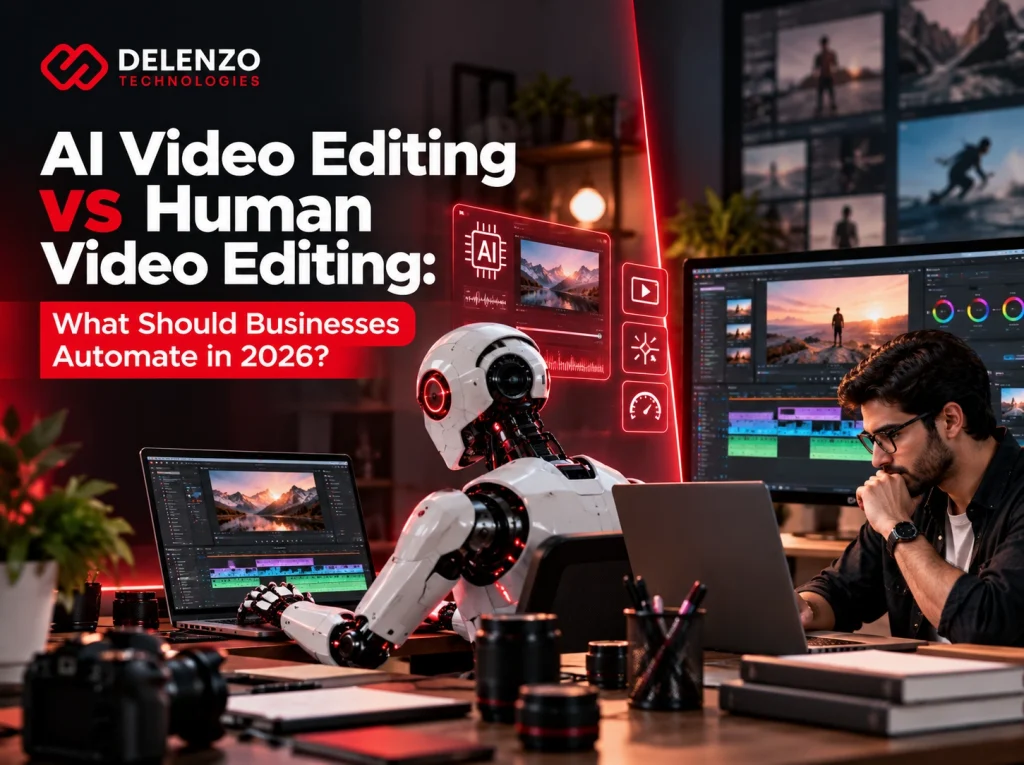
Businesses should automate transcripts, caption drafts, silence removal, and format variations. Storytelling, brand decisions, and final approval should stay with people.
AI now transcribes interviews, flags filler words, and builds rough cuts in minutes. Speed alone does not make a video worth watching, though. And when a caption is wrong or a claim misleads, someone has to own the result.
This guide breaks down AI video editing vs human video editing task by task. A weekly podcast and a product launch deserve different levels of editorial control. You will see where automation saves real time, where it creates risk, and how to combine both.
AI Video Editing vs Human Video Editing: What’s the Difference?
The core difference is decision-making. AI follows patterns learned from data, while a human editor makes choices based on audience, message, and business goals.
An AI tool can spot a pause or a face in a frame. It cannot tell whether that pause adds tension or wastes time. People read the brief, know the audience, and decide what the video needs to say. That gap shapes every comparison of AI vs human video editing in this guide.
What Is AI Video Editing?
AI video editing uses machine learning to automate or speed up specific post-production tasks. Most tools handle one job well rather than replacing a full editor.
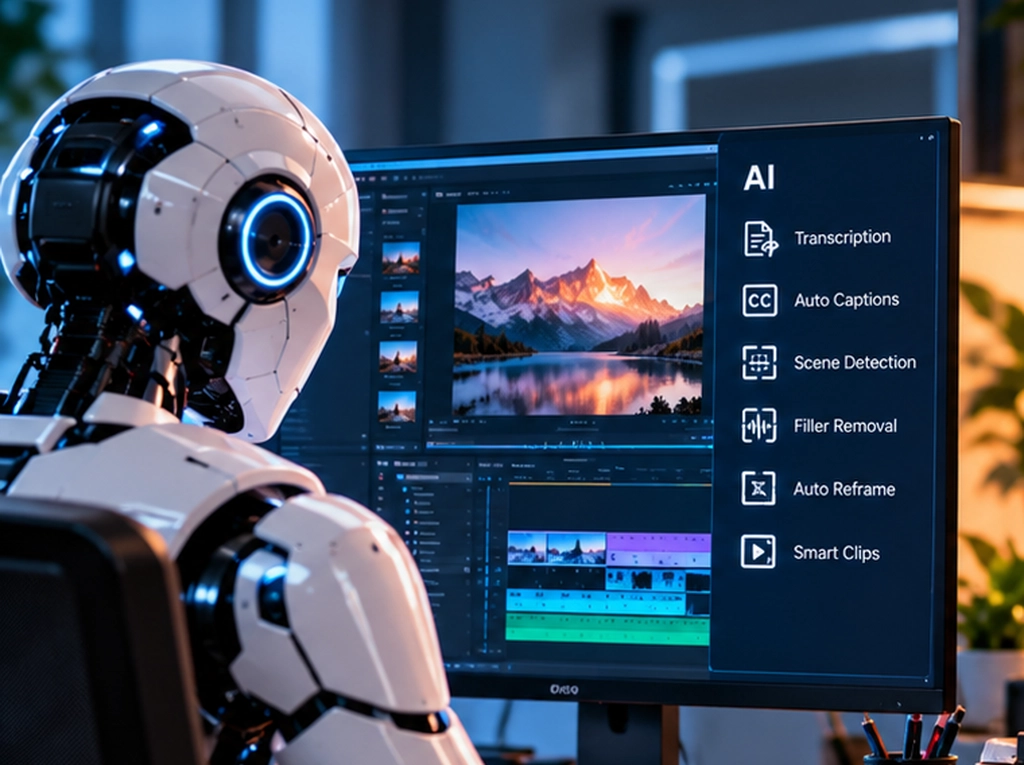
Typical features include speech-to-text, auto captions, scene detection, and smart reframing. Some platforms also suggest highlight clips from long recordings. A more accurate label for most of these features is AI-assisted video editing. The software handles the grunt work, and a person still steers the outcome.
What Does a Human Video Editor Do Differently?
A human video editor turns a brief into decisions about meaning, structure, timing, and presentation. They shape the message and own the finished result.
Picture a customer interview with two strong moments. One is a polished soundbite, and the other is an honest admission about a past problem. Choosing the admission because it builds more trust requires understanding the story.
Common editor responsibilities include:
- Choosing which moments carry the story and which to drop
- Setting pacing and emotional timing for each scene
- Matching music, graphics, and color to brand standards
- Running quality control before anything goes live
When people weigh an AI video editor vs human editor, this list explains the gap. Software processes footage. Editors make decisions about it.
What Can AI Video Editing Actually Automate in 2026?
AI is strongest at repetitive, mechanical editing work. Transcripts, filler detection, clip suggestions, and reframing are where current tools save the most time.
Their output is easy to check, which makes them safe places to start with automated video editing. Each task below comes with what to check before you trust the result.
Transcription, Captions, and Subtitle Generation
Speech recognition can produce a full transcript within minutes of upload. Adobe Premiere Pro, for example, transcribes footage automatically and builds captions from that transcript.
Accuracy is usually high for clear audio, but errors still slip through. Check these spots before delivery:
- Brand names, product names, and people’s names
- Industry terms, acronyms, and prices
- Strong accents or overlapping speakers
- Subtitle timing that drifts out of sync
One misspelled client name can undo a polished video.
Silence, Pause, and Filler Word Removal
AI tools can detect dead air, long pauses, and filler words like “um” and “uh.” Premiere Pro’s transcript tools can find filler words and delete them in bulk.
Not every pause is dead weight, however. Some pauses let a point land or give viewers time to read on-screen text. Removing every gap can make a speaker sound rushed and unnatural. Keep natural breaths and any pause that carries meaning.
Rough Cuts, Scene Detection, and Clip Selection
Depending on the tool, AI can find scene boundaries, flag usable takes, and assemble a first-pass rough cut. Descript, for instance, can pull short clips from a long recording automatically.
An editor no longer needs to scrub through three hours of footage to find ten good minutes. Treat every suggestion as a candidate. A statement that depends on earlier context can mislead once it stands alone.
Resizing, Reframing, and Social Media Variations
Automatic reframing adapts an approved video to vertical, square, and widescreen formats. Adobe’s Auto Reframe tracks the main action and adjusts the crop for each layout.
This is where video editing automation pays off fast. One master edit can become versions for YouTube, Instagram Reels, TikTok, LinkedIn, and paid ads. Still inspect faces, product labels, screen recordings, captions, and logos after cropping.
What Should Businesses Not Fully Automate?
Businesses should keep humans in charge of storytelling, pacing, brand voice, and final approval. Mistakes in these areas can change meaning, weaken trust, or give the wrong picture of your brand.
Software can assist here, but it should not have the last word. The four areas below show where human judgment protects your videos most.

Storytelling and Narrative Structure
Storytelling requires knowing why the video exists and who will watch it. That understanding decides what goes in, what comes out, and in what order.
A case study, for example, often needs the customer’s problem before the impressive results. Editors create tension early and deliver a payoff the viewer remembers. Software sorts clips by topic or energy. It cannot decide which quote will convince a skeptical buyer.
Creative Pacing and Emotional Timing
Pacing is about feel, and feel depends on meaning. A pause after a difficult admission can carry more weight than another cut.
Editors make many small timing calls that rules cannot capture:
- How long to hold a reaction shot
- When the music swell should hit
- How fast cuts should land in a hook
These choices decide whether a video feels polished or flat.
Brand Voice and Visual Consistency
Customer-facing videos must look and sound like your brand every time. That takes more than applying colors and logos.
Music, humor, typography, and transitions all need to suit your company and audience. Templates do not know that your brand avoids hype, or that a certain shot style feels wrong for your industry. An editor who knows your guidelines catches these details before your audience does.
Final Quality Control and Brand-Sensitive Decisions
The person responsible for the release should approve every video before it goes public. Final review protects accuracy, brand standards, and your reputation.
A solid QC pass checks for:
- Factual errors and outdated claims
- Caption mistakes and timing issues
- Awkward AI cuts or jump edits
- Framing problems in resized versions
- Logo, legal, and compliance requirements
Software cannot take the blame. When a video goes wrong, the business owns the fallout, so a human should own the sign-off.
Video Editing Tasks: AI vs Human vs Hybrid
The table below recommends oversight levels for each task. It does not rank software products.
| Editing Task | AI Capability | Human Input Required | Recommended Approach |
| Transcription and captions | High | Fix names and timing | AI first, human check |
| Silence removal | High | Keep meaningful pauses | AI first, human check |
| Resizing | High | Check crops and text | AI first, human check |
| Rough cuts and clipping | Medium | Confirm story and context | Hybrid |
| Color correction and B-roll | Medium | Match look, check rights | Hybrid |
| Motion graphics | Medium | Direct design | Hybrid |
| Storytelling and pacing | Low | Full ownership | Human-led |
| Brand decisions and final QC | Low | Final approval | Human-led |
In short, automate mechanical tasks with easy-to-check output. Use a hybrid approach for assembly and visuals. Keep story, brand, and final approval human-led.
AI Video Editing vs Human Editing: Quality, Speed, Cost, and Scalability
Neither approach wins on every factor. AI leads on speed and volume, while human editors lead on creative quality and brand control.
Judge each approach by the finished, approved video, not the speed of its first draft. Production savings disappear when correction work eats up the time saved.
Speed and Turnaround Time
Automated tools finish routine processing in minutes instead of hours. A one-hour interview can be transcribed, captioned, and resized before an editor finishes the first watch-through.
Creative work does not compress the same way. Story revisions, client feedback, and fine pacing changes still take human time. Measure turnaround from footage handoff to sign-off, including review delays.
Cost and the Hidden Cost of AI Rework
AI subscriptions often cost far less per month than an editor’s salary. That comparison misses several real expenses.
When calculating the true cost of AI, include:
- Setup and training on new AI video editing tools
- Staff time spent reviewing and correcting AI output
- Rework when an automated edit misses the brief
- Unused outputs that never get published
A useful metric is cost per approved asset. Divide total production spending by the number of videos you actually publish. A low-cost tool becomes expensive when someone spends hours fixing its mistakes.
Creative Quality and Brand Consistency
Templates repeat established layouts quickly, but they also make videos look like everyone else’s. Human editors make choices built around your specific audience and message.
Professional video editing shows in the details. Think clean transitions, deliberate color, sound that matches the mood, and on-brand graphics. AI handles the baseline well, and a skilled editor handles what makes viewers stop scrolling.
Scalability for High-Volume Video Production
Automation becomes most valuable when you produce a lot of recurring content. Weekly podcasts, webinar series, and daily social clips are ideal candidates.
Standardize caption styles, export settings, and review criteria before increasing volume. This is where AI video editing for businesses shows clear returns. Editors then spend their hours on the pieces that need judgment.
Which Business Video Editing Tasks Should You Automate?
Automate tasks that are repetitive, rules-based, and easy to check. Keep high-stakes, customer-facing creative work under human control.
A simple test helps here. If an error would be quick to spot and cheap to fix, the task is a good automation candidate.
Automate Repetitive, Rules-Based Editing Tasks
Start with jobs where output is simple to check. These deliver fast wins with low risk:
- Transcription of interviews, meetings, and webinars
- First-pass captions and subtitles
- Silence and filler word detection
- Basic footage organization and tagging
- Resizing approved videos for different platforms
- Repetitive exports and file renaming
Keep original footage available so any rejected change can be reversed.
Use AI for High-Volume Content Repurposing
Approved long-form content is ideal raw material for AI clipping. One webinar can yield a dozen candidate short clips in a single pass.
The key word is candidate. Let AI surface options, then have a person choose clips with complete ideas. Check each clip’s opening, takeaway, and call to action before scheduling it.
Keep High-Stakes Customer-Facing Content Human-Led
Videos that shape how buyers see your brand deserve strong editorial control. Mistakes here cost more than the time AI could save.
Keep these human-led:
- Brand hero videos and homepage videos
- Major campaign launches
- Customer case studies and testimonials
- Complex product demos
- High-budget paid ads
- Investor or executive messaging
Assign one approver who understands the offer and the evidence behind every claim.
Which Types of Business Videos Need More Human Editing?
Videos with high stakes, complex explanations, or a story to tell need the most human editing. The more a video represents your brand, the more editorial judgment it requires.
Brand, Corporate, and Campaign Videos
Brand and campaign videos carry your core message to the widest audience. They need a clear message hierarchy, consistent visual identity, and planned creative choices.
Marketing, leadership, and legal teams may all have input. Agree on the central promise before choosing shots or music. An editor then balances every requirement without losing the story.
Product Demos, Explainers, and Case Studies
Product and case study videos must be accurate and logical. A wrong feature callout or confusing sequence can cost a sale.
Demos need correct steps, readable screens, and a natural flow from one feature to the next. In case studies, customer statements must stay truthful after trimming. A transcription tool can capture the interview. Choosing the quote that proves results is a human call.
YouTube and Story-Driven Long-Form Content
Long-form YouTube videos live or die on retention. Hooks, narrative progression, and pacing decide whether viewers stay past the first minute.
Experienced editors plan B-roll to support each point and time cuts to hold attention. Base retention choices on your real audience and viewing data where you have it. Keeping people watching for ten or twenty minutes takes editorial skill.
Why a Hybrid AI + Human Video Editing Workflow Works for Businesses
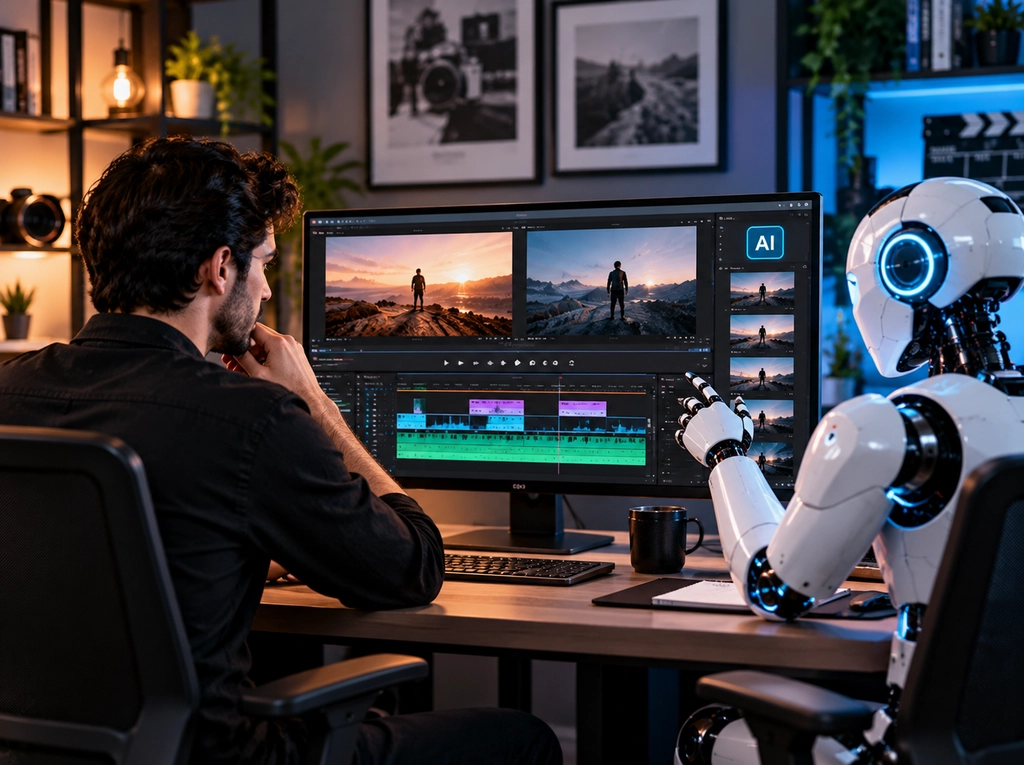
A hybrid video editing workflow lets AI handle mechanical work while human editors own judgment and the finished product. It pairs faster preparation with creative decisions that someone owns.
A well-planned AI video editing workflow works best when each stage has a clear owner and approval point.
Stage 1: Let AI Handle the First-Pass Work
Raw footage goes through AI processing before an editor starts detailed work. This stage clears the busywork off the editor’s desk.
First-pass work can include transcription, footage tagging, silence detection, draft captions, scene detection, and a rough assembly. Check upload permissions before placing confidential footage in any external tool.
Stage 2: Let Human Editors Handle Creative and Strategic Decisions
Next, a human editor shapes the video into something worth watching. Here the story comes together.
The editor refines the hook, story order, pacing, B-roll, graphics, sound design, and brand presentation. They also remove anything the AI kept that does not serve the message. Feedback works best when it references timestamps and the intended business outcome.
Stage 3: Use AI for Repurposing and Versioning
After the master video is approved, AI returns to handle routine deliverables. This saves editors from hours of exports.
From the approved master, it can generate format variations, social clips, caption files, and platform-specific cuts. Supplying templates and clip selection criteria upfront reduces avoidable revisions.
Stage 4: Keep Human Review Before Publishing
Every version should get a human check before it goes live. This last step protects your brand across every platform.
Watch each export from start to finish. Review accuracy, audio, framing, and overall viewer experience. Check subtitle readability on a phone screen. Confirm that every excerpt keeps the original meaning.
AI vs Human vs Hybrid Video Editing Comparison
This comparison shows typical tradeoffs, not guaranteed results.
| Factor | AI-Only | Human-Only | Hybrid | Best Use Case |
| Speed | Fastest | Slower | Fast drafts | Weekly social clips |
| Cost | Low, plus rework | Higher | Balanced | Steady production |
| Creativity and storytelling | Limited | Strong | Strong | Case studies |
| Brand consistency | Basic rules | Strong | Strong | Branded series |
| Customization and revisions | Tool-limited | Fully custom | Targeted | Product demos |
| Scalability and volume | Very high | Limited | High | Webinar repurposing |
| Quality control | No sign-off | Named reviewer | Checks plus approval | All public videos |
For most businesses, the hybrid approach gives the best mix of speed, cost, and quality. AI-only fits low-stakes volume work, and human-only fits flagship creative projects.
How to Decide What Your Business Should Automate
Use a simple framework instead of a fixed rule. Score each task on complexity, volume, brand risk, and business impact, then automate the low-risk, high-volume ones.
Consider Complexity, Volume, Brand Risk, and Business Impact
Run each task through four checks:
- Complexity: Repetitive tasks suit AI better than creative ones.
- Volume: Tasks you repeat weekly offer bigger time savings than one-off jobs.
- Brand risk: Anything customers see carries more risk than internal footage.
- Business impact: A poor edit on a sales video costs more than one on a team update.
A Dallas retailer’s weekly product clips, for example, suit automation far better than its annual brand film.
Then pilot one recurring format before changing your whole process:
- Record current editing and review hours.
- Track corrections and rejected clips during the trial.
- Compare cost per approved deliverable.
- Confirm that quality stays acceptable.
- Expand only where the results justify it.
Ask Whether the Task Requires Judgment or Pattern Recognition
One rule covers most decisions. Pattern-based tasks are strong automation candidates, while contextual, emotional, or brand-sensitive tasks need human control.
Finding silence is pattern recognition. Deciding which silence to keep is judgment. Applying that lens to each step of your process shows exactly where AI fits.
The Future of AI and Human Video Editing Beyond 2026
AI will likely keep moving deeper into professional editing software. Human editors should remain central, with their focus shifting rather than disappearing.
Today’s limits will not stay fixed, but future features remain uncertain. Plan around capabilities you have tested, not ones that vendors promise.
AI Will Change the Editor’s Role More Than Eliminate It
Editors will likely spend less time on routine production and more on creative and strategic work. Treat this as a planning outlook, not a guarantee.
Their time will shift toward storytelling, audience strategy, brand interpretation, and reviewing AI output.
Teams that adapt early will produce more video without lowering their standards.
Final Thoughts: Automate the Work, Not the Judgment
Automate repeatable production work, keep humans in charge of story and brand, and combine both for scalable output. That balance gives businesses speed without sacrificing quality.
The debate over AI video editing vs human video editing misses the practical point. Most businesses get the best results by using each where it performs best. Start by automating transcripts, captions, and resizing. Keep your hero videos, case studies, and campaigns in skilled hands.
When comparing AI video editing services, look at usable outputs and correction effort, not just subscription prices. Teams that plan to outsource video editing services should also confirm review ownership, revision scope, and handoff steps.
Delenzo Technologies in Dallas offers professional video editing services for businesses across the USA. Our editors use AI for the routine steps and apply human judgment where it matters. Share your footage, audience, and delivery goals, and we will suggest a workflow that fits your budget.
Frequently Asked Questions
Can AI replace human video editors in 2026?
No. AI can handle routine tasks like captions and trims, but it cannot judge story, pacing, or brand fit. Businesses still need human editors for final quality checks.
What video editing tasks can businesses automate with AI?
Businesses can automate transcription, caption drafts, silence detection, rough cuts, clip suggestions, and resizing with AI. Human review helps catch errors and preserve the intended message.
Is AI video editing cheaper than hiring a human editor?
AI tools often cost less for simple, repetitive tasks. But review time, corrections, and rework add hidden costs, so compare your cost per approved video.
What video editing tasks still require a human editor?
Businesses still need human editors to shape stories, refine pacing, interpret brand voice, and approve final videos. These decisions require audience understanding, context, and creative judgment.
Is a hybrid AI and human video editing workflow better for businesses?
Yes, for most businesses that publish video regularly. AI handles the repetitive tasks, while human editors guide storytelling, protect brand consistency, and approve final quality.