
AI logo tools now help a small business get a usable logo in minutes, not weeks. Design.com is the best tool for logo design overall for most small businesses. It also builds matching brand assets in one place.
Free plans usually give you a PNG, while paid plans add SVG files and commercial rights. Most generators remix templates, but a true AI vector tool draws editable shapes. Either way, your logo must stay original, consistent and printable.
For beginners, Canva AI is a convenient option; Design.com works well for complete branding kits; Recraft V4 is suited to editable vector workflows; Ideogram is useful for generating logo concepts with text. The best choice depends on your editing needs, file formats and budget.
Quick answer: Design.com is the strongest all-round option for brand kits, Recraft is best for editable vectors, Canva suits beginners, and LOGO.com is the most practical free starting point.
What Are the Best AI Tools for Logo Design?
The best AI tools for logo design are below, led by Design.com, Recraft, Canva and LOGO.com. We compared pricing, file formats and license terms in October 2026, so match each tool to your goal.
| AI tool | Best for | Free plan | Paid from |
|---|---|---|---|
| Design.com | Brand kits | Free designs | $3/mo |
| Recraft AI | Vector logos | Personal use only | $12/mo |
| Canva | Beginners | Yes, limited AI | $15/mo |
| LOGO.com | Free logos | PNG download | $12/mo |
| Ideogram | Text-based concepts | Limited daily use | Under $10/mo |
| Adobe Express | Adobe workflows | 25 credits/mo | $9.99/mo |
| Looka | Brand identity | Preview only | $35 once |
| LogoAI | Logo and brand assets | Preview only | $29 once |
| Fiverr Logo Maker | Designer support | Preview only | $30 once |
In short, Design.com and Looka suit full brand kits. Recraft handles vectors, while LOGO.com and Canva cover free starts. Prices are approximate starting rates as of October 2026, so confirm each plan before you pay.
9 Best AI Logo Generators Reviewed
Each review covers what the tool does well, where it falls short and what you actually pay.
1. Design.com: Best AI Logo Generator for Branding Kits
Design.com suits anyone who wants a logo and a full set of branded assets in one account. You type your business name and industry, and the AI returns dozens of logo variations to pick from.
After you choose one, the editor lets you change fonts, colors, icons and layout. Your logo then flows into business cards, social media templates, flyers and a website builder. That carry-over makes it the best AI for logo design and branding on a small budget.
The platform draws on a library of over 400,000 logo designs. Plans start at about $3 a month when billed yearly, and checkout shows the final price.
- Good for:
- New businesses that need cards, social graphics and a site fast
- Owners who want one dashboard for every brand asset
- Watch out for:
- Template-based results can look like other companies’ logos, which may force a costly rebrand later
- Run a trademark search before printing signs or packaging
2. Recraft V4: Best for Professional Vector Logos
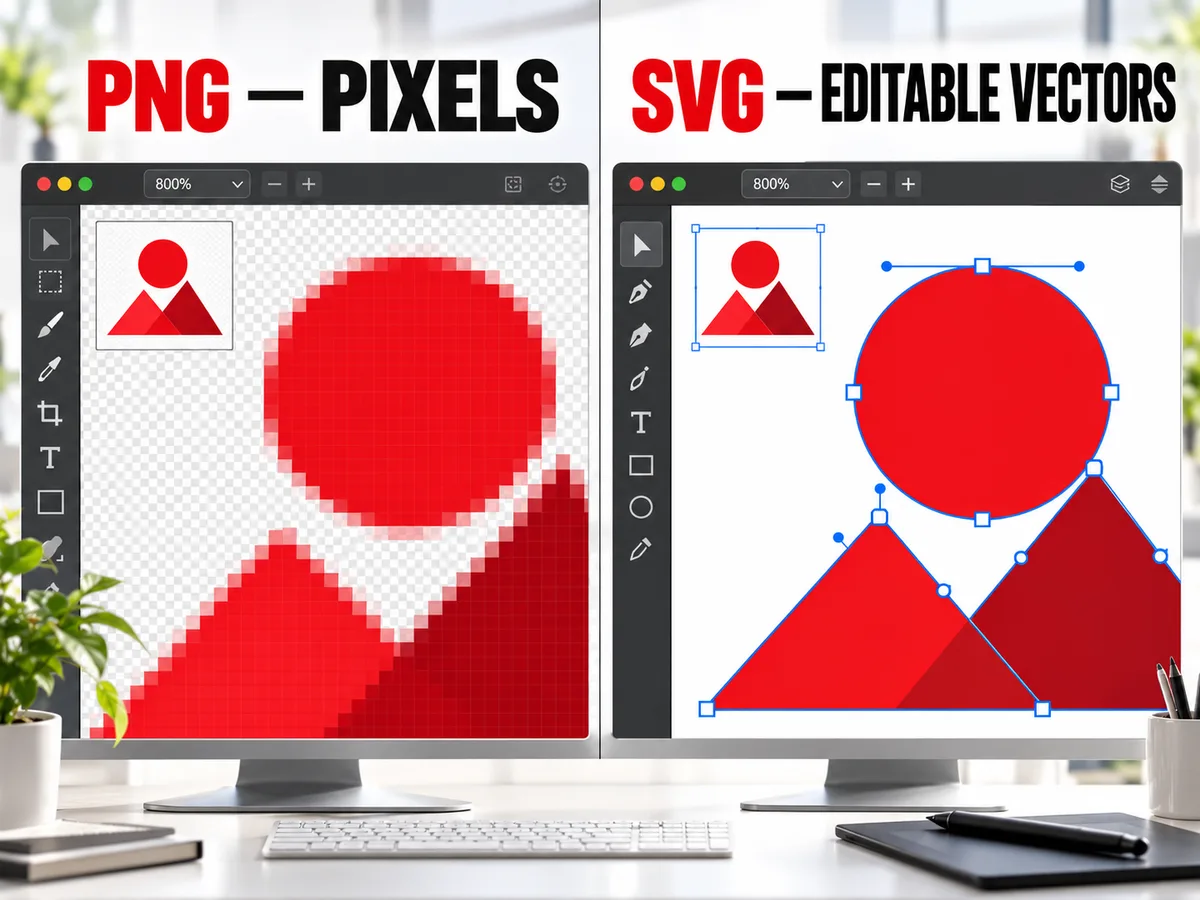
Recraft is the top choice when you need a true vector logo, not a picture of one. That difference matters more than most buyers realize.
A raster image, like a PNG or JPG, is a grid of pixels. Blow it up for a banner and the edges turn soft and blocky. An SVG file stores shapes as math, so it stays sharp from a favicon to a billboard.
Some AI image tools create a raster image and trace it into an SVG wrapper. Those files often carry messy nodes that designers must clean by hand. Recraft V4 launched in February 2026, followed by V4.1 in May. Both versions generate native SVG paths you can open and edit in Illustrator or Figma.
A Recraft AI logo also exports as PNG, JPG, PDF, TIFF or Lottie animation. The newer V4 Styles feature turns a few reference images into a reusable style. That keeps icons, badges and brand graphics visually consistent.
- Good for:
- Experienced designers who refine AI output in vector software
- Brands building icon sets and matching graphics
- Watch out for:
- Free plan images are public, owned by Recraft and not licensed for commercial use
- Paid plans start at $12 a month, with Pro at $20
3. Canva AI: Best for Beginners and Small Businesses
Canva AI is the easiest place to start if you have never designed a logo before. Type a short prompt such as “minimal coffee shop logo, warm brown, round badge,” and it returns editable design options.
Templates work too, with thousands available for quick logo design ideas. Every element is drag and drop, so swapping a font or color takes seconds.
Canva shines after the logo is done. Save your colors and fonts to a Brand Kit, then reuse them across social posts, presentations, flyers and email headers. Few tools make that step this easy.
- Good for:
- First-time founders with zero design experience
- Teams that already make social content in Canva
- Watch out for:
- The free plan limits AI uses and skips SVG export
- Canva’s license restricts trademarking logos built from its templates or stock elements
- Pro costs about $15 a month and adds SVG files and transparent backgrounds
4. LOGO.com: Best for Creating a Basic Logo for Free
LOGO.com gives you a usable logo at no cost, a perk most paid-first rivals skip. Its free plan lets you download PNG files with a full commercial license, and no credit card is needed.
That makes it a dependable free AI logo generator for side projects and new stores. The editor covers fonts, colors, layouts and icons. You can even describe a concept and get a custom AI icon instead of a stock symbol.
SVG, PDF and other vector formats are not free. They come with the Brand Plan, listed at about $12 a month or $43 a year. That upgrade also adds 1,200+ branded templates, brand guidelines and a basic website.
- Good for:
- Testing a logo on a website or social profile before spending money
- Solo sellers who need a clean PNG today
- Watch out for:
- Free files are PNG only, so large print jobs may need the paid plan
- Upgrades are a subscription, not a one-time purchase
5. Ideogram: Best for Typography-Based Logo Concepts
Ideogram is the go-to tool for logo concepts where the lettering matters most. Many image models still garble words, but Ideogram usually spells short names correctly.
A May 2026 GPTPrompts test found it nailed one to four words about nine times in ten. Such accuracy makes it handy for wordmarks, monograms, retro badges and symbol-plus-name concepts.
Prompt-based creativity is its biggest strength. You can generate twenty very different directions in minutes, which helps break a creative block.
- Good for:
- Exploring lettering styles before hiring a designer
- Mood boards and early client presentations
- Watch out for:
- Output is a raster image, not an editable vector
- Long names, small letters and taglines can still warp or misspell
- Final logos usually need redrawing in vector software
- Expect limited daily generations on the free tier, with paid plans under $10 a month.
6. Adobe Express: Best for Easy Logo Editing
Adobe Express is ideal for people who want speedy logo edits with Adobe-quality fonts and tools. It pairs starter templates with logo generation powered by Adobe Firefly.
Pick a template, type your business name, and adjust icons, colors and spacing. Background removal, text effects and a big font library let you handle logo design online without installing software.
The Adobe link helps if you already use Photoshop or Illustrator. Files and brand assets can move into other Adobe apps for deeper editing later.
- Good for:
- Creative Cloud users who want a faster workflow
- Small teams that need brand kits and bulk resizing
- Watch out for:
- The logo maker page lists PNG, JPG and PDF downloads, with no SVG mentioned
- Free accounts get only 25 generative credits a month
- Premium costs $9.99 a month and includes 250 credits
7. Looka: Best for Automated Brand Identity
Looka works best when you want the AI to build the whole identity, not just the mark. You choose an industry, sample styles you like and preferred colors. The AI then builds logo options and previews them on business cards, shirts and storefronts.
Those mockups help you judge a design in real settings before you commit. Looka’s Brand Kit then adds 300+ templates, email signatures, social assets and brand guidelines. It is a practical option for logo and brand design without a design team.
Package choice matters here. Looka raised one-time prices in September 2026:
- Basic Logo Package: $35 for a single PNG file
- Premium Logo Package: $72 with high-resolution and vector files
- Brand Kit Subscription: $96 a year
- Brand Kit Web Subscription: $129 a year with a website
Skip the Basic package if you plan to print anything. One PNG rarely covers signs, branding products and packaging.
8. LogoAI: Best for Logo and Brand Asset Generation
LogoAI fits buyers who prefer paying once for a logo and its brand assets. Enter your name and industry, then refine concepts in the editor.
Your choice shows up across social posts, business cards and a brand center that stores your files. This makes it a budget path to branding and logo design when you want everything tied together.
File formats depend on the package:
| Package | Price | Main files and extras |
|---|---|---|
| Basic | $29 one time | 800x600px PNG |
| Pro | $59 one time | High-res files plus SVG and PDF vectors |
| Brand | $99 one time | Pro files, logo animation, mockups, brand slides |
Pro is the realistic minimum for most businesses, because Basic lacks print-ready files.
- Watch out for:
- Each new logo is a separate purchase
- Customization stays inside the platform’s design limits
9. Fiverr Logo Maker: Best for Logo Creation With Designer Support Options
Fiverr Logo Maker starts with AI but lets you bring in a human designer when needed. You answer a few questions, and the AI builds options from designs made by Fiverr freelancers.
Editing is free before checkout. After that, three packages apply: Essential at $30, Professional at $60 and Unlimited at $90. Essential gives PNG variations with no edits after purchase. The higher tiers add a social media kit and brand guidelines, and Unlimited adds ongoing editor access.
Extra help makes sense when the AI result is close but not quite right. You may need a unique symbol, a trademark-ready mark or files for embroidery. Fiverr’s marketplace lets you hire a freelancer from the same account.
This setup keeps your logo design cost low at first, with a clear path to custom work later. For agency rates, see our graphic design pricing guide.
Which Free AI Logo Generator Is Best?
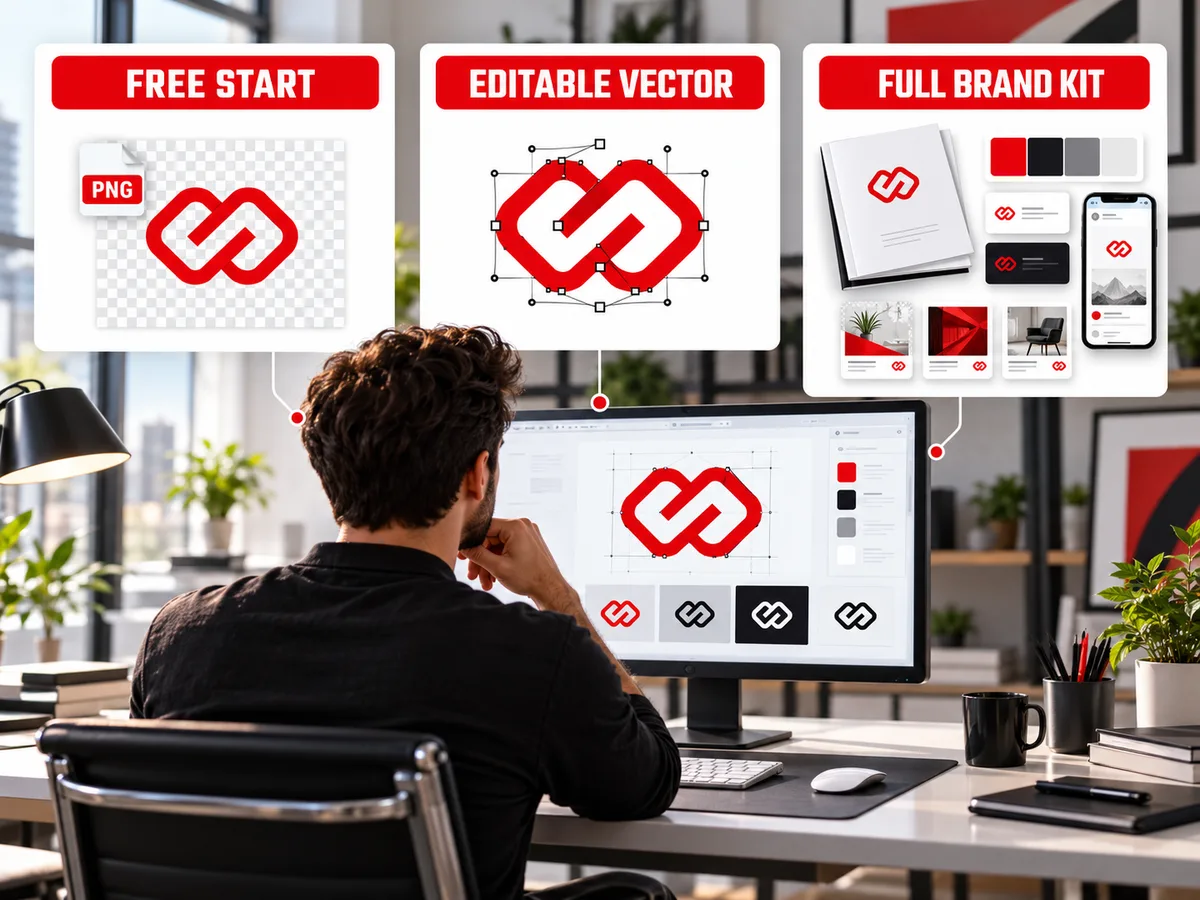
LOGO.com is the most sensible pick for anyone after the best AI logo generator free of charge. It lets you download a commercially licensed PNG at no cost, which most rivals lock behind a paywall.
Best Free AI Logo Maker for Beginners
Canva stays the friendliest free option for first-timers. The interface is simple, templates are plentiful and AI prompts give you a starting point within seconds.
- Free-plan limits do bite, though:
- AI uses are capped each month
- Downloads are PNG, JPG or PDF, with no SVG
- Transparent backgrounds and premium elements need Pro
- Template-based logos face trademark restrictions
Best Free AI Logo Generator for Business Use
For business use, LOGO.com leads because its free PNG comes with a commercial license. Canva follows closely, though trademark limits apply to template-based designs.
| Tool | Free download | Business use on free plan |
|---|---|---|
| LOGO.com | PNG files | Yes, commercial license included |
| Canva | PNG, JPG, PDF | Yes, with trademark limits on templates |
| Recraft | PNG, SVG | No, images are public and owned by Recraft |
| Ideogram | PNG concepts | Best kept for ideas, not final logos |
Pick LOGO.com for a free business logo you can use right away. Choose Canva if you also want free social and print templates. Our graphic design guide for small businesses shows what to plan beyond the logo.
Can You Download a Free AI Logo as SVG?
Usually not. Most free plans give you a PNG or JPG image, while SVG files sit behind a paid tier.
An image file is fine for a website header or profile photo. An editable vector lets a printer, sign maker or embroiderer scale your logo with perfect edges. A few makers outside this list, such as Zarla and Vistaprint, advertise free SVG files.
Commercial rights deserve a close look too. Recraft’s free plan bars commercial use entirely. Canva allows business use but limits trademarks on template designs.
Copyright adds another wrinkle. The U.S. Copyright Office’s 2025 report said prompts alone do not give enough human control for copyright protection. A purely AI-made logo may be hard to protect. Speak with a trademark attorney before a major launch.
When Should You Use an AI Logo Generator?
An AI logo generator makes sense when speed and low cost matter more than originality. It works well for:
- Brainstorming styles before a design brief
- Side projects, pop-up events and short campaigns
- Testing business names and color palettes
- Early-stage startups launching a first version
- Giving a designer visual references to start from
Our guide on whether AI design tools can replace a graphic designer explains where AI falls short.
When Should You Hire a Professional Logo Designer?
Hire a designer when your brand needs an original identity you can protect and grow. Professional logo design starts with research into your audience, competitors and positioning, not a random prompt.
A designer delivers a full system of logo design and brand identity assets. That usually covers the core parts of a brand identity package: logos, a color palette, type rules and usage guidelines. You also get production files like SVG, EPS, CMYK and one-color versions for print.
Good brand logo design also holds up over time. Strong marks stay readable on a phone screen, a delivery van and a coffee cup. As a rough estimate, freelance logos range from a few hundred to a few thousand dollars, and agencies charge more.
If your business needs more than an AI-generated logo, explore Delenzo Technologies’ professional graphic design services for custom branding and design support.
Final Thoughts
The best AI tools for logo design save time, spark ideas and cost far less than custom work. Use Canva or LOGO.com to start free, Design.com or Looka for brand kits, and Recraft for true vectors.
AI still has limits. Free plans rarely include SVG files, licenses vary, and generated marks can be hard to protect legally.
When you are ready for a logo that is fully yours, Delenzo Technologies can help. Browse our design portfolio to see our style first. Our Dallas team offers graphic design and branding services for small businesses across the USA.
Frequently Asked Questions About AI Logo Tools
What is the best AI tool for logo design in 2026?
There is no single winner, but Design.com is the best all-round pick for small businesses. Recraft leads for editable vectors, and Canva suits complete beginners.
Which AI logo generator is completely free?
Zarla is completely free, including PNG and SVG downloads. LOGO.com also offers free PNG files with a commercial license, but its SVG files require a paid plan.
Can ChatGPT design a logo?
Yes, ChatGPT can create logo drafts from a text prompt using its image tool. Expect occasional spelling errors and raster image files, so rebuild the final logo in vector software.
Can I create a professional business logo using AI?
Yes, AI tools can create a professional-looking business logo in minutes. Compare several options, customize fonts and colors, and download vector files so it works in print and online.
Which AI logo generator creates SVG files?
Recraft is the main AI tool that generates true native SVG files with editable paths. Zarla offers free SVG downloads, while LOGO.com, Looka and LogoAI include SVG on paid plans.
Is Recraft AI good for logo design?
Yes, Recraft is excellent for vector logos because it creates editable SVG files, not traced images. Choose a paid plan, since free-plan images are public and owned by Recraft.
Can I legally use an AI-generated logo for my business?
Yes, if the tool’s license allows commercial use. You can usually trademark a distinctive AI logo, but purely AI artwork may lack copyright protection in the U.S.
Is Canva or Design.com better for logo design?
Design.com is better for logos because it focuses on logo creation, brand kits and vector files. Canva wins if you also need social posts, videos and presentations.
