

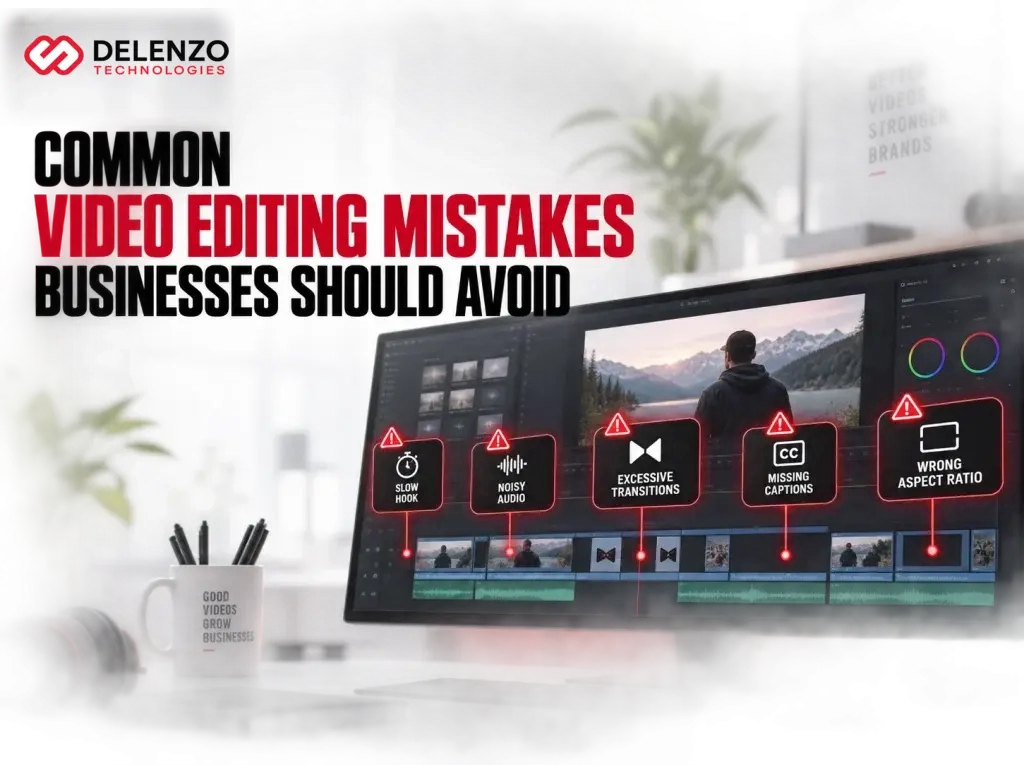
Most business videos fail after filming, not during it. The footage looks fine and the message is clear. Still, viewers leave within seconds.
The problem usually sits in the edit. Editing controls pace, sound, clarity, and trust. When it goes wrong, the damage is not cosmetic. Weak edits cost US businesses views, credibility, and paying customers.
This guide covers the video editing mistakes that hurt business results most. Each section explains the problem, the cost, and the fix.
Why Editing Mistakes Cost Businesses More Than They Realize
Bad edits cost money in three ways. They lose watch time, weaken brand trust, and waste production spend. A video that stops at four seconds returns nothing on a five thousand dollar shoot.
Most common video editing mistakes share one trait. They add friction. Viewers work harder to follow the message, so they stop trying.
The financial impact stacks across channels:
- Paid ads burn budget on views that never reach the offer
- Website videos fail to move visitors toward a form
- Social reach drops as retention signals fall
The Real Cost of an Unprofessional-Looking Video
Buyers treat video quality as a proxy for company quality. A rough edit suggests rough work, and that judgment forms before anyone reads your copy.
Trust builds through consistency. Edelman Trust Barometer research has consistently shown that brand trust influences buying decisions. A polished website paired with a badly cut video creates doubt instead.
The damage stays quiet. Nobody emails to say the video looked cheap. They simply choose a competitor whose content felt more established.
Weak or Missing Hook in the First Few Seconds
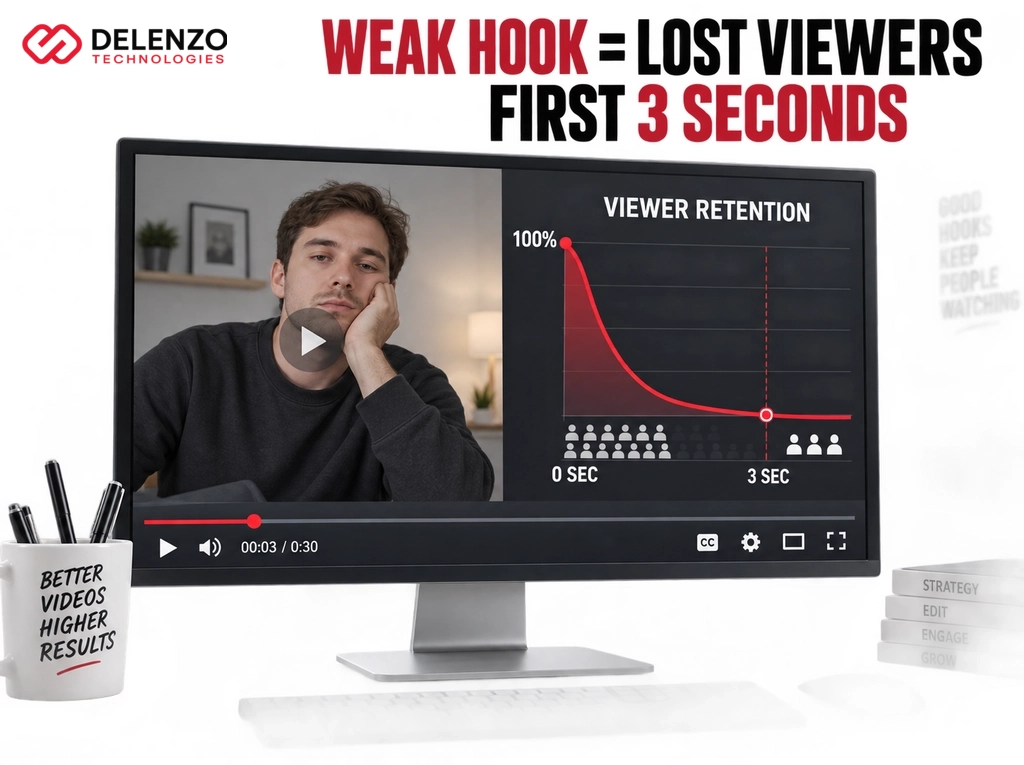
Viewers decide within a few seconds whether to keep watching. A slow logo animation or a long greeting wastes that window. By the time your message starts, much of the audience has left.
Strong hooks lead with the problem, the result, or a visual that stops the scroll. Save the branded intro card for the end.
Openings that hold attention usually do one of these:
- State the exact problem the viewer already has
- Show the finished result before the process
- Open mid action with movement on screen
- Lead with a specific number or outcome
Why Businesses Lose Viewers Before the Message Even Starts
Drop-off is steepest in the opening seconds of any business video. Wistia engagement data shows retention falls fastest at the start, then flattens out.
Slow openings fail for a simple reason. Feeds train people to skip, and every branded intro reads as an ad signal.
The cost compounds on paid campaigns. You pay for the impression, lose the viewer, and never deliver the offer. This ranks among the video editing mistakes businesses make most often, and it is the cheapest one to fix.
Poor Audio Quality and Inconsistent Sound Levels
Weak audio damages a video faster than weak visuals. Viewers tolerate soft focus. They will not tolerate hum, echo, or volume that jumps between clips.
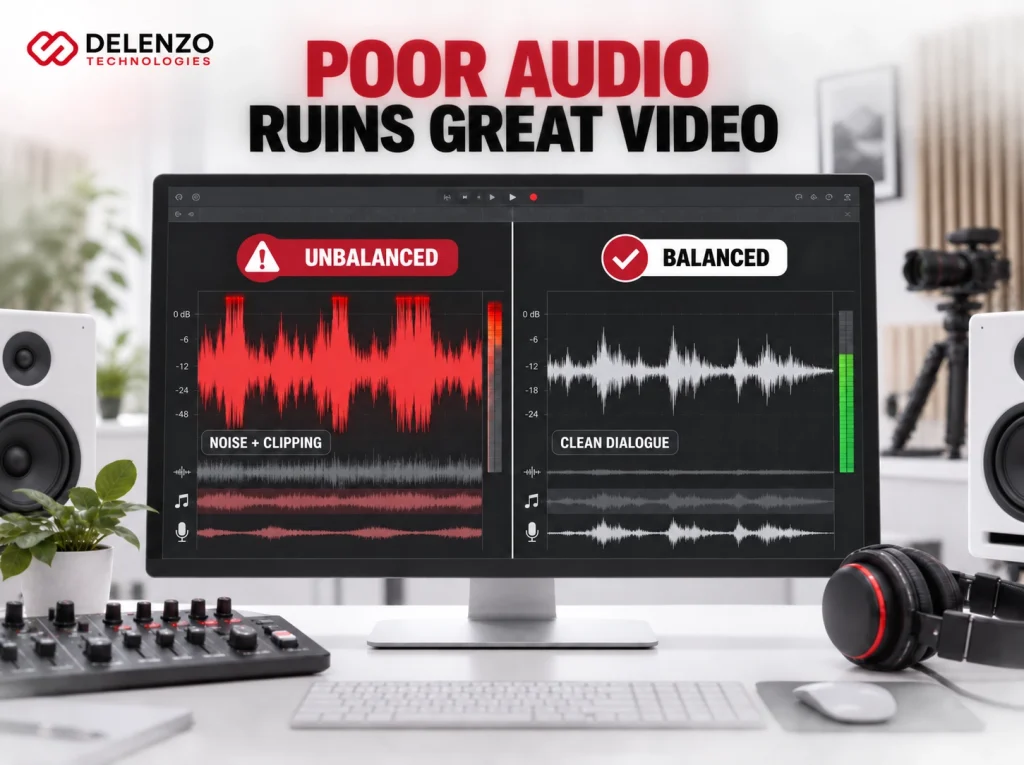
Sound carries the message. When dialogue sits under a music bed, the point disappears. When levels shift between scenes, people reach for the volume control and often leave.
Background Noise and Unbalanced Music Levels
Most audio problems trace back to four fixable issues. Editors skip them because the errors sound minor on studio headphones.
Watch for these during every pass:
- Room tone that shifts between takes and creates audible seams
- Music sitting too close to dialogue in the mix
- Air conditioning hum left unfiltered in the low frequencies
- Sharp volume jumps at cut points between clips
Fix order matters. Clean the noise first, balance dialogue second, then place music underneath.
Why Audio Quality Affects Perceived Professionalism
Clean sound signals competence before viewers process the content. The brain reads clear audio as a sign of care and resources.
Poor audio does the opposite. It suggests the company cut corners. Prospects then assume the same about the service.
There is a practical effect too. Muddy audio raises mental effort. Viewers spend energy decoding words instead of absorbing the offer. The call to action then lands on a tired audience. Careful mixing is one of the least visible video editing best practices with the highest return.
Overusing Transitions, Effects, and Filters
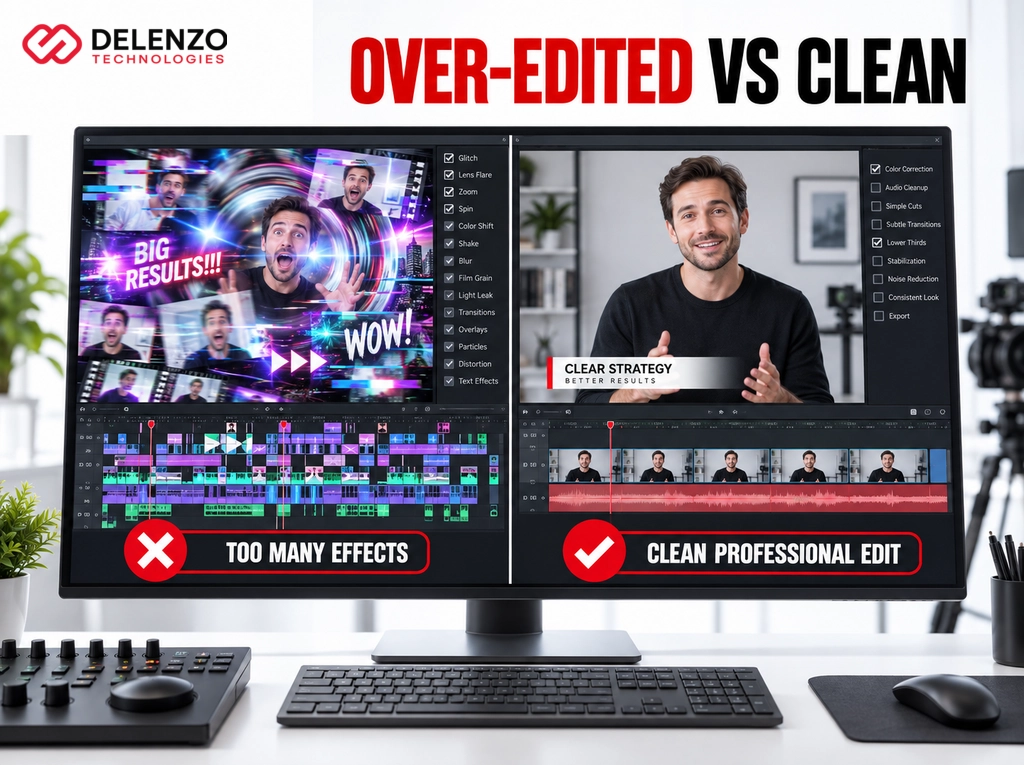
Heavy effects hide weak storytelling instead of fixing it. Spins, glitches, and light leaks pull focus from the message. Viewers remember the transition and forget the product.
Effects also age badly. A trending transition from last year dates a video immediately. Businesses then pay to re-edit content that should have lasted years.
Why “Less Is More” in Business Video Editing
Simple cuts move a story forward without asking for attention. That is the goal. Editing should stay invisible in commercial content.
A clean approach speeds production too. Fewer effects mean faster revisions and easier repurposing into short cuts.
Keep the effect list short:
- Straight cuts for dialogue and interviews
- Short dissolves for time changes only
- One text style with one accent color
- Motion reserved for data, product features, or the CTA
These video editing tips for businesses apply whether you edit in house or hire out.
Common Editing Mistakes and Their Business Impact
| Editing Mistake | Effect on Viewer Behavior | Business Impact |
| Weak or slow hook | Viewers scroll away in the first seconds | Wasted ad spend, low completion rates |
| Poor audio quality | Viewers exit or lose the message | Lower brand credibility and recall |
| Excessive effects | Attention shifts to visuals, not the offer | Message fails to register, weaker recall |
| Excessive length | Drop-off before the main point lands | Fewer viewers reach the CTA |
| Inconsistent branding | Brand recognition resets each video | Slower trust building across campaigns |
| Missing captions | Muted viewers scroll past | Lost reach and reduced search visibility |
| No clear CTA | Interested viewers take no action | Fewer leads from existing traffic |
Videos That Are Too Long or Poorly Paced
Long videos lose viewers because they delay the payoff. Most business content covers three ideas in the space of one. Every extra minute reduces the share of people reaching your CTA.
Pacing matters as much as duration. A two minute video with dead air feels longer than a four minute video with rhythm. Cut anything that repeats a point already made.
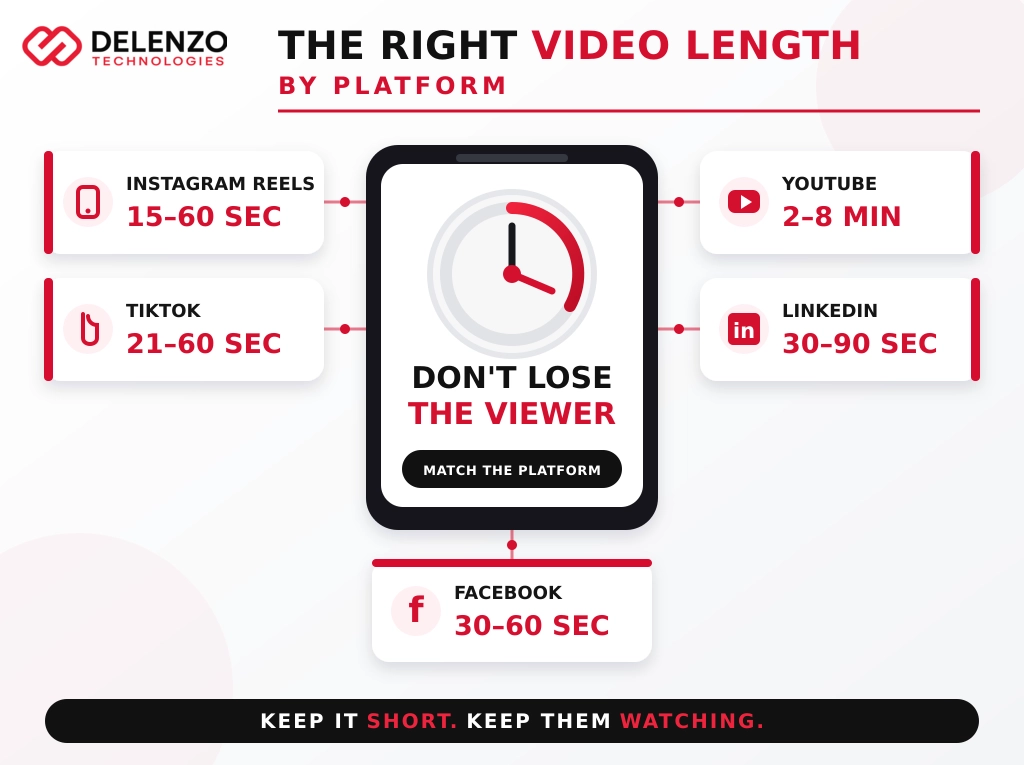
Matching Video Length to Platform and Purpose
Length should follow the goal, not the available footage. Explainers and testimonials need different runtimes.
Use these ranges as a starting point:
- Social ads: 15 to 30 seconds
- Product explainers: 60 to 90 seconds
- Customer testimonials: 45 to 75 seconds
- Training or demo content: 3 to 6 minutes
Wistia has reported that shorter videos hold a higher share of their audience. Treat these ranges as defaults, then test against your own retention data.
Inconsistent Branding Across Videos
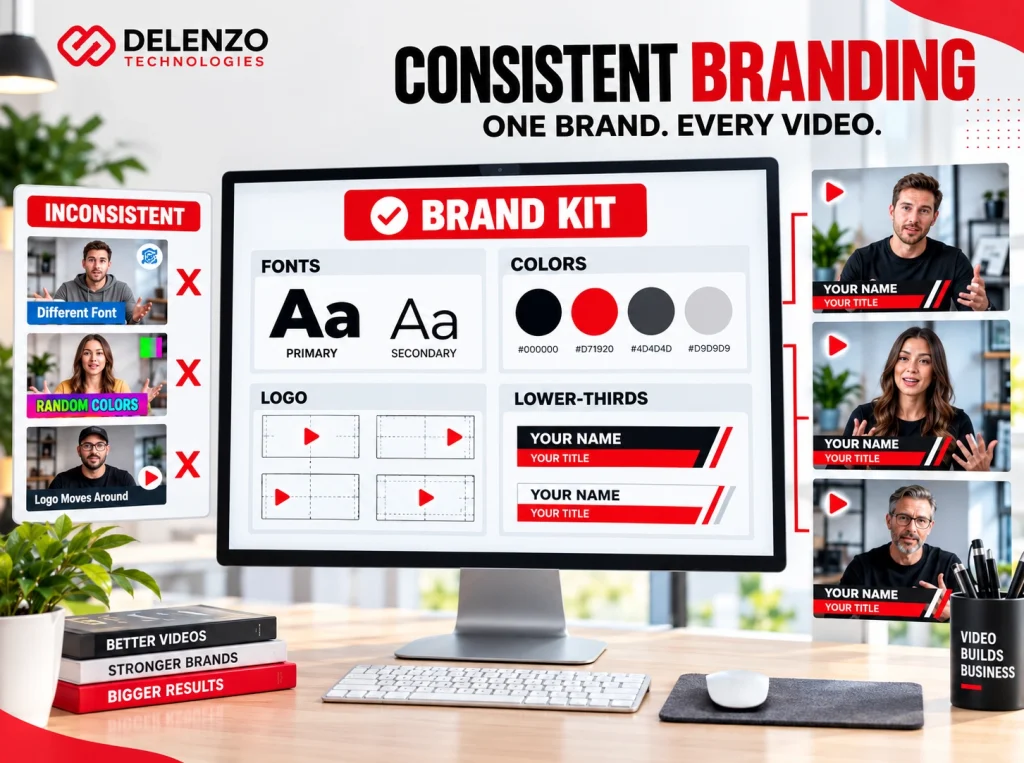
Mismatched fonts, colors, and logos break recognition. Viewers should identify your brand within seconds, without reading the name. Inconsistency resets that recognition every time.
The problem grows with volume. Five editors without a shared kit produce five different looks. The library then feels stitched together rather than planned.
Maintaining Visual Consistency Across Campaigns
Brand guidelines turn consistency into a repeatable process. Written rules remove guesswork from every edit.
A usable video style guide covers:
- Exact hex codes for text, backgrounds, and accents
- Two approved fonts with defined sizes and weights
- Logo placement, size, and safe margins
- Lower third, caption, and outro card templates
Save these as project templates inside your editing software. Editors then start from the brand, not from a blank timeline.
Ignoring Platform-Specific Formatting
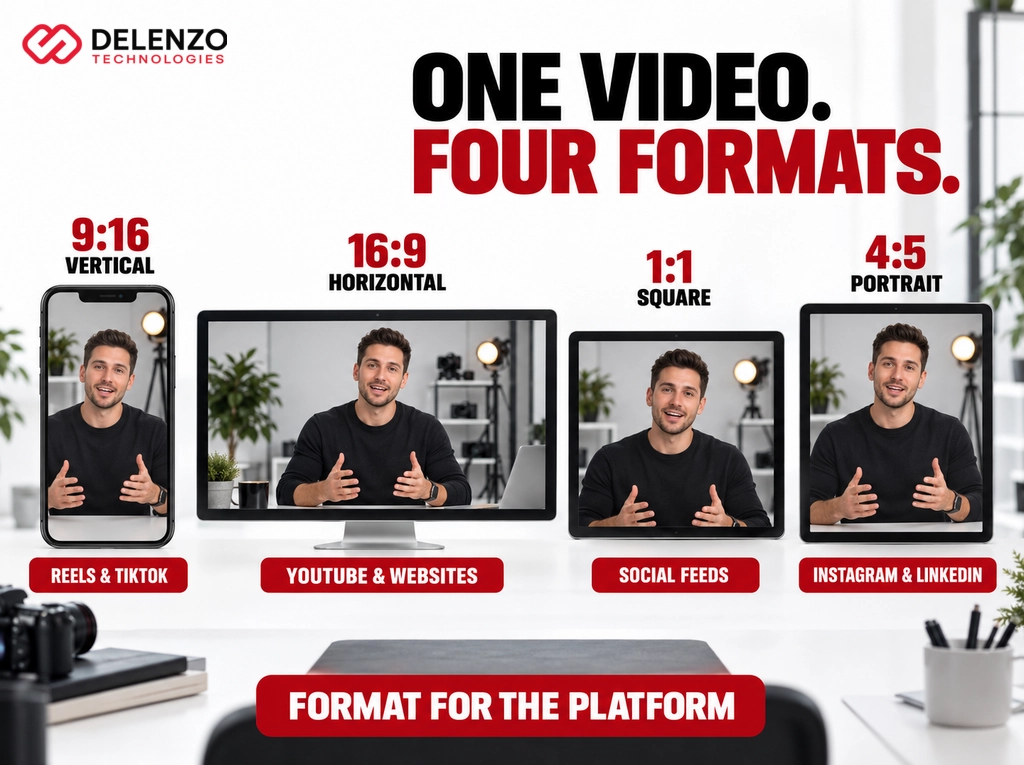
Wrong aspect ratios cost reach immediately. A horizontal video posted to Reels appears with heavy bars and loses screen space.
Cropping after the fact rarely works. Faces drift off frame and text gets cut. Frame for the target ratio during the shoot, then export versions from one master edit.
Vertical vs Horizontal vs Square: Getting It Right
Each format serves a different viewing behavior. Vertical suits handheld scrolling. Horizontal suits seated, intentional viewing. Square works as a safe middle option in mixed feeds.
Keep captions and key text inside the safe zone. Interface elements cover the bottom fifth of most vertical players. The table below lists working specs by platform.
Recommended Video Format, Length, and Aspect Ratio by Platform
| Platform | Recommended Length | Aspect Ratio | Best Use |
| Instagram Reels | 15 to 60 seconds | 9:16 vertical | Awareness, short product moments |
| TikTok | 21 to 60 seconds | 9:16 vertical | Trend led reach, founder content |
| YouTube | 2 to 8 minutes | 16:9 horizontal | Explainers, demos, evergreen search |
| 30 to 90 seconds | 1:1 or 4:5 | B2B credibility, case studies | |
| 30 to 60 seconds | 1:1 or 4:5 | Feed ads, local awareness |
Skipping Captions and Text Accessibility
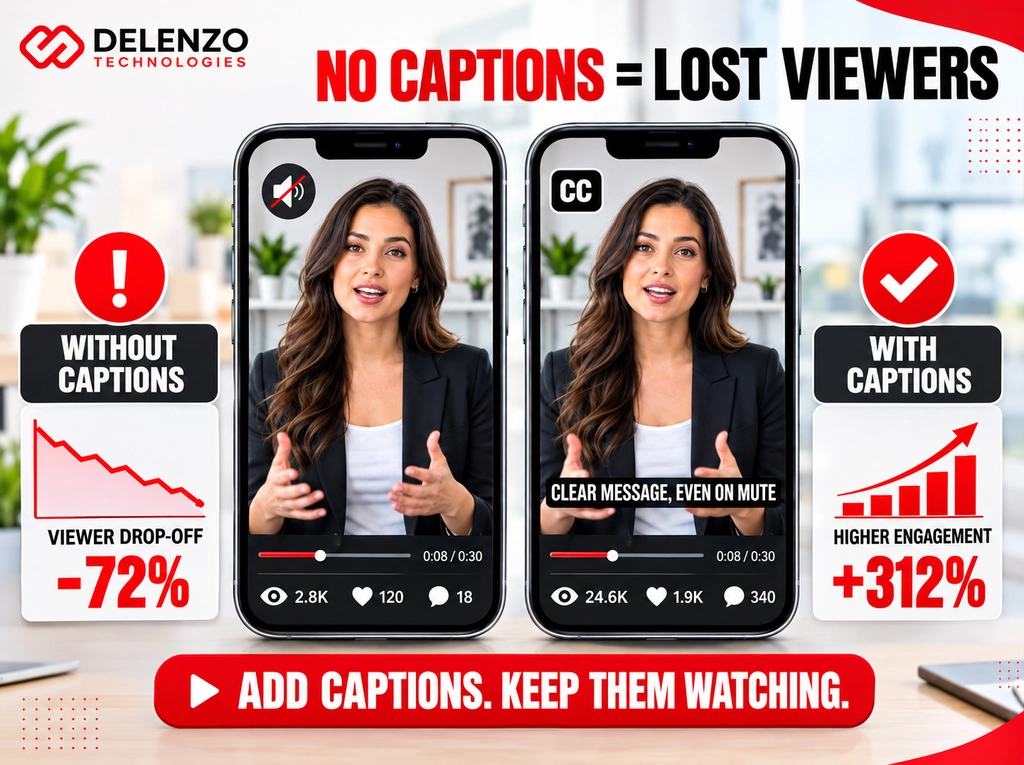
Videos without captions lose the large share of viewers watching on mute. A Verizon Media and Publicis Media study found most people watch mobile video without sound in public places. Captions recover that audience.
Accessibility is the second reason. Deaf and hard of hearing viewers need captions to access your content. Many US organizations also carry compliance obligations.
Auto-captions are a starting point, not a finish line. Always correct names and product terms before publishing.
Why Captions Matter for Reach and Watch Time
Captions lift watch time by keeping muted viewers engaged. The same Verizon and Publicis research reported that captioned videos were more likely to be watched through to the end.
Search visibility improves as well. Uploaded transcripts give search engines and AI systems readable text to index. That text can surface your video inside the answer results.
Caption formatting affects performance:
- Keep lines to roughly seven words or fewer
- Match caption timing tightly to speech
- Use high contrast text and avoid covering faces
No Clear or Missing Call-to-Action
Interested viewers need direction, and most videos never give it. The content builds interest, then ends on a logo. The viewer scrolls on and the opportunity closes.
A CTA should be specific. Book a call, request a quote, or download the guide beats a vague follow us. Say it out loud and show it on screen.
Where and How Often to Place a CTA
Place a CTA at least twice in any video over sixty seconds. Most viewers never reach the end, so an end card alone reaches few people.
A reliable structure looks like this:
- A soft mention around the 30 percent mark
- A direct ask right after the main benefit lands
- A closing card with the offer and a short URL
Keep the wording identical each time. Changing the ask mid video splits attention and lowers response.
Lack of a Clear Editing Workflow or Strategy
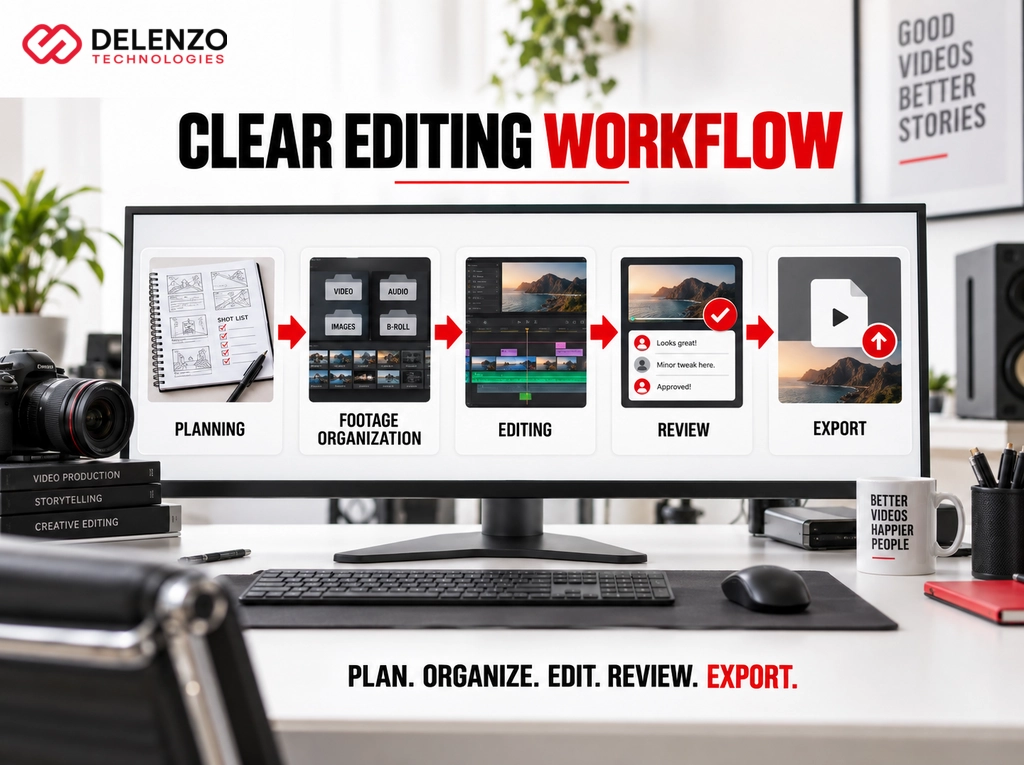
Disorganized projects produce inconsistent videos and missed deadlines. Editors hunt for files, rebuild settings, and rework approved cuts.
A defined workflow fixes this. Standard folder structures, naming conventions, and export presets remove daily decisions. Review rounds need structure too, so limit feedback to two consolidated rounds.
Why Pre-Production Planning Prevents Editing Mistakes
Planning removes most problems before the timeline opens. A written brief and a shot list prevent the gaps editors patch later.
Cover these before filming:
- The single goal of the video
- The target platform and aspect ratio
- Required shots, including B roll and cutaways
- A script or talking points with the CTA written in
- Approved music and brand assets
Most video production mistakes start here, not in the edit. Missing B roll cannot be created in post.
Why US Businesses Should Consider Professional Editing Support
Outsourcing makes financial sense once editing time exceeds its value. A marketing manager editing eight hours weekly loses a full day of strategy work.
In house editing works well at low volume with simple formats. It breaks down when output rises or deadlines compress. Outside editors also bring pattern knowledge from hundreds of projects.
Signs It’s Time to Outsource Video Editing
Three signals usually indicate the switch is overdue. Volume, quality gaps, and slow turnaround.
Outside support makes sense when:
- Video output exceeds four pieces per month
- Projects sit unfinished for more than two weeks
- Different videos look like different companies made them
Good agencies apply professional video editing tips as a standard process, not as an upgrade. Consistency arrives with the workflow.
How Delenzo Technologies Helps Businesses Avoid These Mistakes
Our process is built around the failure points above. Every project starts with a written brief covering goal, platform, aspect ratio, runtime, and CTA. That brief is approved before any editing begins.
From our Dallas base, we support businesses across the United States with:
- Hook first structuring that puts the strongest moment in the opening seconds
- Full audio cleanup, dialogue leveling, and music balancing
- Brand kit setup with locked fonts, colors, and templates
- Platform exports in vertical, square, and horizontal formats
- Reviewed captions with corrected names and product terms
- Two structured revision rounds with consolidated feedback
Every delivery includes source files and reusable templates, so your next project starts faster.
Final Thoughts
Avoiding these errors protects brand perception and improves conversion. None of the fixes require expensive equipment. They require attention to hooks, audio, pacing, branding, formatting, captions, and calls to action.
Start with an audit of your last five videos. Check retention at the ten second mark. Listen for level jumps and confirm every piece has captions and a clear CTA.
If the same gaps repeat, the workflow needs work rather than the footage. A professional review often finds fixes worth more than a new camera.
Frequently Asked Questions
What are the most common video editing mistakes businesses make?
The most common mistakes are weak hooks, poor audio, and excessive effects. Overlong runtimes, inconsistent branding, missing captions, and unclear calls to action follow close behind. Each one reduces watch time.
How does poor video editing affect a brand’s image?
Poor video editing damages brand image by signaling careless work. Buyers read rough cuts and bad audio as proof of weak standards. That judgment forms before they read your copy.
Why is audio quality important in video editing?
Audio quality matters because sound carries the message. Viewers accept soft focus but leave when they hear hum, echo, or jumping levels. Clean audio also signals professionalism and builds trust quickly.
How long should a business video be to keep viewers engaged?
Business video length depends on the platform and goal. Social ads work best at 15 to 30 seconds. Explainers run 60 to 90 seconds, and YouTube content runs two to eight minutes.
Should small businesses outsource video editing to avoid mistakes?
Yes, small businesses should outsource once video volume or quality demands exceed internal capacity. Outsourcing makes sense above four videos monthly, or when projects stall and output looks inconsistent across campaigns.