


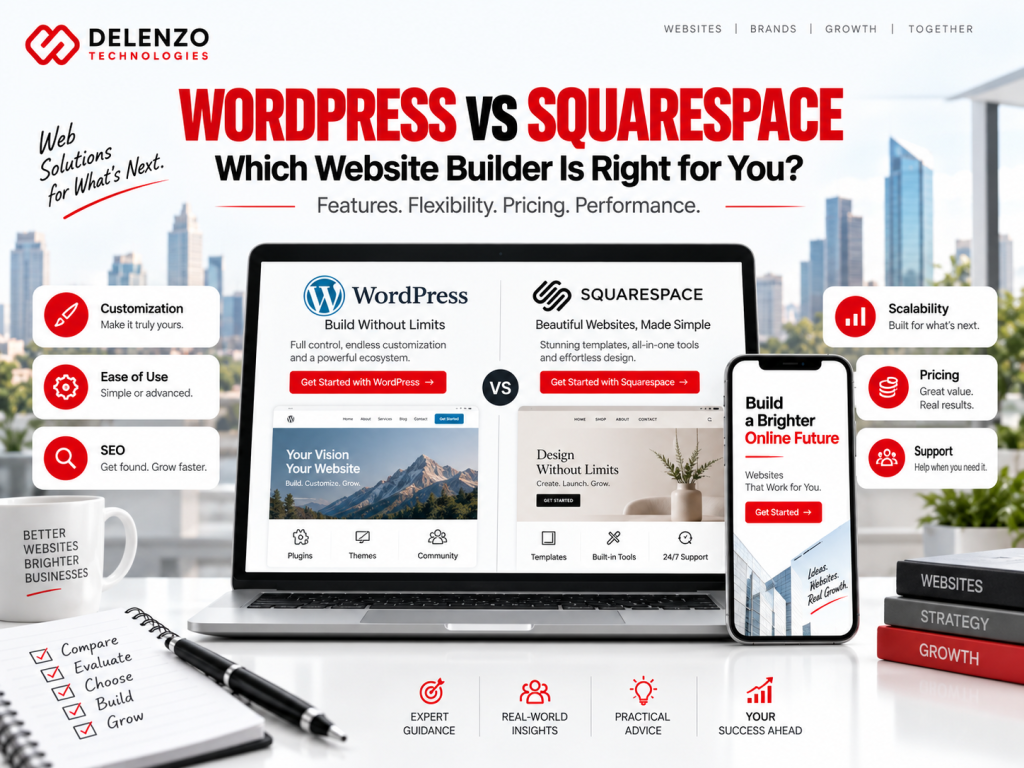
Choosing the right platform for your website can affect almost everything that comes afterward—from design and SEO to maintenance, ecommerce, scalability, and long-term costs.
Two of the most popular options are WordPress and Squarespace. Both can be used to create professional websites, blogs, portfolios, business sites, and online stores, but they approach website building very differently.
Squarespace focuses on providing an integrated, managed website-building experience. WordPress—particularly self-hosted WordPress.org—offers greater freedom to customize hosting, themes, plugins, code, functionality, and integrations. WordPress itself is open-source software, while WordPress.com is a separate hosted service that includes hosting and managed features.
So, when comparing WordPress vs Squarespace, the right choice depends on what you want to build, how comfortable you are with website management, and how much flexibility you may need in the future.
At Delenzo Technology, we believe businesses should consider not only how quickly a website can be launched but also how easily it can support future SEO, marketing, integrations, ecommerce, and business growth.
Let’s compare Squarespace vs WordPress in detail.
WordPress vs Squarespace: At a Glance
| Feature | WordPress | Squarespace |
| Ease of Use | Moderate learning curve | Beginner-friendly |
| Design | Thousands of themes and extensive customization | Curated professional templates |
| Hosting | Choose your own with WordPress.org; included with WordPress.com | Managed hosting included |
| Maintenance | More responsibility on self-hosted sites | Mostly managed |
| Plugins/Extensions | Extensive plugin ecosystem | More controlled integration ecosystem |
| SEO | Strong built-in foundation plus extensive plugin/customization options | Strong built-in SEO tools |
| Ecommerce | WooCommerce and other solutions | Built-in commerce capabilities |
| Custom Code | Extensive flexibility | Available, but more limited |
| Support | Documentation, community, hosting/provider support | Centralized Squarespace support |
| Scalability | Highly flexible | Suitable for many small-to-medium business needs |
The biggest difference is therefore not simply which platform can create a good-looking website. Both can.
The real difference is how much simplicity, control, flexibility, and technical responsibility you want.
1. WordPress vs Squarespace Cost
Cost can be difficult to compare because WordPress and Squarespace use different pricing models.
How Much Does WordPress Cost?
The WordPress.org software itself is open source. However, a self-hosted WordPress website normally requires you to pay separately for things such as:
- Domain registration
- Website hosting
- Premium themes
- Premium plugins
- Security or backup services
- Development
- Ongoing maintenance
You can therefore create a relatively inexpensive WordPress website, or build a highly customized website with much higher development and infrastructure costs.
WordPress.com works differently because hosting is included. As of September 2026, WordPress.com offers a free tier alongside paid plans, with additional features depending on the selected package and billing period.
How Much Does Squarespace Cost?
Squarespace follows a more centralized subscription model.
Its current website plans include options designed for different levels of website and commerce functionality. Hosting, templates, website-building tools, mobile optimization, SEO tools, and customer support are integrated into the service. Annual billing can also reduce the effective monthly price compared with month-to-month billing.
Which Has More Predictable Costs?
Squarespace generally makes core platform costs easier to predict because most essential website infrastructure is included within a subscription.
WordPress costs are more variable.
That flexibility can be beneficial because you decide which hosting provider, plugins, developers, and services you want to pay for. However, businesses should calculate the total cost of ownership, not simply the initial hosting fee.
2. Ease of Use
For beginners, ease of use is one of the biggest differences in the Squarespace vs WordPress debate.
Squarespace Website Builder
Squarespace is designed around visual website creation.
Users can work with professionally designed templates, sections, blocks, typography controls, images, buttons, forms, and other website elements without having to manage the underlying hosting environment.
This makes Squarespace attractive to business owners, freelancers, creatives, and entrepreneurs who want to create and maintain a polished website without spending much time managing technical infrastructure.
WordPress Dashboard and Editor
WordPress offers a block-based editor for building pages and posts. The Block Editor supports elements such as paragraphs, headings, images, videos, galleries, lists, and other content components. Modern block themes can also allow users to customize site-wide elements such as headers, footers, templates, colors, typography, and layouts through the Site Editor.
The challenge is that a WordPress experience can vary significantly depending on the theme, plugins, page builder, and hosting environment being used.
WordPress can therefore become extremely easy—or highly complex—depending on how the site is configured.
3. Do You Need to Be a Tech Wizard?
Not necessarily.
But technical requirements differ between the two platforms.
Maintaining a WordPress Website
With a self-hosted WordPress website, you may be responsible for:
- WordPress updates
- Plugin updates
- Theme updates
- Backups
- Hosting
- Security
- Performance optimization
- Troubleshooting compatibility issues
WordPress specifically recommends keeping themes and plugins updated, and its documentation supports automatic updating for compatible themes and plugins.
Managed WordPress hosting or a professional development agency can significantly reduce this workload.
Maintaining a Squarespace Website
Squarespace handles much of the infrastructure for you.
You don’t need to separately manage the CMS installation, core platform updates, hosting stack, or most server-side configuration.
You are still responsible for maintaining your actual business website—updating content, products, images, SEO information, integrations, and marketing—but the technical infrastructure demands are generally lower.
4. Design and Templates
Both platforms can produce excellent website designs.
The difference is how that design flexibility is delivered.
Squarespace Templates and Design
Squarespace is well known for providing curated templates and strong visual controls.
Its approach helps maintain design consistency and can be particularly appealing for:
- Photographers
- Designers
- Restaurants
- Consultants
- Personal brands
- Creative studios
- Portfolio websites
The structured system can make it easier to achieve a professional result without extensive development work.
WordPress Themes and Customization
WordPress provides a much broader theme and customization ecosystem.
A WordPress theme primarily controls the presentation of a website, while plugins can add or extend functionality.
Businesses can start with an existing theme, customize a premium theme, build layouts using the Site Editor or a page builder, or develop a completely custom WordPress theme.
That makes WordPress especially useful when your website needs a highly specific design or functionality.
5. Who Owns Your Content?
Website ownership is often misunderstood.
Squarespace’s current Terms of Service state that users retain ownership of the content they upload, while granting Squarespace limited rights needed to provide and operate its services.
However, ownership of your content and portability of an entire website are not exactly the same thing.
Can You Export Your Squarespace Content?
Squarespace allows users to export certain site content in XML format, including certain pages, blog content, text, and images.
However, not everything can be exported. Squarespace specifically notes that some store pages, portfolio pages, style settings, custom CSS, video blocks, audio blocks, and other platform-specific elements may not transfer through its standard site export.
Products can also be exported separately through CSV in supported situations.
WordPress Content Ownership and Portability
A self-hosted WordPress installation offers considerable portability because you can control your hosting environment, database, website files, plugins, and theme.
WordPress also includes an export tool for moving posts, pages, comments, categories, tags, custom fields, and other supported content into another WordPress installation.
For organizations concerned about long-term platform flexibility, that can be an important consideration.
6. Flexibility and Customization
This is one of the areas where the two platforms have very different philosophies.
Why WordPress Is So Flexible
WordPress is open source and has an extensive theme and plugin ecosystem.
Plugins can add functionality that isn’t included in the WordPress core, allowing businesses to extend their websites according to specific needs.
Depending on the project, WordPress can support:
- Membership systems
- Learning management systems
- Advanced forms
- Booking systems
- Custom databases
- Ecommerce
- Multilingual websites
- CRM integrations
- Advanced analytics
- Marketing automation
- Custom APIs
- Complex content structures
Developers can also work directly with the code when required.
How Flexible Is Squarespace?
Squarespace still provides significant customization for normal business websites.
Users can work with templates, layouts, design controls, integrations, embeds, custom CSS, and other built-in functionality.
The difference is that Squarespace operates within a more controlled environment.
That can actually be an advantage for businesses that value simplicity over unlimited extensibility.
7. Customer Support
Support is another significant difference.
Squarespace Customer Support
Squarespace provides centralized customer support.
As of September 2026, its official support documentation lists email support around the clock and live chat during specified weekday hours. It also provides a help center, community resources, and other support options.
WordPress Support Options
Self-hosted WordPress is decentralized.
Support may come from:
- WordPress documentation
- WordPress community forums
- Hosting companies
- Theme developers
- Plugin developers
- Freelancers
- Development agencies
WordPress.com, by contrast, provides support options through its hosted platform, with availability depending on account and plan.
For a business using self-hosted WordPress, partnering with an experienced team such as Delenzo Technology can also provide a single point of contact for website development, maintenance, optimization, and technical troubleshooting.
WordPress vs Squarespace for Small Businesses
For a small business website, both platforms can work well.
Squarespace may make sense when your priorities are:
- Quick setup
- Simple management
- Professional design
- Limited technical maintenance
- Standard business website functionality
WordPress may be more suitable when you expect to require:
- Advanced SEO customization
- Custom features
- Marketing integrations
- Extensive content
- Custom landing pages
- Third-party systems
- Advanced ecommerce
- Greater long-term development flexibility
The best solution depends on how complex your website is expected to become.
WordPress vs Squarespace for Bloggers
WordPress began as a publishing platform and continues to provide extensive blogging and content-management capabilities.
Categories, tags, authors, comments, archives, plugins, custom post types, editorial tools, and SEO extensions can make WordPress particularly suitable for large content websites.
Squarespace also provides blogging capabilities and may be sufficient for personal blogs, brand blogs, thought-leadership websites, and smaller content operations.
If content marketing is expected to become a major acquisition channel, however, consider how much control you’ll eventually need over templates, structured content, internal linking, schema, performance, analytics, and SEO workflows.
WordPress vs Squarespace for Creatives
Squarespace is particularly attractive for visually driven websites.
Photographers, architects, designers, artists, and creative professionals can build attractive portfolios without creating a completely custom website.
WordPress remains a strong option when the creative project requires unusual layouts, custom interactions, membership systems, complex galleries, custom filtering, or other specialized functionality.
WordPress vs Squarespace for Ecommerce
Both platforms support online selling, but the ecommerce architectures are different.
Squarespace includes commerce functionality within its platform, and its current plans can support selling products, content, memberships, and services, with additional commerce features available as plans increase.
With WordPress, WooCommerce is one of the most widely used ecommerce options.
WooCommerce is an open-source ecommerce platform built on WordPress and can be extended with integrations and extensions for payments, subscriptions, shipping, B2B selling, inventory, marketing, and other requirements.
For a straightforward store, Squarespace can reduce setup complexity.
For stores requiring unusual checkout processes, complex integrations, custom product structures, advanced B2B capabilities, or specialized functionality, a WordPress and WooCommerce implementation can provide significantly more development flexibility.
Squarespace vs WordPress: Pros and Cons
Squarespace Advantages
- Beginner-friendly environment
- Managed website infrastructure
- Professional templates
- Strong visual editing
- Integrated website features
- Centralized support
- Less routine technical maintenance
Squarespace Limitations
- Smaller extension ecosystem
- Less server-level control
- More constraints around highly custom functionality
- Some content cannot be fully transferred through standard exports
WordPress Advantages
- Open-source platform
- Extensive plugin ecosystem
- Large theme ecosystem
- Strong content-management capabilities
- High customization potential
- Hosting flexibility
- Advanced development possibilities
- Strong ecommerce capabilities through WooCommerce
WordPress Limitations
- Can require more maintenance
- Quality varies between themes and plugins
- Costs can become unpredictable with premium tools and development
- Complex implementations may require professional technical expertise
Which Should You Choose: WordPress or Squarespace?
There isn’t one platform that is right for every website.
Choose Squarespace If…
Squarespace may fit your requirements when you prioritize:
- Simplicity
- Fast deployment
- Visual design
- Managed infrastructure
- Minimal technical maintenance
- Standard business functionality
Choose WordPress If…
WordPress may fit your requirements when you prioritize:
- Extensive customization
- Advanced functionality
- Developer control
- A large plugin ecosystem
- Complex integrations
- Content-heavy websites
- Scalable ecommerce
- Greater control over hosting and technical configuration
Before choosing either platform, map out what your website needs today and what it may need two or three years from now.
That exercise can save significant migration and redevelopment costs later.
Frequently Asked Questions
For many beginners, yes. Squarespace centralizes website building, hosting, design, and maintenance into one managed environment. WordPress can also be user-friendly, particularly with modern block themes, but its flexibility introduces more configuration choices.
It depends.
WordPress software can be used without a software license fee, but self-hosted WordPress requires hosting and may involve premium themes, plugins, maintenance, or development.
Squarespace has a subscription-based model that bundles many of those components together.
Always compare the total cost rather than the entry price.
Both platforms can support strong SEO.
Squarespace includes mobile optimization, clean markup, SEO descriptions, SSL support, and other built-in SEO functionality.
WordPress also includes search-engine-friendly functionality and can be extended with third-party plugins and custom technical optimization.
Your rankings ultimately depend on much more than the CMS: content quality, search intent, website architecture, backlinks, page performance, technical SEO, competition, and overall authority all matter.
Yes. Squarespace supports importing content from WordPress, although the amount of manual work required will depend on your site’s design and functionality.
A complex WordPress website normally requires more migration planning than a basic blog.
Yes.
Squarespace provides an XML export for certain content that can be imported into WordPress. However, not every Squarespace feature or content type is included, so some sections may need to be rebuilt manually.
Yes. It can be particularly practical for service businesses, consultants, creatives, restaurants, portfolios, and other businesses that need a professional online presence without complex custom functionality.
WordPress offers extremely extensive content-management flexibility and is particularly useful when a blog grows into a large content operation.
Squarespace can still be an effective blogging platform when your publishing requirements are comparatively straightforward.
WordPress vs Squarespace: The Bottom Line
The WordPress vs Squarespace decision should not simply come down to which platform looks easier on the first day.
Think about what your website needs to accomplish.
Squarespace provides an integrated website-building experience with managed infrastructure, professional design tools, built-in SEO capabilities, ecommerce functionality, and centralized support.
WordPress provides a highly flexible publishing and website-development ecosystem with extensive themes, plugins, hosting choices, ecommerce options, custom development possibilities, and control over how your website evolves.
For a simple portfolio, brochure website, or small business site, the convenience of Squarespace may be valuable.
For a website that requires advanced customization, extensive content, custom functionality, complex integrations, or long-term development flexibility, WordPress may provide the architecture you need.
And if choosing, designing, developing, migrating, or optimizing your website feels complicated, Delenzo Technology can help you evaluate your requirements and develop a website strategy around your actual business goals rather than forcing your business into the limitations of a particular platform.
The most important question isn’t simply “Is WordPress better than Squarespace?”
It’s:
“Which platform gives my business the right combination of usability, flexibility, cost, design, SEO potential, and scalability?”
Answer that question first, and choosing between WordPress and Squarespace becomes much easier.