

A great thumbnail gets the click. Your edit decides whether the viewer stays. If people leave before the real content starts, the topic is rarely the problem. The cause is usually a slow opening, a dragging middle, or an ending that arrives too late.
This guide shows how to edit YouTube videos that hold attention from the first second to the final payoff. Follow eight practical steps to improve YouTube audience retention with a repeatable, data-backed workflow. You will see how hooks, pacing, storytelling, visuals, and audio work together. You will also learn to read your retention data and turn it into clear editing decisions.
Getting the click is only the first step. YouTube rewards videos that people actually watch. Every cut you make either earns more attention or gives your audience a reason to leave.
What Is YouTube Audience Retention and Why Does It Matter?
YouTube audience retention is the percentage of a video that viewers watch before they leave. It shows whether your content holds attention from start to finish.
High retention tells YouTube that viewers find the video worth their time. This signal can support stronger visibility in search, suggested videos, and the home feed. Low retention suggests something in the video is pushing viewers away.
Retention also matters because editors can influence it directly. Topics and thumbnails bring viewers in. Editing decides how long they stay.
Audience Retention vs Watch Time and Average View Duration
Retention, watch time, and average view duration measure different parts of viewer behavior. Retention shows the share of a video watched, while the other two measure time.
YouTube watch time is the total number of minutes all viewers spent on your video. A long video with weak retention can still collect high watch time. Check the average view duration YouTube displays for each video to see how long a typical view lasts. Retention turns that figure into a share of the video, shown in YouTube Studio as the average percentage viewed. This lets you compare videos of different lengths fairly.
| Aspect | Audience Retention | Watch Time | Average View Duration |
| What it measures | Share of the video watched | Total minutes from all viewers | Average length of one view |
| Shown as | Average percentage viewed and a curve | Hours or minutes | Minutes and seconds |
| Best used for | Finding weak moments in the edit | Tracking overall channel growth | Comparing videos of similar length |
In short, retention shows where viewers leave, while watch time and average view duration show how much time they spent.
How Audience Retention Reflects Viewer Interest
Audience retention reflects viewer interest by showing exactly when people stay, leave, or rewatch. Each movement on the curve is a clue about your content and your edit.
- Gradual decline: This is normal. Most videos lose some viewers over time, even strong ones.
- Sudden drops: Something specific pushed viewers away at that exact moment.
- Flat sections: The content held attention steadily without losing many viewers.
- Rising sections: Viewers rewatched or shared that part, so it likely held real value.
Read these patterns together. A single dip matters less than a pattern that repeats across several videos.
How to Analyze Your YouTube Audience Retention Graph
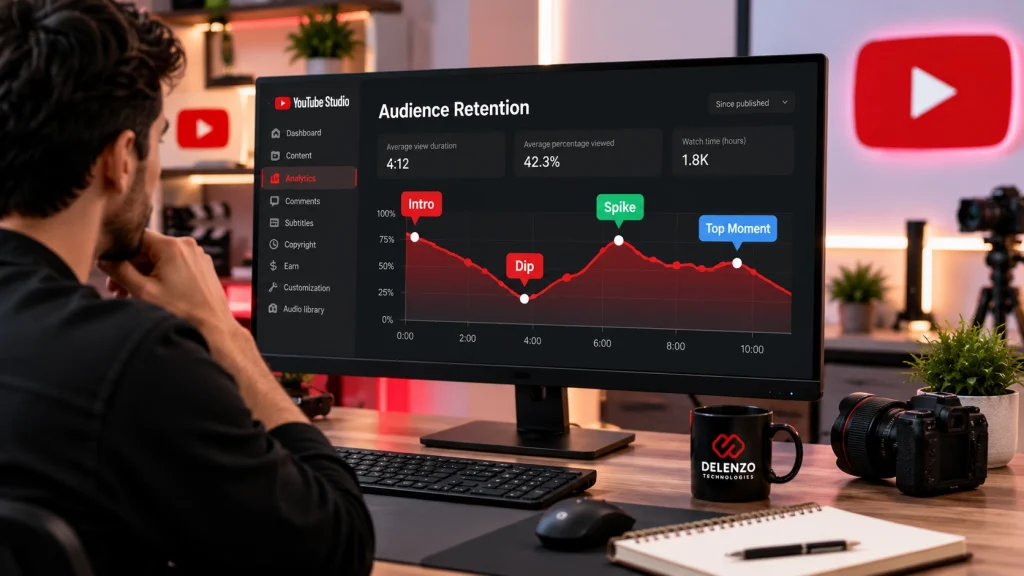
Your YouTube audience retention graph shows how many viewers remain at each second of your video. Studying it before your next edit reveals which habits help and which ones hurt.
Open YouTube Studio, select a video, and go to its Analytics. According to the YouTube Help Center, the key moments report appears on the Overview or Engagement tab. Key moments only show on videos at least 60 seconds long with at least 100 views. The data usually takes one to two days to process, so avoid judging a new upload too early.
Understanding Retention Dips, Spikes, and Top Moments
YouTube labels four key moments on the graph: Intro, Top moments, Spikes, and Dips. Each one points to a different viewer behavior.
- Intro: The share of viewers still watching after the first 30 seconds. A low number often signals a slow or mismatched opening.
- Top moments: Sections where almost no one dropped off. These show what your audience values most.
- Spikes: Moments viewers rewatched or shared. They often contain a key tip, a surprising result, or a clear demo.
- Dips: Moments viewers skipped or where they stopped watching. Long setups, repetition, and tangents are common causes.
The graph also compares your video against your channel’s typical retention range. This shows whether a video performed above or below your usual standard.
Turn Retention Data Into Editing Decisions
Retention data becomes useful when you turn each pattern into a specific editing action. Watch every dip and spike, then note what was happening on screen.
- Shorten sections that sit right before a dip.
- Move content similar to your top moments earlier in future videos.
- Emphasize spikes with on-screen text, chapters, or a clearer visual.
- Repeat hook styles and pacing that held viewers across several uploads.
- Remove recurring elements that trigger drops, such as long intros or early sponsor reads.
These decisions shape the plan for your next video before you record a single clip.
Step 1: Plan Your YouTube Edit Around Viewer Retention
Retention-focused editing starts with planning, long before effects or transitions go in. First, map out what viewers need and the order they need it in.
Good YouTube video editing begins with a clear map of the story. Effects cannot save a video that has no structure. A planned edit also saves hours of trial and error on the timeline.
Identify the Video’s Main Promise and Viewer Payoff
Every video makes a promise through its title and thumbnail. Your edit must deliver that promise clearly and quickly.
Write down three things before you open your editor:
- The promise: The exact result the title and thumbnail suggest viewers will get.
- The payoff: The answer, result, lesson, or transformation the video delivers.
- The proof: Demonstrations, examples, or data that make the payoff believable.
If a clip does not support one of these three, it is a strong candidate for removal.
Organize Footage Around Viewer Value
Sorting footage by value before building the timeline makes every later cut faster and smarter. Group your clips into clear bins.
| Footage Type | Purpose | Keep or Cut |
| A-roll | Main talking points and core message | Keep the strongest takes |
| Supporting footage | Context and extra explanation | Keep if it adds clarity |
| B-roll | Visual support for spoken points | Keep relevant clips only |
| Demonstrations | Proof of results or actions | Keep and prioritize |
| Graphics | Data, steps, labels, diagrams | Add where words need help |
| Removable footage | Mistakes, retakes, tangents | Cut before the rough edit |
Sorting footage this way helps you build the timeline around viewer value instead of recording order.
Step 2: Edit the First 30 Seconds for Maximum Retention
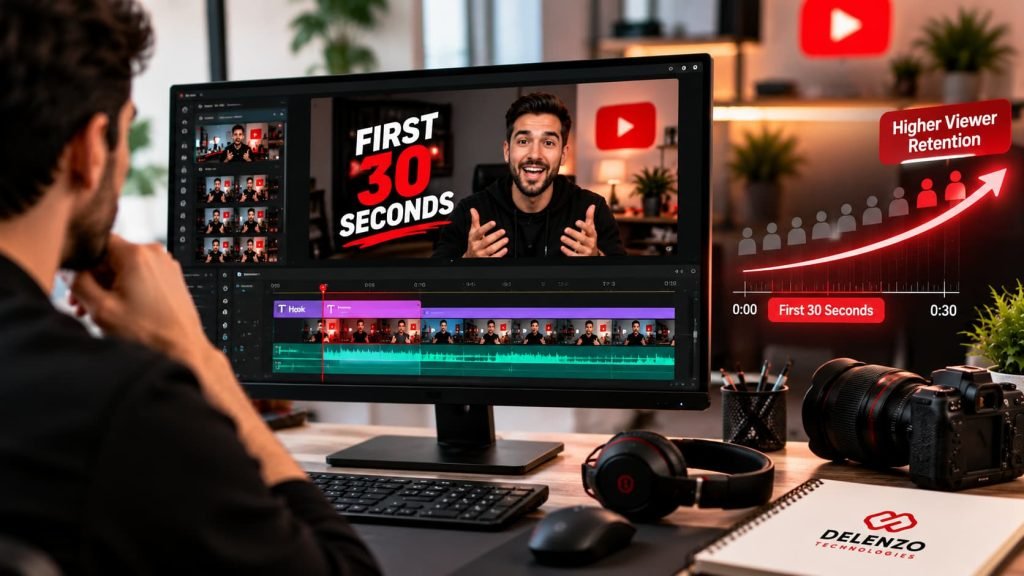
The first 30 seconds decide whether most viewers stay or leave. Use this window to confirm relevance and give people a strong reason to continue.
YouTube measures this window directly through the Intro key moment. Improving it is often the fastest way to lift retention across the whole video.
Start With a Strong Hook
A strong hook gives viewers an instant reason to keep watching. It should appear in the first few seconds, before any greeting or branding.
Proven hook styles include:
- Problem-based hook: Name the exact problem your viewer faces right now.
- Question hook: Raise a question your audience already has, then promise the answer.
- Compelling statement: Share a bold claim that challenges a common belief.
- Results preview: Show the finished outcome first, then explain how you got there.
- Quick demonstration: Open with the product or technique already in action.
- Curiosity hook: Hint at a surprising detail you will reveal later.
Pick one hook type and deliver it cleanly. Stacking several hooks at once can feel rushed.
Match the Opening With the Title and Thumbnail
The opening must confirm the expectation that made the viewer click. When the first seconds feel unrelated, viewers assume the video will not deliver.
If the thumbnail shows a finished room makeover, open with that room. If the title promises five tips, reach the first tip quickly. This alignment builds trust and reduces early exits. It also keeps your packaging honest, which protects your channel’s credibility over time.
Deliver Value Early and Remove Unnecessary Intros
Viewers came for information, so give it to them early. Long intros delay the value and invite people to click away.
Common intro mistakes to cut:
- Long greetings and channel welcomes
- Logo animations longer than two or three seconds
- Detailed background before the main point
- Subscribe requests before any value is shared
- Slow, scenic openings with no clear purpose
Save branding and subscribe requests for later, after your audience has received something useful.
Step 3: Remove Dead Air, Filler, and Unnecessary Footage
Removing dead air and filler raises information density and keeps the video moving. The goal is a tighter edit that still sounds like a natural conversation.
These YouTube video editing tips focus on the rough cut, where many retention gains happen. A single focused pass here often makes a video feel noticeably stronger.
Cut Pauses, Repetition, and Low-Value Sections
Cut anything that takes longer than needed to make a point. Watch your raw footage once and mark every slow moment.
- Long silences between sentences
- Filler words like “um,” “so,” and “you know” when they pile up
- The same idea explained twice in different words
- Tangents unrelated to the video’s promise
- Simple points explained with too many examples
Keep short, natural pauses after important points. They give viewers time to absorb what they just heard.
Use Jump Cuts Without Making the Video Distracting
Jump cuts improve momentum when they remove waste, but too many feel jarring. Use them with purpose rather than on every sentence.
Jump cuts work well in talking-head videos, tutorials, and explanations with frequent pauses. They become distracting when the speaker’s head jumps sharply in every shot. To soften them, alternate between slight punch-ins, B-roll, and wider framing. This keeps the pace quick while the picture still feels smooth.
Step 4: Control Video Pacing and Storytelling
Good YouTube retention editing matches the speed of each section to its purpose. Pace should shift with the content, the audience, and how important each part is.
Important explanations need room to breathe. Simple transitions and repeated context can move quickly. Varying the rhythm keeps attention fresh without exhausting the viewer.
Match Editing Pace to the Type of YouTube Video
Each video format needs its own pace. Match the rhythm to what viewers expect from that format.
- Tutorials: Steady and clear, with time for viewers to follow each step.
- Reviews: Quick through specs, then slower for key opinions and verdicts.
- Talking-head videos: Tight cuts with regular visual changes to avoid monotony.
- Interviews: A natural rhythm that keeps the best answers and trims slow exchanges.
- Educational content: Measured pacing, with pauses and graphics for complex ideas.
- Product videos: Fast visual shots balanced with clear feature explanations.
- Entertainment: Quick and energetic, built around reactions, humor, and surprises.
Use Storytelling to Create Continuous Viewer Interest
Storytelling gives viewers a logical reason to keep watching. Even a simple tutorial benefits from a clear beginning, middle, and end.
Use this simple flow:
- Setup: Introduce the problem or goal.
- Progression: Move through steps, attempts, or ideas in a logical order.
- Questions: Raise small questions that the next section will answer.
- Examples: Show real cases that make ideas concrete.
- Payoff: Deliver the result or answer you promised.
When each section leads naturally into the next, viewers stay to see how the story ends.
Use Open Loops and Micro-Hooks Between Sections
Open loops and micro-hooks preview upcoming value so viewers keep watching through transitions. They work best at natural break points between sections.
Examples of honest micro-hooks:
- “Next, I will show the one setting most beginners miss.”
- “The final step makes the biggest difference, and it takes two minutes.”
- “Later, you will see the full before and after results.”
Always deliver what you preview. Misleading teases may hold viewers briefly, but they damage trust and future retention.
YouTube Retention Problems and Editing Solutions
| Retention Problem | Possible Cause | Editing Solution | Example |
| Early drop-off | Slow intro or mismatched opening | Open with the hook and promised result | Show the finished edit before the tutorial |
| Sudden dips | Off-topic tangent or confusing moment | Cut or tighten the section | Remove a story unrelated to the topic |
| Gradual decline | Flat pacing with little visual change | Add B-roll, punch-ins, and micro-hooks | Insert screen recordings in long explanations |
| Repetitive sections | Same point explained more than once | Keep the clearest version only | Merge three similar tips into one |
| Weak middle sections | Predictable structure or lost momentum | Re-hook with a new example or demo | Show a quick test result halfway through |
| Early exits near the ending | Long recap or outro before payoff | Deliver the payoff first, keep the outro short | Reveal the final result before the call to action |
Most retention problems trace back to slow openings, flat pacing, or delayed payoffs, and each has a clear editing fix.
Step 5: Use B-Roll, Pattern Interrupts, and Visual Changes
Purposeful visual variety refreshes attention and supports what viewers hear. The key word is purposeful, since random visuals distract more than they help.
Smart video editing for retention uses visuals to make the message clearer. Every visual change should give viewers something new to see or understand.
Use B-Roll and Screen Recordings to Support the Message
B-roll and screen recordings reinforce spoken information by showing it visually. They also stop a single shot from staying on screen too long.
Show the product while you describe its features. Use screen recordings for software tutorials and website walkthroughs. Abstract ideas become easier to follow with a visual example. Hands-on steps work best as close-up demonstrations. Where possible, choose relevant real footage over generic stock clips.
The best B-roll matches the narration closely. Viewers should never feel confused about why a clip appeared.
Use Pattern Interrupts to Reset Viewer Attention
Pattern interrupts reset attention by changing what viewers see or hear. They help most during long explanations and talking-head sections.
Useful pattern interrupts include:
- Switching camera angles
- Punch-ins that emphasize key lines
- Simple graphics or text callouts
- Brief transitions between major sections
- A change in location, lighting, or background
- Sound cues that mark a new section
Add one when your retention graph shows attention starting to slip, instead of following a fixed timer. Your own data is a better guide than any general rule.
Avoid Over-Editing and Visual Fatigue
Over-editing makes videos tiring to watch and can push viewers away. Constant zooms, flashy transitions, and nonstop animation compete with the message.
Watch for these warning signs:
- Zooms on nearly every sentence
- Transitions that draw more attention than the content
- Animations that appear without adding meaning
- Sound effects on every single cut
- Text that changes faster than viewers can read
Every effect needs a clear job, such as explaining a point or marking a change. If it has no job, remove it.
Step 6: Optimize Text, Captions, Motion Graphics, and Audio
Text, captions, graphics, and audio make a video easier to understand and more comfortable to watch. These supporting elements often decide whether viewers stay through complex sections.
Use Captions and On-Screen Text for Clarity
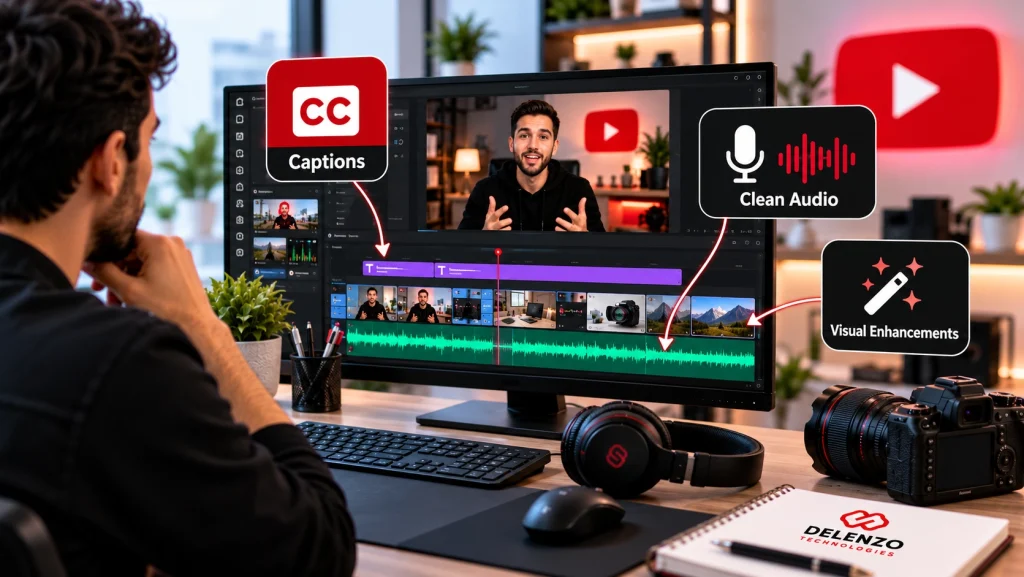
Captions and on-screen text reinforce key information and help viewers follow along. They are especially helpful for people watching on mute or in noisy places.
Use on-screen text for subtitles, step numbers, statistics, speaker names, and key phrases you want people to remember. Keep text short and large, with strong contrast against the background. Many viewers watch on phones, so test readability on a small screen.
Use Motion Graphics to Explain Complex Information
Motion graphics help when words alone cannot explain an idea clearly. Use them only when they make an idea easier to grasp.
Diagrams work well for explaining a process, and charts help compare numbers or results. Simple animations can show how something works. Before and after visuals make changes easy to spot.
Before adding a graphic, check whether it explains the idea faster than speech. If it does not, leave it out.
Improve Dialogue, Music, and Sound Design
Clear audio keeps viewers watching even when visuals are simple. Poor sound is one of the quickest ways to lose an audience.
Focus on these audio basics:
- Dialogue clarity: Make the voice the clearest element in the mix.
- Noise reduction: Remove hum, hiss, and background distractions.
- Consistent volume: Keep levels steady across clips and sections.
- Background music: Choose tracks that fit the mood and sit below the voice.
- Sound effects: Use them sparingly to highlight key moments.
- Intentional silence: Let important points land with a brief pause.
Step 7: Optimize the Middle and Ending of Your YouTube Video
The middle and ending need as much editing attention as the opening. A predictable middle and a slow ending cause many quiet drop-offs.
Re-Hook Viewers During the Middle of the Video
Re-hooking restores attention when the middle starts to feel predictable. Add fresh energy at natural transitions between sections.
Introduce a new question that the next section will answer. Share a real example or short case study, or run a quick test on screen. A new camera angle or a preview of an upcoming benefit also works well.
Move High-Value Moments Earlier When Appropriate
Moving strong moments earlier keeps people who might leave before reaching them. Valuable content buried near the end often goes unseen.
Look for your most useful tip, clearest demonstration, or most surprising result. If it does not depend on earlier context, consider placing it sooner. Keep the logical order intact, though. Moving content should never confuse your audience or break a step-by-step process.
Deliver the Main Payoff Before the Outro
Fulfill the video’s main promise completely before any recap or call to action. Many viewers leave once they sense the useful part is over.
Place long recaps, sponsor messages, and subscribe requests after the payoff. Keep the outro short and point viewers to a related video. This respects their time and can guide them to another video on your channel.
Step 8: Review, Publish, and Improve Using Retention Data
Retention editing continues after you hit publish. Each published video gives you data that makes the next edit stronger.
Review the Final Edit From the Viewer’s Perspective
Watch the full video once without stopping, exactly as a viewer would. This reveals problems that are hard to notice while editing.
Note any moment where you feel:
- Bored or tempted to skip ahead
- Confused by a jump or transition
- Distracted by an effect or sound
- Annoyed by repetition
- Unable to hear or read something clearly
A fresh pair of eyes helps too. Ask a colleague or friend to watch and point out weak spots.
Analyze Retention Dips and Spikes After Publishing
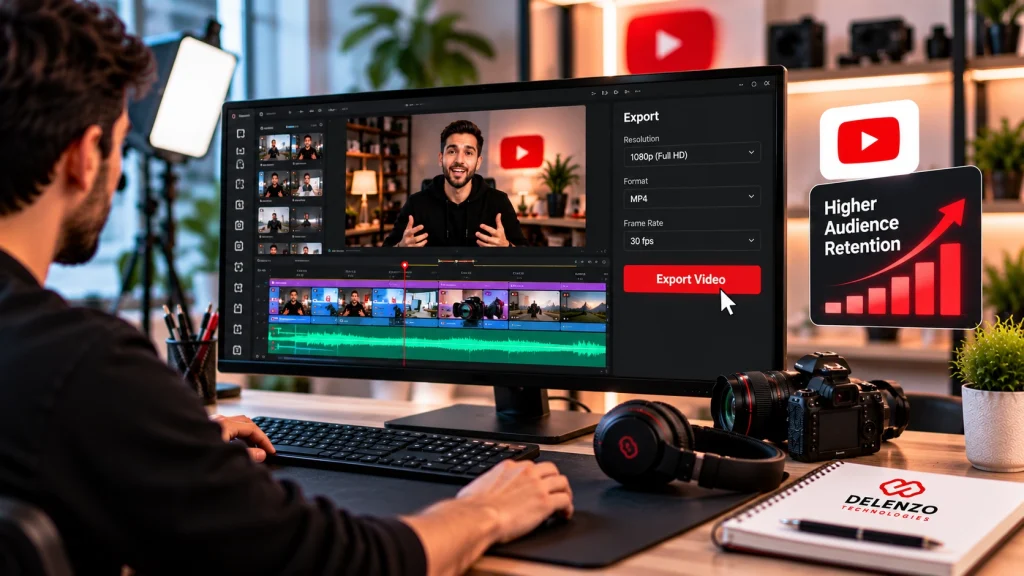
After publishing, use YouTube Analytics to check whether your editing changes actually worked. Compare the new video against your channel’s typical retention range and your recent uploads.
Focus on the specific changes you made in this edit. If you shortened the intro, check whether the Intro percentage improved. If you added re-hooks, look for fewer dips through the middle. Test one major change at a time, so you know which edit made the difference. This is the clearest way to learn how to increase audience retention on YouTube for your specific audience.
Apply What You Learn to Future YouTube Videos
Build editing habits around your own audience’s behavior rather than generic benchmarks. Every channel has different viewers with different expectations.
Create a short editing playbook for your channel. Include your best hook styles, ideal intro length, pacing preferences, and common drop-off triggers. Update it after every few uploads. Over time, this playbook makes each edit quicker and more consistent.
YouTube Audience Retention Editing Checklist
| Editing Stage | What to Check | Retention Goal | Warning Sign |
| Hook | Clear reason to watch in the opening seconds | Strong Intro percentage | Viewers leave within 30 seconds |
| Rough cut | Dead air, filler, and repetition removed | Higher information density | Long pauses or repeated points |
| Pacing | Speed matches the video type | Steady attention | Rushed or dragging sections |
| Storytelling | Clear setup, progression, and payoff | A reason to keep watching | Sections feel disconnected |
| B-roll | Visuals support the narration | A clearer message | Random or unrelated clips |
| Pattern interrupts | Visual resets at natural fade points | Refreshed attention | Static shots or constant effects |
| Captions | Short text readable on mobile | Better understanding | Text too small or too fast |
| Audio | Clear voice, steady volume, balanced music | Comfortable viewing | Noise, volume jumps, loud music |
| Middle section | Re-hooks at natural transitions | Fewer mid-video dips | Steady decline through the middle |
| Ending | Payoff delivered before the outro | Fewer early exits | Drop-off during recap or call to action |
| Final review | Full uninterrupted watch-through | A polished viewer experience | Moments that feel boring or confusing |
Use this checklist before every upload to catch retention problems while they are still easy to fix.
When to Consider Professional YouTube Video Editing Services
Professional editing makes sense when workload, quality, or recurring retention problems start holding your channel back. Editing well takes time, skill, and consistency.
Many creators and businesses reach a point where editing every video themselves slows growth. At that stage, professional video editing services can protect quality while freeing time for planning and filming. A reliable YouTube video editing service also brings a fresh, data-focused view of your retention patterns. Our guide to the types of video editing services explains the main options if you are unsure what fits.
Signs Your YouTube Editing Needs Professional Support
You may need professional support when editing starts limiting your publishing schedule or video quality. These signs are common:
- Editing bottlenecks: Finished footage waits days or weeks before anyone edits it.
- Inconsistent quality: Some videos look polished while others feel rushed.
- Lack of time: Editing pulls focus from planning, filming, or running your business.
- Scaling output: You want to publish more often without lowering your standards.
- Recurring retention issues: The same drop-offs appear across videos despite repeated changes.
If several of these sound familiar, exploring video editing services for YouTube can be a practical next step.
YouTube has become a useful marketing channel for many Dallas businesses. Real estate agents share property tours, and restaurants show behind-the-scenes kitchen moments. Home service companies post quick how-to videos for local customers. Each format needs its own editing pace to keep local viewers watching. Video works best inside a wider plan, as covered in why digital marketing is important for small businesses.
At Delenzo Technologies in Dallas, our editors build every video around viewer behavior and retention data. We offer YouTube video editing services focused on strong hooks, smart pacing, clear captions, and clean audio.Our team supports creators, brands, and small businesses across Dallas and the wider DFW area. We also work remotely with clients across the USA, so distance never slows your publishing schedule.
Final Thoughts
Editing for retention is a repeatable workflow you can apply to every upload. Strong YouTube audience retention comes from small, smart decisions at every stage of the edit.
The complete process looks like this:
- Understand what retention measures and why it matters.
- Analyze viewer behavior in your retention data.
- Strengthen the opening with a clear hook and early value.
- Remove dead air, filler, and unnecessary footage.
- Control pacing and storytelling to suit each format.
- Improve visuals, captions, and audio for clarity.
- Optimize the middle and ending so the payoff lands.
- Measure results after publishing.
- Improve future edits with what you learn.
Start with your next video. Apply these steps, check the data, and refine your approach with each upload. When you want expert support, the Delenzo Technologies team in Dallas is ready to help.
Frequently Asked Questions
What is YouTube audience retention?
Audience retention is the percentage of a YouTube video that viewers watch before leaving. It shows which moments hold attention and where people drop off, helping you improve future edits.
How do you edit YouTube videos to increase audience retention?
Start with a strong hook in the first seconds, then cut dead air and repetition. Match pacing to the format, add purposeful visuals, and deliver the payoff before the outro.
How important are the first 30 seconds of a YouTube video?
The first 30 seconds are critical because they decide whether most viewers stay or leave. YouTube tracks this window as the Intro key moment, so open with your hook immediately.
What causes audience retention to drop on YouTube?
Retention usually drops because of slow intros, a mismatch with the title or thumbnail, long tangents, or repetitive sections. Flat pacing, weak audio, and delayed payoffs also push viewers away.
How do I use the YouTube audience retention graph to improve future videos?
Check the graph for dips, spikes, and top moments. Shorten sections before dips, repeat what worked during spikes, and test one change per upload to see what helps.