


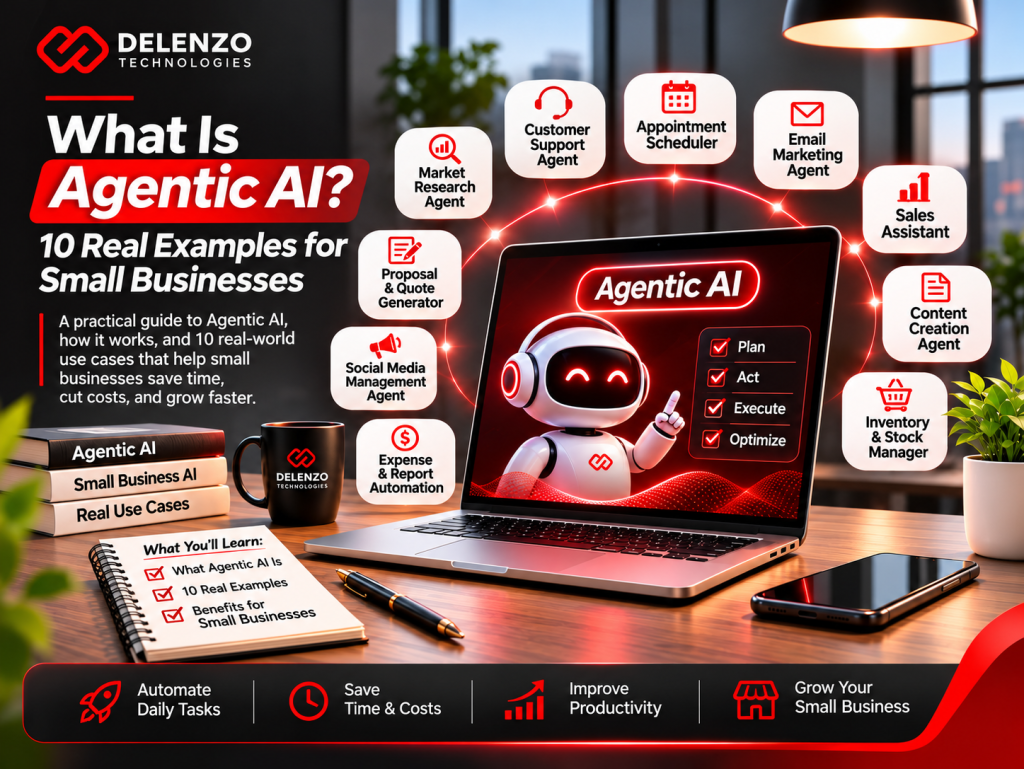
Small businesses are exploring agentic AI in 2026 because AI agents can finish repetitive, multi-app tasks that eat staff hours.
Think about your week. Leads get copied into the CRM by hand. Order questions mean checking Shopify. Invoices get typed into QuickBooks. None of it is hard. It just never stops.
The tools have finally caught up. HubSpot now builds AI agents into its CRM. Zapier offers free agent plans, and Intercom charges only when its AI solves a problem. McKinsey found 40% of large companies now scale AI agents, up from 27% last year.
The opportunity in agentic AI for small businesses is simple. You need one repeatable task, clean data, and a few clear rules.
Below are 10 real use cases, honest prices, and a simple launch plan.
What Is Agentic AI?
Agentic AI is artificial intelligence that works toward a goal on its own. It plans steps, uses your software tools, and checks results with limited human input.
When people search what is agentic AI, they usually want one answer. They want to know if it can actually do work for them. The short answer is yes, within limits you set.
A regular AI tool waits for your next instruction. An agent keeps going until the task is done.
The key skill is choosing the next step based on what it finds. Take a simple goal like “prepare this lead for sales.” The right action changes from lead to lead:
- An existing customer needs their current record updated
- A brand new inquiry needs a fresh CRM record
- A message with missing details needs a quick follow-up question
- A request outside your service area needs a polite decline
A fixed script would treat all four the same. An agent adjusts its path.
Agentic AI vs Generative AI: What’s the Difference?
Generative AI creates content when you ask for it. An AI agent uses that content, plus your tools, to complete a full task.
The agentic AI vs generative AI question comes down to one word: action. ChatGPT writing a follow-up email is generative. A tool that checks your CRM, writes the email, and asks you to approve it is agentic.
| Aspect | Generative AI | AI Agents |
| Main job | Creates text, images, or code | Completes tasks and workflows |
| How it starts | You type a prompt | You set a goal or trigger |
| Uses business data | Only what you paste in | Pulls data it has permission to see |
| What you review | The output | The output and the actions taken |
In short, generative AI produces answers, while AI agents produce finished work inside your business tools.
AI Agents vs Chatbots vs Traditional Automation
A chatbot answers questions, and traditional automation follows fixed rules. An AI agent can make decisions, handle surprises, and act across several apps.
Many owners mix these up, so the AI agents vs chatbots comparison matters before you buy anything. Appointment booking shows the difference clearly:
| Aspect | Chatbot | Rule-Based Automation | AI Agent |
| Booking example | Answers “What are your hours” | Sends a reminder 24 hours before | Reads a reschedule request and offers new times |
| Handles surprises | Poorly | Breaks or stops | Usually adapts |
| Best for | Basic FAQs | Simple, stable tasks | Multi-step tasks with judgment |
| Example tool | Website FAQ widget | A two-step Zapier Zap | Intercom Fin, Zapier Agents |
The simple rule: use automation for predictable tasks and use AI agents when tasks need some judgment. A basic reminder gains nothing from extra AI reasoning.
How Does Agentic AI Work?
An AI agent works in a loop. It gets a goal, plans steps, acts through connected tools, checks the result, and repeats until finished.
Understanding how agentic AI works helps you set it up correctly. For a support request, the loop looks like this:
- Goal: Answer the customer’s shipping question.
- Plan: Find the order and the right policy.
- Act: Pull tracking data and draft a reply.
- Check: Confirm the reply matches the real order status.
- Report: Log the action, or hand off anything unresolved to a person.
That check step matters more than most people think. Trying to update a CRM record is different from confirming the right record changed.
Goals, Planning, and Tool Connections
An agent is only as useful as its goal and the tools it can reach. A strong AI agent workflow starts with a narrow, specific instruction.
“Manage sales” is far too broad. A better instruction reads like this:
Review new website inquiries and identify the service requested. Check for an existing CRM record, then assign the lead to sales.
Typical small business agents connect to a handful of everyday tools:
- CRM: HubSpot, Salesforce, or Zoho CRM
- Email: Gmail or Outlook
- Calendar: Google Calendar or Calendly
- Store: Shopify or WooCommerce
- Accounting: QuickBooks or Xero
- Team chat: Slack or Microsoft Teams
These links work through APIs. An API is simply a secure doorway that lets two apps share data. No-code platforms build those doorways for you, so you rarely touch any code.
Memory, Feedback, and Human Approvals
Good agents remember useful context, improve from corrections, and pause for your approval before risky actions. That setup is called human in the loop AI.
Memory lets an agent recall a customer’s preferred appointment time or an open support issue. It should not become an excuse to store every piece of personal data.
Approvals are your safety net. A practical rule might let the agent tag contacts on its own. Sending a discount offer, though, waits for your click.
Feedback needs a process, too. Fixing one bad reply does not always teach the agent a lasting lesson. Update its instructions or source documents so the fix sticks.
10 Real-World Agentic AI Examples for Small Businesses
The most useful agentic AI examples handle repeatable tasks that touch two or more apps. Think lead follow-up, support, scheduling, and weekly reporting.
Each example below shows the task, tools to try, what to measure, and where a human should stay involved.
Note: The examples below show common workflows. They are not results claimed by Delenzo Technologies or its clients.
1. Qualify New Leads and Update CRM Records
An AI lead qualification agent reviews new leads, scores them against your criteria, and updates your CRM automatically.
Take a Dallas roofing company getting 40 form fills a week. The agent checks each lead’s zip code, budget, and timeline. Hot leads get a booking link within minutes. Cold leads move into a nurture email list.
If a detail like roof size is missing, the agent asks for it before assigning the lead. It organizes facts for sales and never guesses a budget.
- Tools to try: HubSpot Breeze agents, Zapier Agents
- Measure: Time to first reply, record accuracy, booked appointments
- Keep a human on: Large commercial quotes and unusual requests
2. Resolve Common Customer Support Requests
AI customer service agents answer routine questions around the clock and pass complex issues to your team.
They handle return policies, shipping times, password resets, and store hours. Intercom’s Fin agent charges $0.99 per resolved outcome, plus helpdesk seats starting at $29 per month.
A good handoff matters most. The agent should pass along the question, the records it checked, and the open problem. Customers should never have to repeat themselves.
- Tools to try: Intercom Fin, Zendesk AI, Tidio
- Measure: Correct resolutions, reopened tickets, customer satisfaction
- Keep a human on: Angry customers, refunds outside policy, and legal complaints
3. Schedule Appointments and Send Reminders
Phone tag disappears with an AI appointment scheduling agent, which books, moves, and confirms appointments for you.
A dental office or hair salon benefits most. The agent offers open slots, sends a text reminder 24 hours before, and fills cancellations from a waitlist. Before confirming, it rechecks the calendar to avoid double bookings.
- Tools to try: Calendly, Google Calendar, GoHighLevel
- Measure: Booking completion rate, no-shows, scheduling errors
- Keep a human on: Deposits, special rates, and cancellation exceptions
4. Coordinate Social Media Content and Approvals
AI agents for social media turn one blog post into several draft posts, then route them for approval.
The agent sizes captions for Instagram, LinkedIn, and Facebook. Next, it suggests posting times and sends drafts to Slack. It can even flag an expired offer before you see the draft.
Once you approve, it schedules everything in Buffer or Hootsuite. If anyone edits a price or caption after approval, the post goes back for review.
Our roundup of the best social media automation tools compares more options.
- Tools to try: Buffer AI Assistant, Hootsuite OwlyWriter, Zapier
- Measure: Approval turnaround, missed posting dates, correction requests
- Keep a human on: Every public post, especially during sensitive news moments
5. Monitor Google Ads and Flag Performance Changes
Ad spend can drift fast, so an AI agent for Google Ads checks campaigns daily and flags sudden changes.
Say your cost per qualified lead jumps from $40 to $65. A useful alert checks a few things before raising the alarm:
- Whether conversion tracking still works
- Which campaigns or search terms changed
- Whether the date ranges compare similar days
A percentage change alone never explains the cause. Monitoring is also safer than letting software change ad budgets on its own.
- Tools to try: Google Ads automated rules, Optmyzr, Zapier with Slack alerts
- Measure: Useful alerts versus false alarms
- Keep a human on: All budget increases and bid strategy changes
6. Personalize Sales Follow-Ups Across CRM and Email
Generic follow-ups get ignored. With an AI sales follow up agent, each email uses your CRM notes and stops when a lead replies.
Instead of a vague “just checking in,” it might mention the exact pricing question from Tuesday’s call. A lead asking about ecommerce gets a different message than one wanting a booking site.
One firm rule applies: the email must never claim a salesperson did something they did not do.
- Tools to try: HubSpot sequences with Breeze, Apollo, Instantly
- Measure: Qualified replies, booked calls, unsubscribes
- Keep a human on: Pricing, delivery promises, and custom proposals
7. Track Inventory and Recommend Reorders
Stockouts cost sales, and an AI inventory management agent helps prevent them by tracking stock and suggesting reorders early.
The basic math is simple. Say you sell five units a day and your supplier needs ten days. You need 50 units on hand, plus safety stock.
The agent adds context a fixed rule misses. It can flag an upcoming promotion, a delayed shipment, or a sudden sales spike. Then it drafts a purchase order for your review.
- Tools to try: Shopify Flow, Inventory Planner, Cin7
- Measure: Stockouts, excess inventory, recommendation accuracy
- Keep a human on: Final purchase orders, cash flow, and new supplier choices
8. Handle Ecommerce Order Updates and Exceptions
AI ecommerce agents track orders, update customers, and catch problems like delays or bad addresses.
When a carrier marks a package as delayed, the agent emails the customer first. It can also flag orders with missing apartment numbers before shipping.
Exceptions are where these agents shine. If one item in an order is out of stock, the agent can prepare substitute options for staff to review. Updates should only share confirmed facts, since a carrier estimate is not a promise.
- Tools to try: Gorgias AI Agent, Shopify Flow, AfterShip
- Measure: Repeat “where is my order” contacts, unresolved exceptions
- Keep a human on: Substitutions, address changes, and high-value replacements
9. Collect Invoice Details and Prepare Bookkeeping Drafts
An AI invoice processing agent reads incoming invoices, pulls the key details, and creates draft bills in your accounting software.
It captures vendor name, amount, due date, and line items from PDF attachments. It compares invoice numbers and amounts to flag possible duplicates before anything gets paid.
Watch for one common scam. If an email asks you to change a vendor’s bank details, verify it by phone first.
- Tools to try: QuickBooks Online, Dext, Bill.com
- Measure: Extraction accuracy, duplicates caught, review time
- Keep a human on: Every payment approval
10. Build Weekly Marketing and Sales Reports
Reports stop eating your Monday mornings with an AI reporting agent. It pulls data from every tool and writes a plain-English summary.
Each week at 8 a.m., it gathers numbers from GA4, Google Ads, HubSpot, and Shopify. Then it posts a short summary in Slack with wins, drops, and one suggested action.
A good report separates facts from guesses. Say leads went up but sales stayed flat. The agent should list what to check, like lead quality, instead of inventing a cause.
- Tools to try: Looker Studio, Databox, Zapier with ChatGPT
- Measure: Prep time saved, number errors, useful follow-up actions
- Keep a human on: Final totals and business decisions
| Use Case | Main Apps | Risk Level | Human Approval |
| Lead qualification | CRM, forms, email | Low | Big deals only |
| Customer support | Helpdesk, store | Medium | Refunds and complaints |
| Appointment scheduling | Calendar, SMS | Low | Deposits and exceptions |
| Social media | Scheduler, Slack | Medium | Every post |
| Google Ads monitoring | Google Ads, Slack | Medium | Budget changes |
| Sales follow-ups | CRM, email | Low | Pricing and proposals |
| Inventory | Store, suppliers | Medium | Purchase orders |
| Order updates | Store, carriers | Low | Substitutions |
| Invoices | Email, accounting | High | Every payment |
| Weekly reports | Analytics, CRM | Low | Final totals |
As the table shows, reporting, scheduling, and lead qualification carry the lowest risk, making them smart first projects.
Which Small Business Tasks Are Best Suited to AI Agents?
The best tasks for AI agents happen often and follow clear rules. They also use digital data and cause little harm when mistakes happen.
Before picking AI agents for small business work, run each task through this quick checklist:
- It happens at least weekly
- You can clearly define a correct result
- All the data lives in software, not on paper
- A mistake is easy to spot and undo
- It needs some judgment beyond a fixed rule
A task that passes all five checks is a strong pilot candidate.
Low-Risk Tasks to Automate First
Start with tasks where a mistake costs little and is easy to catch. These AI agent use cases for beginners build confidence fast:
- Summarizing weekly sales and marketing numbers
- Tagging and sorting support tickets by topic
- Drafting follow-up emails for you to review
- Sending appointment reminders
- Moving lead data from forms into your CRM
Notice that most of these create drafts or internal notes. Customers never see a mistake before you do.
Pick a task your team already knows well. You need a clear standard to judge whether the output is good.
When You Should Keep a Human in Control
Keep people in charge of anything involving money, legal promises, or your public reputation. Strong AI agent human oversight protects your brand.
Always require approval for:
- Refunds above a set dollar amount
- Payments or changes to payment details
- Pricing or discount changes
- Ad budget increases
- Deleting customer accounts or records
- Legal, medical, or financial advice
Real cases prove the point. In 2024, a Canadian tribunal ordered Air Canada to honor a refund policy its chatbot invented. Your business is responsible for what your AI says.
Your approval screen should show the proposed action, the evidence behind it, and its likely effect. A bare “approve” button is not enough.
Key Benefits and Limitations of Agentic AI
AI agents save time and speed up customer service, but they still make mistakes and need clean data and oversight.
Weigh the benefits of agentic AI against its limits before you commit:
| Aspect | Benefit | Limitation |
| Speed | Replies in seconds, any hour | Fast mistakes spread quickly too |
| Cost | Cuts repetitive labor hours | Usage fees can grow with volume |
| Consistency | Follows the same process daily | Struggles with rare edge cases |
| Setup | No-code tools launch quickly | Messy data leads to poor results |
Put simply, agents work best on clear, repeatable tasks backed by clean data and human review.
Time Savings and Customer Experience
The two biggest agentic AI benefits for business owners are hours saved and faster customer responses.
Consider an office manager earning $25 an hour. If an agent saves them six hours weekly after review, that adds up to roughly $650 a month. Those hours can go to sales calls or customer care instead.
Customers notice speed, too. A lead who gets a reply in five minutes feels very different from one who waits until tomorrow.
Always measure the whole task, though. A draft that takes ten seconds to create but fifteen minutes to fix saves nothing.
Accuracy, Privacy, Security, and Reliability Risks
The main agentic AI risks are wrong answers, actions based on bad data, leaked customer information, and unexpected costs.
Each risk has a simple control you can put in place:
| Risk | What Can Happen | Simple Fix |
| Made-up answers | Agent states false details confidently | Use approved sources with review dates |
| Wrong record | Email goes to the wrong contact | Match verified IDs before changes |
| Duplicate actions | Customer gets two emails or orders | Check if the action already ran |
| Hidden instructions | Scam text in an email tricks the agent | Treat outside content as data only |
| Failed connection | Workflow stops halfway | Stop, log the error, alert the owner |
| Data exposure | Private details leak | Limit fields and connected accounts |
| Cost creep | Usage bills grow quietly | Set spending caps and alerts |
Every risk above has a practical fix, and most take only minutes to set up.
Gartner predicts over 40% of AI agent projects will be canceled by the end of 2027. The reasons cited are rising costs, unclear business value, and weak risk controls. Planning carefully keeps you out of that group.
How to Implement Agentic AI in a Small Business
Launch your first agent in four steps: pick one workflow, connect clean data, test with approvals, then monitor and improve.
Knowing how to implement agentic AI the right way saves money and stress. Follow this order:
- Choose one repeatable workflow
- Connect trusted data and set permissions
- Test with human approval gates
- Launch, monitor, and improve
Step 1: Choose One Repeatable Workflow
Pick one task that happens often and has a clear, measurable result. A focused AI agent implementation plan names the task, the owner, allowed actions, and success measures.
“Improve productivity” is too vague to test. A clearer goal sounds like this:
Prepare a weekly lead report from approved sources and link every total to its source. Never change customer records.
Write every step of the task on paper first. Then time how long it takes your team today. That number becomes your baseline.
Step 2: Connect Trusted Data and Set Permissions
Give the agent access only to the data it needs, and make sure that data is accurate. Safe AI agent integration starts with clean records.
Follow these rules:
- Clean duplicate contacts in your CRM before connecting it
- Start with read-only access where possible
- Create a separate login for the agent instead of sharing yours
- Decide which app owns each key field, like the CRM for deal stage
- Set spending limits on paid tools
- Turn on activity logs so you can trace every action
That ownership rule matters. Without it, the agent may pick a convenient number instead of the correct one.
Step 3: Test with Human Approval Gates
Run the agent in draft mode first, where it suggests actions but cannot complete them alone. This is the safest way to test AI agents with real work.
Feed it 20 to 50 real examples from past weeks. Compare its choices with what your team actually did. Include tricky cases on purpose:
- Two contacts with the same name
- An inquiry missing contact details
- A request for a service you do not offer
- A broken app connection
- A message telling the agent to ignore its rules
Set your pass standard before testing starts. Do not lower it just because the drafts sound polished.
Step 4: Launch, Monitor, and Improve
After launch, review results weekly and adjust as you learn. Steady AI agent monitoring keeps quality high over time.
Begin with a small workload and one named owner. Make sure that owner can pause the agent instantly.
Each week, check these numbers:
- Tasks completed correctly
- Errors caught
- Time people spend reviewing
- Customer complaints or praise
- Tool cost per completed task
Look for patterns in mistakes. A repeat error often needs a better source or tighter permission, not a longer prompt.
How Much Does Agentic AI Cost for a Small Business?
Most small businesses spend between $0 and about $500 a month on no-code AI agent tools. Custom-built agents usually cost thousands upfront.
Your total agentic AI cost covers software, usage fees, setup, and the time spent reviewing work. Here are published prices checked in November 2026:
- Zapier: Free plan with 100 tasks a month; Professional from $19.99 a month billed annually
- Zapier Agents: Free tier with 400 activities a month; Agents Pro at $400 a year, about $33 a month
- Intercom Fin: $0.99 per resolved outcome, plus seats from $29 a month
Read the fine print on usage. One Zapier “activity” is a single agent action, not a full finished task. Prices also change often, so confirm them on each vendor’s pricing page.
| Aspect | No-Code Tools | Custom AI Agent |
| Upfront cost | $0 to a few hundred dollars | Often $5,000 to $50,000 (estimate) |
| Monthly cost | About $0 to $500 | Hosting, AI usage, and upkeep |
| Setup time | A few hours to 2 weeks | 4 to 12 weeks |
| Best for | Standard tasks and small teams | Unique processes and high volume |
For most small businesses, a no-code tool is the cheaper and faster starting point.
When you get a setup quote, ask for separate prices for data cleanup, integrations, testing, training, and ongoing support.
Build vs Buy: No-Code Tools or Custom AI Agents?
Buy a no-code tool for common tasks, and build a custom agent only when your process is unique. That is the core of the build vs buy AI agents decision.
Buy when:
- The task is common, like support or scheduling
- Most of the work happens in apps with ready connectors
- You want results within weeks
Build when:
- Your workflow is unique to your industry
- You need to connect older or in-house software
- Your volume makes per-task fees too costly
Either way, ask vendors to demo your real use case. Have them show what happens when an app connection fails.
How to Measure ROI from an AI Agent
Measure ROI by comparing the value of time saved against the full monthly cost, including review time.
Use this simple formula for AI agent ROI:
ROI = (Monthly benefit − Monthly cost) ÷ Monthly cost × 100
Here is a sample pilot using the earlier office manager example:
| Item | Monthly Value | Notes |
| Staff time saved after review | $650 | About 26 hours at $25 |
| Software and usage | $100 | Tool subscription and fees |
| Monitoring and upkeep | $100 | Weekly reviews and fixes |
| Setup cost spread over 12 months | $100 | $1,200 one-time setup |
| Net monthly benefit | $350 | $650 minus $300 in costs |
| ROI | About 117% | $350 divided by $300 |
This sample shows how to do the math, not a promised return. Saved hours only become savings when you use them for more valuable work.
Track these numbers too:
- Hours saved per week
- Cost per completed task
- Lead response time
- Conversion rate changes
- Error rate
Agentic AI Best Practices and Common Mistakes
Successful AI agents start small, use clean data, have limited permissions, and get reviewed every week.
These AI agent best practices work for nearly every small business:
- Give each agent one clear job
- Write instructions like you would for a new hire
- Add approval steps for money and public messages
- Keep a human contact option for customers
- Review logs on a set schedule
Avoid Uncontrolled Actions and Weak Data Sources
The most costly errors come from giving agents too much access or feeding them outdated information.
Common AI agent mistakes include:
- Granting full admin access to every app
- Connecting a CRM full of duplicates and old contacts
- Skipping spending caps and retry limits
- Training support agents on outdated help articles
- Leaving conflicting price lists or policies in place
- Having no quick way to pause the agent
Put limits inside the tool settings, not only in written instructions. Automation cannot fix a business rule your team never agreed on.
Review Quality Instead of Assuming Full Autonomy
No agent should run unchecked. Regular reviews catch small errors before customers notice them.
Simple AI agent quality assurance looks like this:
- Spot-check about 10% of agent actions each week
- Score replies for accuracy, tone, and helpfulness
- Keep a shared log of fixes and instruction changes
- Retest after any change to tools, prompts, or source documents
Treat your agent like a new team member on probation. Trust grows as results prove themselves.
Frequently Asked Questions About Agentic AI
What Is an Example of Agentic AI in Business?
A common agentic AI example is a support agent that answers order questions. It checks Shopify for tracking, replies to the customer, and sends complex refund requests to a human teammate.
Is Agentic AI the Same as ChatGPT?
No. ChatGPT is one product, while agents are a type of system. The agentic AI vs ChatGPT difference is action, since agents connect to apps and finish tasks. ChatGPT now has agent features too.
Can Small Businesses Use AI Agents Without Coding?
Yes. No code AI agents from Zapier Agents, HubSpot Breeze, and Intercom Fin need no programming. You set goals, connect apps, and add approval steps using plain instructions and simple menus.
What Are the Biggest Risks of Agentic AI?
The biggest risks of AI agents are wrong answers, bad data, and exposed customer information. Rising usage costs matter too. Limited permissions, approval steps, and weekly reviews reduce most of them.
How Long Does It Take to Set Up an AI Agent?
AI agent setup time can be a few hours for a simple no-code agent. Custom builds usually need 4 to 12 weeks. Clean data and a clear workflow shorten the timeline most.
Conclusion: Start with One Useful AI Agent
The smartest way to start is with one small, repeatable task that has a clear result.
You do not need to replace your team or rebuild your systems. Pick one workflow, connect clean data, keep approvals in place, and review results weekly. That approach makes agentic AI practical instead of risky.
The best agentic AI for businesses feels boring in the best way. Leads get answered faster, reports show up on time, and your team gets hours back.