

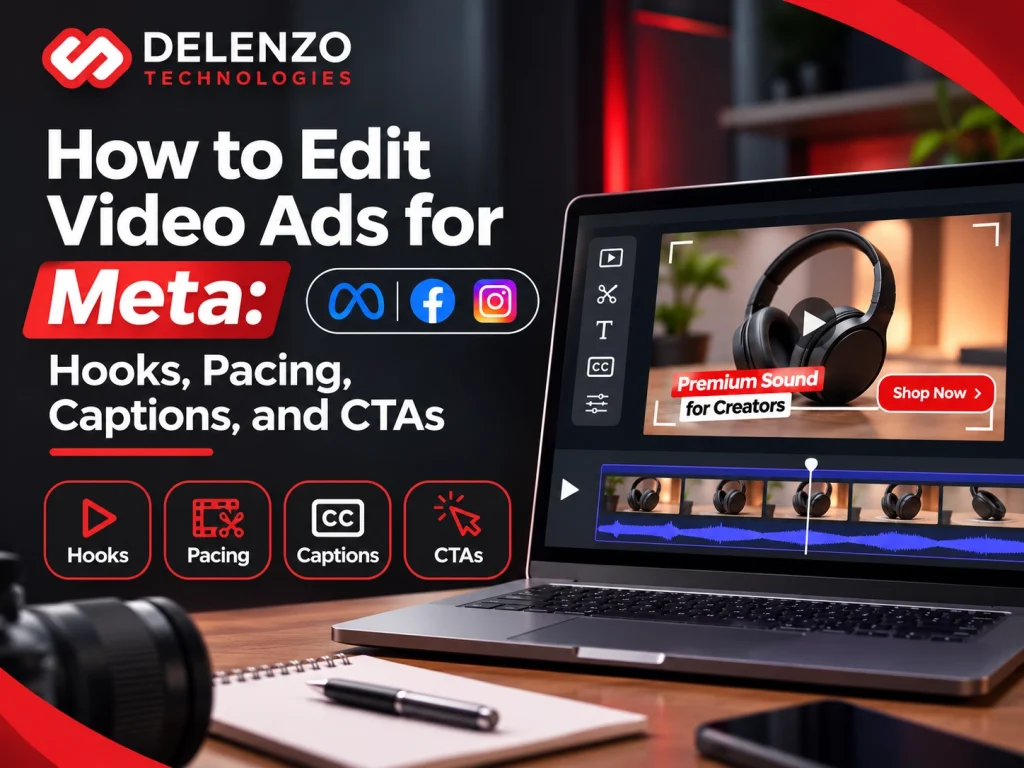
Meta video ad editing works best when you open with a hook that stops the scroll, keep the pace quick, add readable captions, and end with one clear CTA. Each of those four edits has a job: the hook earns attention, pacing holds it, captions work on mute, and the CTA tells people what to do next.
Most wasted ad spend does not come from a bad product. It comes from a video whose first two seconds look like everything else in the feed. Thumbs move fast, and your edit gets one brief moment to change that.
This guide shows how to edit video ads for Meta from the first frame to the final export. You will learn how to build hooks, cut dead air, style captions, place a CTA, and size each version for its placement. Included are a 20-second timeline, a format table, and a testing plan, so you can use all of it on footage you already own. Delenzo Technologies, a digital marketing agency in Dallas, follows this same process for e-commerce brands and local service businesses.
What Makes Meta Video Ad Editing Different From Regular Video Editing?
Ad editing is built for small screens, short attention spans, and a business goal, while regular editing is built for story and style. Films about a brand can spend ten seconds setting a mood. Paid ads cannot afford it.
Four differences shape every cut:
- Mobile-first viewing: most people watch on a phone held in one hand, so faces, products, and text must read clearly at a small size.
- Short attention windows: the opening second or two decides whether someone stays.
- Placement-specific formats: Feed, Reels, and Stories each crop, cover, and play your video in their own way.
- Conversion focus: every shot should push toward a sale, a lead, or a click, not just look good.
The skills behind Facebook video ad editing and Instagram video ad editing overlap a great deal, since both run through Ads Manager. Framing and interface overlays are where they split. Following Meta video ad best practices mostly means leading with value, designing for the phone, and giving every second a job. Design choices beyond the edit are covered in How to Design Facebook & Instagram Ads That Convert.
How to Create Attention-Grabbing Hooks for Meta Video Ads
Think of a hook as the opening moment that gives a viewer a reason to keep watching, and it works best when it shows a problem, a result, or the product right away. Opening frames carry so much weight because people decide almost instantly, long before a logo or greeting finishes.
Skip slow fade-ins, animated logos, and lines like “Hi, I’m Sarah from Acme.” Put the most interesting visual first, even if it happened in the middle of the shoot. When a customer’s reaction is the best moment in your footage, move it to frame one.
What Should Happen in the First 3 Seconds of a Video Ad?
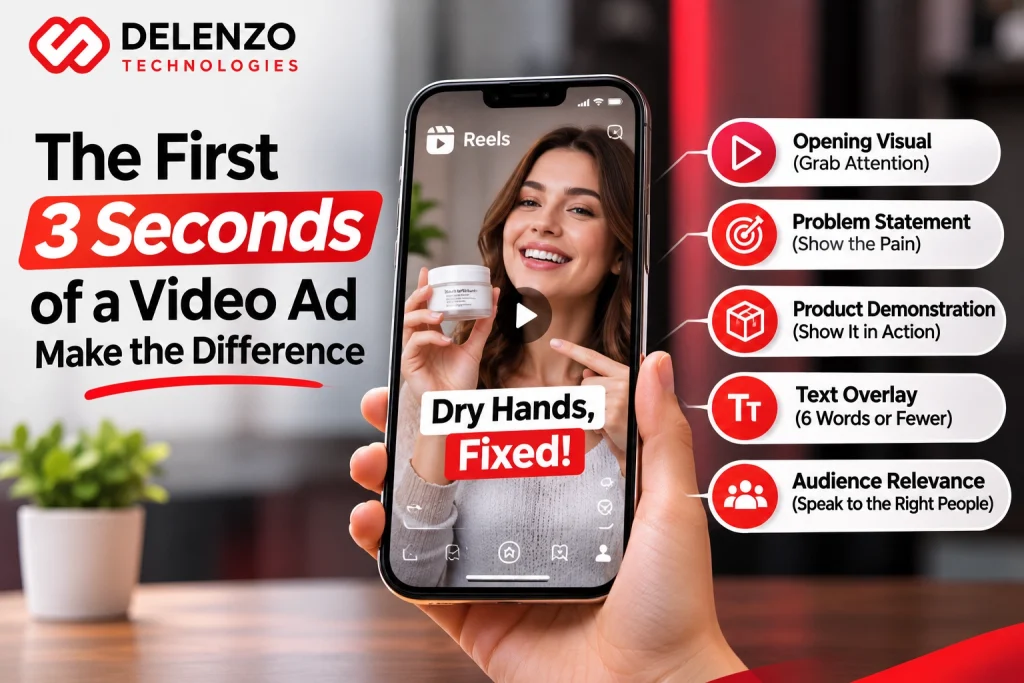
In the first three seconds, show something clear, name who the ad is for, and hint at a payoff. Five pieces do most of the work:
- Opening visual: movement, a close-up face, or the product in use.
- Problem statement: one short line such as “Cracked screen again” over a matching shot.
- Product demonstration: the item doing its job instead of sitting on a shelf.
- Text overlay: six words or fewer, placed where the eye lands first.
- Audience relevance: a direct call-out like “Dallas homeowners” or “Shopify store owners.”
Picture a Dallas skincare shop selling hand cream. An opening shot of dry, cracked hands, with the text “Dry hands, fixed,” shows the problem and the promise in under two seconds. A slow shot of the jar on a shelf shows neither.
Best Video Ad Hook Techniques for Facebook and Instagram
Problem-solution, curiosity, benefit-driven, testimonial, and product demonstration styles cover most ads. Choose the one that matches what your buyer already feels. Solid Facebook video ad hooks also work on Instagram, so one opening can often serve both.
| Hook style | How it opens | Example |
| Problem-solution | Shows the pain, then the fix | A cluttered garage, then a finished storage wall |
| Curiosity | Teases an unexpected result | “I skipped shampoo for 30 days” over a before-and-after shot |
| Benefit-driven | States the main gain upfront | “Cut meal prep in half” with a meal-kit unboxing |
| Testimonial | Opens on a customer’s best line | A buyer saying “I finally sleep through the night” |
| Product demonstration | Shows the product working | A stain vanishing from a rug in one wipe |
Pair two or three styles in a small test before settling on a winner.
How to Improve Video Ad Pacing and Audience Retention
Good video ad pacing means something new appears on screen every two to four seconds, whether that is a fresh angle, a new line of text, or a different scene. Clip length, transitions, and story order all feed that rhythm. Longer formats follow the same logic, which our guide to editing YouTube videos for higher audience retention explains.
Build the story as a short arc: hook, problem, solution, proof, action. Alternate wide shots with close-ups so the eye keeps moving. Trim each clip to its last useful frame, because viewers feel a clip that lingers even when they cannot say why they got bored.
Remove Unnecessary Pauses and Slow Introductions
Cut any pause, breath, or filler word that adds nothing, and start the ad on the first useful sentence. Dead air is the quiet killer of retention.
- Silence at the start: trim until the first word lands within a few frames of the opening visual.
- Long intros: shrink them to one line or drop them, then show the brand name later in the ad.
- Repeated clips: when two shots show the same idea, keep the stronger one.
- Natural speech: leave a gap of about a tenth of a second between sentences so the voice sounds relaxed, not rushed or robotic.
Use B-Roll, Jump Cuts, and Visual Changes Effectively
B-roll, jump cuts, and close-ups keep the screen fresh without needing extra footage. Cover a talking-head line with product shots so viewers see what the speaker describes. Jump cuts remove pauses inside a single take, and a slight zoom of 105 to 115 percent between cuts hides the edit point. Close-ups work well for texture, stitching, or ingredients.
Each change should carry meaning. Spinning transitions with sparkles add motion but no information, and piling on effects pulls attention away from the offer. Matching footage shot in different lighting also matters, and color correction vs color grading explains which fix to apply.
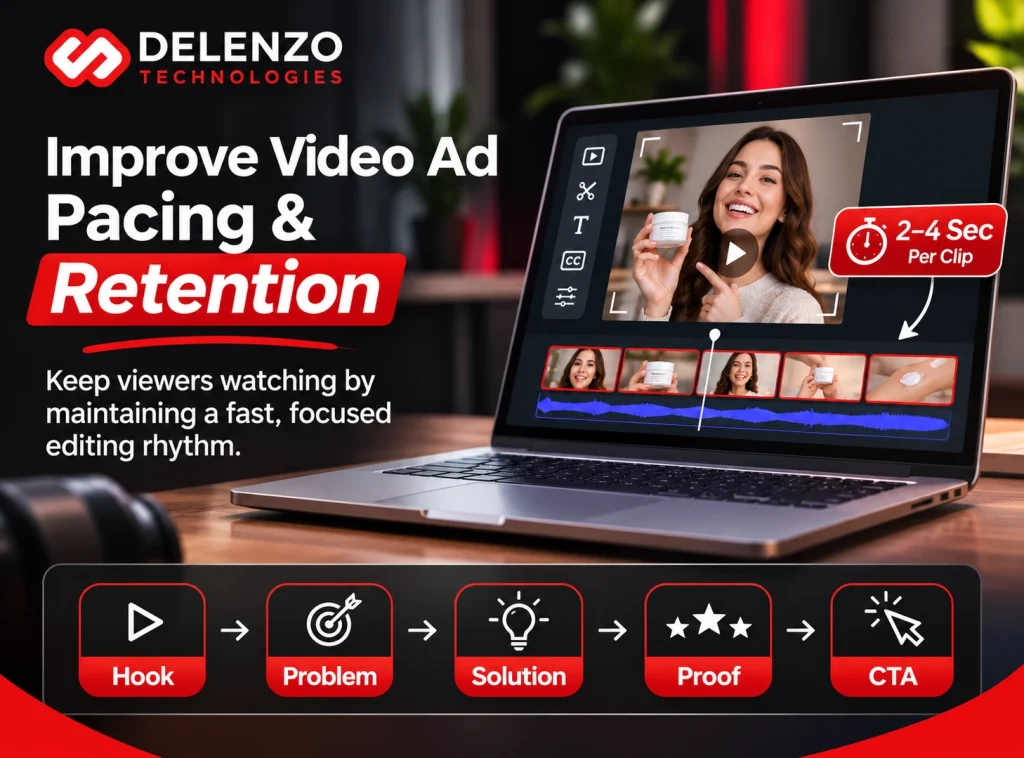
Here is a timeline for cutting a 20-second ad.
Example 20-Second Ad Editing Structure for Meta
| Time | Segment | What viewers see | Editing objective |
| 0 to 3 sec | Hook | Bold visual and a five-word text line | Stop the scroll and show who the ad is for |
| 3 to 7 sec | Problem | Short clip of the pain point | Make the viewer nod in recognition |
| 7 to 12 sec | Solution | Product demo with close-ups | Show how it works in plain view |
| 12 to 17 sec | Proof | Review, result, or before-and-after | Build trust with evidence |
| 17 to 20 sec | CTA | Offer, logo, and button cue | Give one clear next step |
How to Add Effective Captions to Facebook and Instagram Video Ads
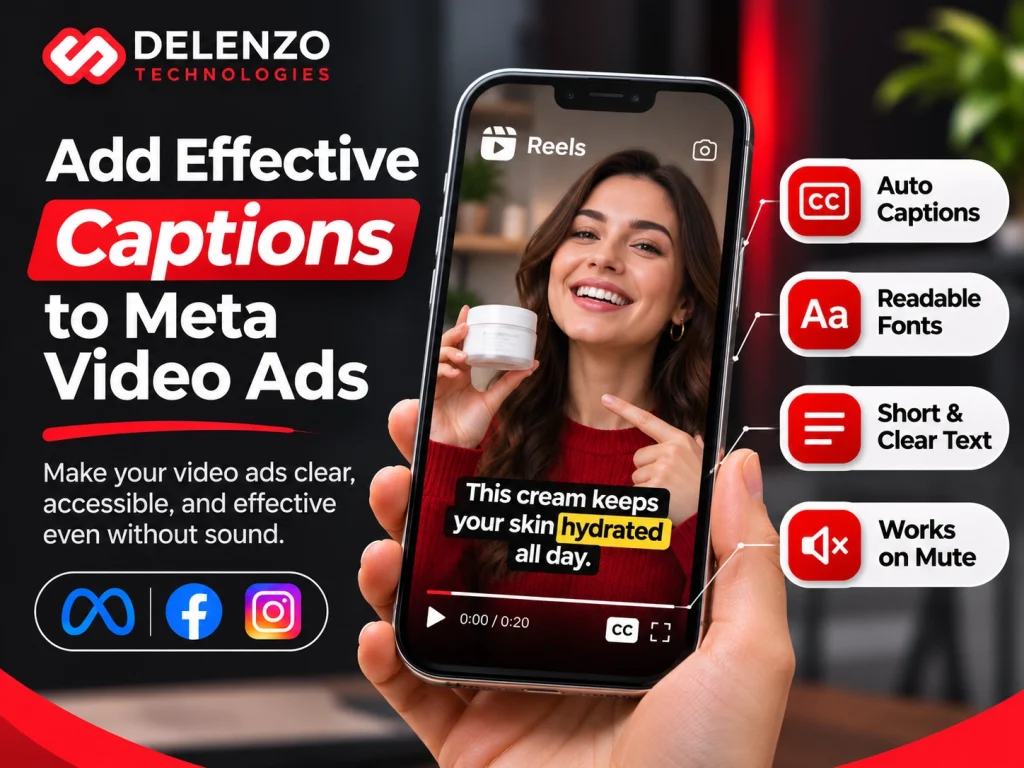
Captions turn spoken words into on-screen text so viewers can follow the ad with the sound off. Accurate captions for Facebook video ads also help people with hearing loss, along with anyone watching in a quiet office or a loud gym.
Auto-generated text saves time, but proofread every line. Brand names, prices, and local terms such as “Deep Ellum” often come out wrong. Meta also accepts an uploaded SRT file, though burned-in captions give you full control over color, size, and timing.
Best Caption Styles, Fonts, and Placement for Mobile Video Ads
Use a bold sans-serif font, strong color contrast, and no more than two short lines at a time. Small details make the difference:
- Typography: pick a thick, simple typeface that stays readable at phone size.
- Contrast: white text with a dark outline or a solid box beats thin colored text on a busy background.
- Timing: sync each phrase to the voice, usually three to six words per beat.
- Position: place text in the middle of the frame or just above the bottom danger area, inside the Meta video ad safe zones covered later in this guide.
- Spacing: leave breathing room between captions and other graphics, since crowded layouts push the eye away from your product.
How to Make Video Ads Understandable Without Sound
Tell the story through pictures and text first, and treat audio as a bonus layer. Sound-off video ads succeed when the product, the problem, and the offer are all visible without a single word being heard.
- Visual storytelling: show actions instead of describing them.
- On-screen text: put the main benefit and the price or offer into words.
- Clear demos: let viewers watch the product used from start to finish.
- Supporting audio: add music or a voiceover for people who listen, but never depend on it.
One quick check helps here. Mute the video, hand your phone to a coworker, and ask what the ad is selling. Any hesitation points to a part of the edit that needs more visual proof.
How to Edit Strong Calls to Action for Meta Video Ads
Every strong video ad call to action names one next step in plain words and repeats it on screen, in the voiceover, and on the Meta button. Sales, leads, website visits, and messages each need different wording, so settle the single goal of the campaign before you edit.
Choosing the Right CTA for Sales, Leads, and Engagement
Match the CTA to the goal and to how much effort you are asking from the viewer.
- Sales: “Shop Now” or “Get Offer” fits best when people already know the product.
- Leads: “Sign Up” or “Get Quote” suits forms, estimates, and free consultations.
- Consideration: “Learn More” works for pricier services where buyers need details first.
- Appointments: “Book Now” is a natural choice for salons, clinics, and home services.
- Engagement: “Send Message” opens a chat, which many small local shops prefer.
Free checklists pair well with “Download.” Services at $500 a month sit better with “Learn More” than “Buy Now,” because people rarely buy that on a first view.
Where Should You Place the CTA in a Video Ad?
Place the main CTA in the final three to five seconds, and add a light cue earlier for viewers who leave before the end. Together, four touchpoints do the job:
- Early cue: a small text line or spoken hint around the midpoint.
- Closing frame: a clean end card with the offer, logo, and one action.
- Voice and words on screen: say the same words people will see on the button.
- Meta’s CTA button: match the video wording to the button label, so “Shop Now” in the video does not sit above a “Learn More” button.
Tall frames need one more adjustment. Raise the closing text above the lower portion of the frame, since the real button lives down there.

Best Video Ad Formats and Aspect Ratios for Meta Placements
Go with 4:5 for Feed and 9:16 for Reels and Stories, and export a separate version for each. Auto-cropping can fit one video to several placements, but the crop often slices through text and faces. Building each cut on purpose avoids that mess.
Editing Video Ads for Facebook Feed and Instagram Feed
At 1080 x 1350 pixels, 4:5 video takes up the most phone screen in Feed, while 1:1 remains a safe backup. Frame the product in the center third and use large text. Ads Manager previews show how each version looks in Facebook Feed and Instagram Feed, which saves you from surprises after launch.
Editing Vertical Video Ads for Instagram Reels and Stories
Vertical 9:16 video at 1080 x 1920 pixels is the standard for Reels and Stories. For Instagram Reels ad editing, compose every shot for the full-height screen, then keep key text and logos out of the top 14 percent, the bottom 35 percent, and 6 percent on each side. On a 1080 x 1920 frame, that works out to about 270 pixels at the top, 670 at the bottom, and 65 on each side. Those margins stop the profile name, caption, and CTA button from covering your message.
Effective vertical video ads rely on big, simple shots, quick captions, and a face or product framed in the middle.
Meta Video Ad Formats and Editing Requirements
| Placement | Ratio and framing | Caption placement | CTA tip |
| Feed (Facebook and Instagram) | 4:5 or 1:1, product centered | Lower-middle, large type | Add an end card; button sits below video |
| Reels | 9:16, subject centered | Middle, above bottom 35% | Raise end text above the button |
| Stories | 9:16, quick cuts | Middle, below top 14% | Keep the button area clear of text |
Step-by-Step Meta Video Ad Editing Workflow
To turn raw footage into an ad, sort the clips, build the hook first, tighten the story, add captions and a CTA, then export one file per placement. Working in this order shows how to edit Facebook video ads in a repeatable way, and it works for Instagram too.
Organize Footage, Build the Hook, and Refine the Story
- Sort clips into folders: hooks, demos, testimonials, B-roll, and brand shots.
- Select the strongest opening moment and drop it on the timeline first.
- Line up the rest in order: problem, solution, proof, action.
- Tighten every clip, then watch the full cut at normal speed and mark spots where attention might slip.
- Check brand consistency, so the logo, colors, and fonts match your website, your graphic design files, and other ads.
Add Captions, CTAs, and Export Placement-Specific Versions
- Add captions and proofread each line against the audio.
- Create the CTA end card and record or write the spoken cue.
- Export separate files for Feed and for Reels and Stories, using MP4 or MOV at 1080 pixels wide or higher.
- Preview every version in Ads Manager, then watch on a real phone to confirm that text clears the safe zones.
Software can speed up rough cuts, though our comparison of AI video editing vs human video editing shows where human editors still win. Resizing, captioning, and reviewing several versions can eat hours. Busy teams often hand this stage to social media video editing services, which frees the marketing manager to focus on offers and budgets.
How to Test and Improve Meta Video Ad Performance
Improve results through video ad creative testing: change one element at a time, show the versions to the same audience, and let the data pick the winner. Editing choices only become facts once you compare them.
Test Different Hooks, Captions, and CTA Variations
Change only the hook, only the captions, or only the CTA in each round, so you know what caused any difference. Version A might open on the problem while version B opens on the result, with everything after the first three seconds identical. Splitting budget and audience evenly is easy with the A/B test tool.
Patience matters. Delivery usually needs around 50 optimization events per week for each ad set to leave the learning phase, so small local budgets may need longer tests. Set a campaign objective that fits the goal, such as sales, leads, or traffic, since that choice shapes which results you can fairly compare.
Which Meta Ads Metrics Help Evaluate Video Editing?
Watch-based metrics show how the edit performs, and click and cost metrics show whether that attention turned into action.
- Video plays and 3-second plays: divide 3-second plays by impressions to get a hook rate.
- ThruPlays and average watch time: show how many viewers stayed to the end or past 15 seconds.
- Watch milestones at 25, 50, 75, and 95 percent: reveal where viewers drop off.
- Outbound CTR: the share of impressions that led to a click away from Facebook or Instagram, which tests the CTA.
- Cost per result: the number that decides whether the ad deserves more budget. Budget planning gets easier with our Google Ads vs Meta Ads cost breakdown for 2026.
High watch time does not guarantee sales. Funny hooks can hold attention and still attract the wrong buyer, so read these numbers side by side with cost per result.
Common Meta Video Ad Editing Mistakes Businesses Should Avoid
Six problems show up in nearly every weak ad: slow hooks, heavy transitions, unreadable captions, bad cropping, vague CTAs, and offers that do not match the landing page.
- Slow hooks: a logo intro that burns the first two seconds.
- Excess transitions: spins and flashes that distract from the offer.
- Unreadable captions: thin fonts, low contrast, or text hidden under interface icons.
- Incorrect cropping: a 16:9 file stretched into 9:16 with the product cut off.
- Weak CTAs: “Check us out” tells people nothing.
- Mismatched offers: a video that promises 20 percent off while the landing page shows full price.
Final Thoughts
Strong hooks, balanced pacing, readable captions, and one clear CTA are the four edits that most often decide whether a video ad earns its budget. None of the four is hard on its own. Gains come from applying all four to every placement, then testing and refining.
Some teams prefer to hand the work to specialists. Our team at Delenzo Technologies in Dallas, Texas, offers professional video editing services for Facebook, Instagram, Reels, and Stories, alongside paid advertising and social media marketing for U.S. businesses. Reach out to our team to talk through your next campaign and get ad creative built for the placements that matter most to you.
Frequently Asked Questions About Facebook Video Ads
What Is the Ideal Length for Facebook Video Ads?
Aim for 15 to 30 seconds for most Facebook video ads. Keep Reels and Stories at 15 seconds or less, and place the main message within the first 3 seconds.
Do Facebook Video Ads Need Captions?
Yes, Facebook video ads should have captions. Many people watch with the sound off, so accurate on-screen text keeps the message clear and also makes the ad accessible to everyone.
How Long Should a Facebook Ad Hook Be?
A Facebook ad hook should last 1 to 3 seconds. Show the problem, result, or product immediately, and pair it with a text line of six words or fewer.
How Many Hook Variations Should I Test Per Video Ad?
Test two to three hook variations per video ad. Change only the opening and keep everything else identical, so you can tell exactly which hook caused better results.
What Aspect Ratio Should I Use for Facebook Video Ads?
Pick 4:5 (1080 x 1350) for Facebook Feed and 9:16 (1080 x 1920) for Reels and Stories. Square 1:1 video also works as a Feed backup.