


Building a professional website used to require weeks of planning, design, content writing, development, testing, and revisions. Artificial intelligence has changed that workflow dramatically.
Today, AI can help businesses plan website architecture, create wireframes, generate page copy, recommend layouts, develop HTML and CSS, build WordPress page structures, organize Shopify stores, create landing pages, suggest SEO strategies, and even generate functional website components.
However, there is one important condition:
The quality of the website AI creates depends heavily on the quality of the prompt you give it.
- Typing something basic such as.
- Build me a website for my business.
- is unlikely to produce a strategic, conversion-focused website.
- AI needs context.
It needs to understand your business, customers, website goals, preferred platform, pages, visual identity, features, conversion actions, SEO requirements, mobile experience, and technical expectations.
That is why learning how to write effective AI prompts to build a website has become increasingly valuable for business owners, marketers, designers, developers, startups, ecommerce brands, freelancers, and agencies.
In this guide, Delenzo Technology explains how AI website prompts work and provides 10 detailed website prompts that you can customize for:
- Business websites
- WordPress websites
- Shopify stores
- Wix websites
- Squarespace websites
- Webflow websites
- Ecommerce websites
- Portfolio websites
- Local service businesses
- High-converting landing pages
You will also get a universal website prompt template, an AI website prompt formula, platform comparisons, SEO requirements, optimization tips, mistakes to avoid, and a complete launch checklist.
Whether you are experimenting with an AI website builder or using AI to assist a professional development workflow, these prompts can help you get better results.
How AI Website Prompts Work
An AI website prompt is a detailed instruction that tells an artificial intelligence system what kind of website you want to create.
Instead of making the AI guess your requirements, a strong prompt defines them.
Think of the prompt as a simplified creative brief combined with:
- A business brief
- Website sitemap
- UX brief
- Brand guideline
- Development specification
- SEO brief
- Conversion strategy
The more relevant information you provide, the better the AI can understand the intended website.
For example, compare these two prompts.
Weak Prompt
Create a website for a photographer.
There is almost no context.
The AI does not know whether the photographer specializes in weddings, fashion, commercial photography, portraits, products, or events.
It also does not know:
- Who the target customer is
- Which services should be promoted
- Which pages are required
- Whether booking functionality is needed
- What visual style should be used
- Which platform should power the website
- Which SEO keywords matter
- What the primary conversion action should be
Now compare that with:
Create a modern WordPress website for a commercial photography studio in Dallas targeting ecommerce brands, restaurants, fashion companies, and corporate clients. The website should include Home, About, Services, Portfolio, Case Studies, Blog, FAQ, and Contact pages. Use a premium minimal design, large photography, strong typography, mobile-first layouts, quote request forms, service-specific calls to action, testimonial sections, image galleries, local SEO optimization, schema markup, optimized metadata, and fast-loading images.
The second prompt gives the AI an actual strategy to follow.
Before creating your prompt, define the following elements.
Define Your Website Type
Tell AI exactly what you are creating.
Examples include:
- Corporate website
- Small business website
- Ecommerce store
- Portfolio
- Blog
- SaaS website
- Agency website
- Restaurant website
- Healthcare website
- Real estate website
- Educational website
- Membership platform
- Marketplace
- Local service website
- Landing page
The website type determines its information architecture, page hierarchy, design style, user journeys, and conversion requirements.
Define Your Target Audience
A website created for enterprise software buyers should look and communicate differently from a website targeting teenagers purchasing fashion accessories.
Include audience details such as:
- Location
- Age range
- Profession
- Industry
- Business size
- Customer problems
- Buying intent
- Prior knowledge
- Main objections
- Devices they commonly use
When AI understands the customer, it can create better messaging, navigation, CTAs, layouts, and content.
Define Your Website Goal
Every website should have a primary purpose.
Examples include:
- Generate leads
- Sell products
- Book appointments
- Get quote requests
- Generate phone calls
- Capture email subscribers
- Drive software signups
- Build authority
- Showcase projects
- Generate store visits
- Accept reservations
Do not simply ask AI to make the website attractive.
Tell AI what business outcome the website should produce.
Define Your Website Pages
Specify the sitemap.
A typical business website might include:
- Home
- About
- Services
- Individual service pages
- Portfolio
- Case studies
- Testimonials
- Blog
- FAQs
- Contact
An ecommerce website may require:
- Homepage
- Shop
- Category pages
- Collection pages
- Product pages
- Cart
- Checkout
- Customer account
- Shipping information
- Returns
- FAQs
- Blog
Giving AI the page architecture significantly improves the resulting website plan.
Define Design and Branding
AI cannot understand your visual expectations unless you explain them.
Define:
- Primary colors
- Secondary colors
- Typography
- Logo usage
- Photography style
- Icons
- Card styles
- Button style
- Spacing
- Layout
- Brand personality
You can use descriptions such as:
- Minimal
- Premium
- Corporate
- Futuristic
- Editorial
- Luxury
- Playful
- Technical
- Clean
- Bold
- Modern
- Conversion-focused
Define Features and Functionality
List everything users should be able to do.
For example:
- Contact forms
- Request-a-quote forms
- Booking
- Live chat
- Search
- Product filtering
- Online payments
- Customer accounts
- Newsletter signup
- Maps
- Reviews
- Calculators
- Product comparison
- Membership
- CRM integrations
- Analytics tracking
Specify the Website Platform
The platform affects what AI should recommend.
Common options include:
- WordPress
- Shopify
- Wix
- Squarespace
- Webflow
- WooCommerce
- Custom HTML/CSS/JavaScript
- React
- Next.js
If you are unsure which approach makes sense, read Delenzo Technology’s guide on whether an AI website builder can build your website.
You can also compare the best AI website builders available in 2026 before selecting a platform.
What Should You Include in an AI Website Prompt?
A professional website prompt should contain eight core components.
1. Business Information
Explain:
- Company name
- Industry
- Products
- Services
- Geographic market
- Unique selling proposition
- Competitors or alternatives
AI needs to know what the company actually does before creating its website.
2. Target Audience
Describe your ideal customer.
For example:
The target audience consists of US-based small businesses with 5–50 employees looking for affordable digital marketing and web development services.
This helps AI align the language, layout, content depth, and CTAs with customer expectations.
3. Website Goal
Define one primary objective and supporting objectives.
For example:
Primary goal: Generate qualified leads.
Secondary goals:
- Explain services
- Build trust
- Rank organically
- Showcase projects
- Generate consultation bookings
4. Website Platform
Tell AI whether the website is being created using WordPress, Shopify, Wix, Squarespace, Webflow, or another platform.
Platform context prevents unrealistic recommendations.
5. Pages and Sitemap
List the required pages and explain how they connect.
A clear site architecture also supports SEO by making important pages easier for users and search engines to discover.
6. Design and Branding
Provide:
- Brand colors
- Font preferences
- Visual references
- Layout requirements
- Image style
- Overall mood
For example:
Use a clean, modern B2B SaaS design with generous white space, bold headings, subtle gradients, rounded cards, minimal iconography, and clear CTA buttons.
7. Functionality
Specify technical features.
Do not assume AI knows that you require appointment booking, WhatsApp integration, product filtering, or payment processing.
Mention everything explicitly.
8. SEO and Performance
A website should not only look good. It should also be discoverable and usable.
Ask AI to consider:
- Keyword targeting
- Heading structure
- Search intent
- Semantic keywords
- Internal linking
- Metadata
- Schema
- Clean URLs
- Image optimization
- Responsive layouts
- Core Web Vitals
- XML sitemap
- Robots directives
- Accessibility
- Crawlability
Now we can turn this framework into reusable prompts.
1. AI Prompt to Build a Business Website
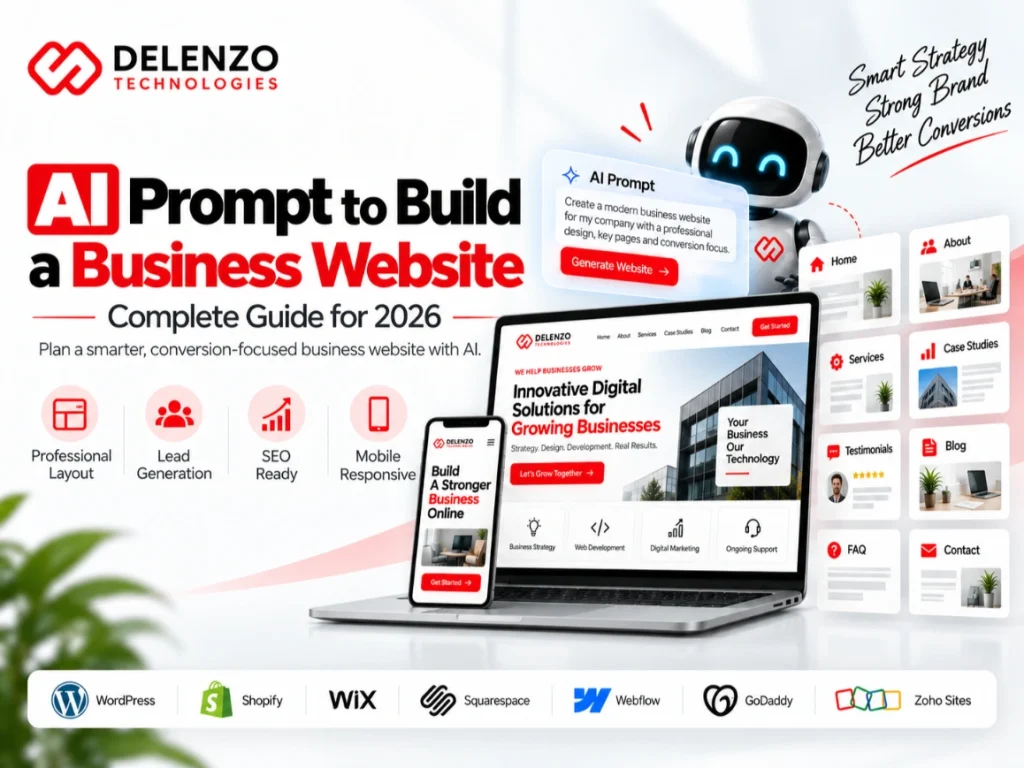
Use this prompt when building a corporate, professional services, consulting, agency, B2B, manufacturing, technology, or general business website.
Business Website Pages
A professional business website should normally include:
- Homepage
- About
- Services
- Individual service pages
- Portfolio or projects
- Case studies
- Testimonials
- Blog/resources
- FAQ
- Contact
Business Website Design
The website should immediately communicate credibility.
The design needs:
- Clear visual hierarchy
- Strong value proposition
- Professional imagery
- Consistent typography
- Trust signals
- Visible CTAs
- Mobile responsiveness
Business Website Features
Useful features include:
- Contact form
- Request-a-quote form
- Consultation booking
- Testimonials
- Client logos
- FAQs
- Google Maps
- Live chat
- Newsletter signup
Copy-and-Paste AI Prompt
Act as a senior website strategist, UX designer, conversion specialist, SEO consultant, copywriter, and web developer.
Create a complete website strategy for [BUSINESS NAME], a [INDUSTRY/BUSINESS TYPE] operating in [LOCATION/MARKET].
The business provides [PRODUCTS/SERVICES].
Our ideal customers are [TARGET AUDIENCE] who typically struggle with [CUSTOMER PROBLEMS] and want [DESIRED OUTCOME].
The primary objective of the website is [GENERATE LEADS/BOOK APPOINTMENTS/GET QUOTES/SELL SERVICES].
Build the following website structure.
- Home
- About
- Services
- Individual service pages
- Portfolio/Projects
- Case Studies
- Testimonials
- Blog
- FAQ
- Contact
For every page, recommend the ideal sections, headings, CTA placement, user journey, conversion elements, trust signals, and internal links.
Use a [MODERN/MINIMAL/PREMIUM/CORPORATE] visual style with [COLORS], [FONT STYLE], professional imagery, clear whitespace, strong visual hierarchy, and conversion-focused layouts.
Add contact forms, consultation booking, testimonials, trust badges, client logos, FAQs, social links, analytics tracking, and relevant integrations.
Make the website fully responsive for desktop, tablet, and mobile.
Follow SEO best practices including one clear H1 per page, logical H2/H3 structure, clean URLs, keyword-focused titles, compelling meta descriptions, internal linking, image alt text, structured data opportunities, sitemap planning, and Core Web Vitals considerations.
Finally, provide the complete sitemap, homepage wireframe, recommended navigation, page-by-page content outline, CTA strategy, SEO strategy, and development checklist.
2. AI Prompt to Build a WordPress Website
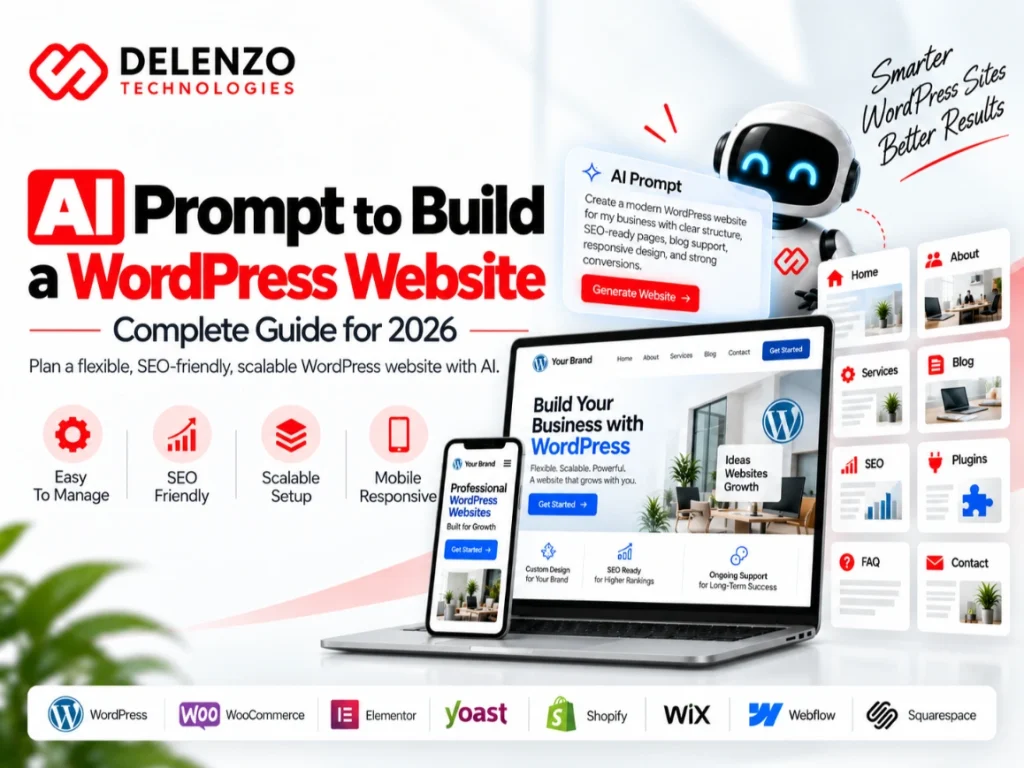
WordPress remains one of the most flexible choices when businesses require extensive content, custom functionality, blogging, plugins, landing pages, SEO control, or WooCommerce capabilities.
WordPress Website Structure
Before building, ask AI to organize:
- Parent pages
- Child pages
- Service pages
- Blog categories
- Landing pages
- Navigation
- Footer architecture
WordPress Design and Branding
Specify whether you plan to use:
- Gutenberg
- Elementor
- Bricks
- Divi
- Custom theme development
AI can then recommend an appropriate component structure.
WordPress Features and Plugins
Possible requirements include:
- Forms
- Caching
- Security
- SEO
- Backups
- WooCommerce
- CRM integration
- SMTP
- Analytics
- Schema
- Redirect management
Avoid telling AI simply to install dozens of plugins. Ask it to minimize unnecessary dependencies.
WordPress SEO Requirements
Include technical considerations such as:
- Permalinks
- Canonical URLs
- XML sitemap
- Metadata
- Schema
- Internal linking
- Redirects
- Image optimization
- Indexation
Copy-and-Paste WordPress Prompt
Act as a senior WordPress developer, UX/UI designer, SEO strategist, conversion specialist, and website architect.
Plan a professional WordPress website for [BUSINESS NAME], which provides [SERVICES] to [TARGET AUDIENCE] in [LOCATION].
The primary goal is [GOAL].
Build a complete sitemap containing Home, About, Services, individual service pages, Case Studies, Blog, FAQs, Contact, and any additional pages needed for SEO or conversions.
Recommend whether Gutenberg, Elementor, Bricks, or custom development would be most appropriate based on the requirements.
Create reusable templates for headers, footers, service pages, blog posts, case studies, and conversion sections.
Use [BRAND COLORS] and a [DESIGN STYLE] aesthetic.
Include responsive desktop, tablet, and mobile layouts.
Add:
- Contact forms
- Quote forms
- Testimonials
- FAQs
- CTA sections
- Blog
- Social integration
- Analytics
- Search Console
- Spam protection
- Caching
- Security
- Backups
Recommend only essential plugins and explain why each is required.
Create an SEO-friendly URL structure and recommend title tags, meta descriptions, heading hierarchy, internal linking, schema markup, breadcrumb structure, XML sitemap configuration, image optimization, canonicalization, and redirect strategy.
Prioritize security, maintainability, accessibility, speed, Core Web Vitals, and easy future editing.
Return the sitemap, wireframe, component system, WordPress configuration, plugin recommendations, SEO architecture, page content structure, and final QA checklist.
A website also requires ongoing care after launch. Delenzo Technology explains why in this guide to website maintenance services and why businesses cannot afford to skip them.
3. AI Prompt to Build a Shopify Website
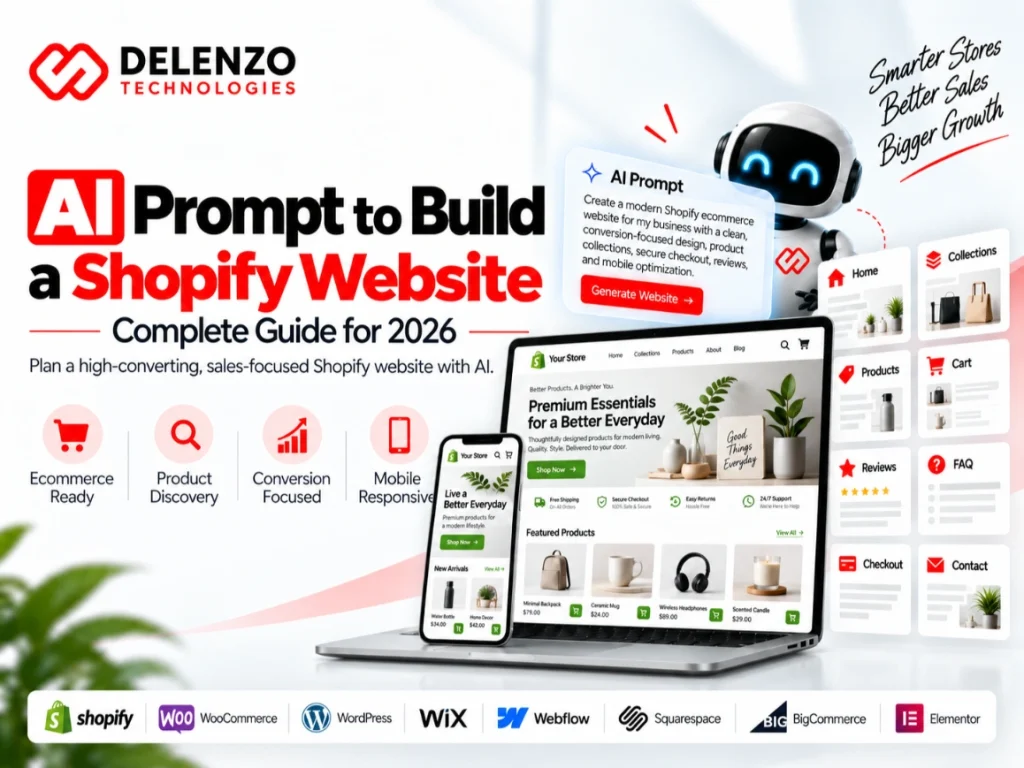
Shopify is particularly useful for businesses whose primary objective is ecommerce.
Shopify Store Structure
A strong architecture might include:
- Homepage
- Shop
- Collections
- Product pages
- About
- Blog
- FAQs
- Contact
- Shipping
- Returns
- Privacy policy
- Terms
Shopify Product Page
The product page should address both purchase intent and customer objections.
Consider:
- Product title
- Images/video
- Price
- Variants
- Benefits
- Specifications
- Availability
- Delivery information
- Reviews
- FAQs
- Related products
- Add-to-cart CTA
Shopify Ecommerce Features
Depending on the store, specify:
- Search
- Filters
- Cart drawer
- Wishlist
- Product comparison
- Reviews
- Upselling
- Cross-selling
- Discount functionality
- Email marketing
- Abandoned checkout flows
Shopify SEO Requirements
Ask AI to consider:
- Collection optimization
- Product metadata
- Internal linking
- Product schema
- Breadcrumbs
- Canonicals
- Image alt attributes
- Blog content
Copy-and-Paste Shopify Prompt
Act as a senior Shopify developer, ecommerce strategist, UX designer, CRO specialist, and SEO expert.
Create a Shopify ecommerce website for [STORE NAME] selling [PRODUCT TYPE] to [TARGET AUDIENCE] in [TARGET MARKET].
The primary objective is to maximize product discovery, add-to-cart rate, checkout completion, average order value, repeat purchases, and organic search visibility.
Design the following architecture:
- Homepage
- Shop
- Collections
- Product pages
- About
- Blog
- FAQ
- Contact
- Shipping
- Returns
- Privacy Policy
- Terms
Create navigation that makes products easy to discover. Recommend collection structures and filtering based on [PRODUCT ATTRIBUTES].
Product pages should contain high-quality images, videos where appropriate, product benefits, specifications, variants, pricing, availability, shipping information, reviews, FAQs, recommendations, cross-sells, trust signals, and a prominent Add to Cart button.
Use [BRAND COLORS] and a [DESIGN STYLE] ecommerce aesthetic.
Build mobile-first layouts because a significant percentage of ecommerce customers may shop from mobile devices.
Recommend Shopify-native functionality or carefully selected apps for reviews, email marketing, wishlist, analytics, upselling, search, filtering, abandoned carts, and customer retention.
Include product SEO, collection SEO, metadata, schema, breadcrumbs, image alt text, internal linking, blog strategy, canonical considerations, redirects, sitemap optimization, and performance recommendations.
Provide the complete sitemap, homepage structure, collection template, product page template, conversion strategy, SEO plan, app recommendations, and launch checklist.
For a deeper ecommerce implementation strategy, see Delenzo Technology’s guide to Shopify website development for US businesses.
4. AI Prompt to Build a Wix Website
Wix is often considered by small businesses and individuals that want visual editing, templates, built-in functionality, and relatively straightforward website management.
Wix Website Structure
Tell AI to create a logical hierarchy instead of simply filling a template.
Wix Design and Branding
Provide specific instructions for:
- Brand colors
- Typography
- Photography
- Buttons
- Cards
- Spacing
- Mobile behavior
Wix Features and Functionality
Depending on your business, you may require:
- Forms
- Bookings
- Chat
- Ecommerce
- Events
- Blog
- Member areas
Wix SEO Requirements
Ask for:
- Unique metadata
- Clean headings
- Keyword targeting
- Internal linking
- Local SEO
- Schema opportunities
- Image optimization
Copy-and-Paste Wix Prompt
Act as a senior Wix website developer, web strategist, UX designer, CRO specialist, content strategist, and SEO expert.
Create a professional Wix website for [BUSINESS NAME], a [BUSINESS TYPE] serving [TARGET AUDIENCE].
The website’s primary objective is [GOAL].
Create the following sitemap and website architecture:
- Home
- About
- Services
- Individual Service Pages where appropriate
- Testimonials
- FAQ
- Blog
- Contact
Create a clean, professional [DESIGN STYLE] website using [COLORS] and [TYPOGRAPHY].
Optimize the homepage for immediate clarity by presenting the main value proposition, key services, customer benefits, social proof, frequently asked questions, and strong calls-to-action.
Include [BOOKINGS/CONTACT FORMS/CHAT/ECOMMERCE/EVENTS] where relevant to the business and its goals.
Optimize desktop and mobile layouts separately where necessary, ensuring responsive design, intuitive navigation, fast loading, accessibility, and a consistent user experience across devices.
Build a comprehensive SEO framework including keyword mapping, optimized page titles, meta descriptions, proper H1-H3 hierarchy, internal linking, descriptive URLs, image alt text, local SEO elements, structured data and schema opportunities, indexability considerations, and content optimization.
Recommend appropriate Wix-native functionality and integrations for forms, bookings, chat, ecommerce, events, analytics, email marketing, testimonials, lead generation, customer communication, and conversion optimization where relevant.
Structure each page around clear user intent, strong information hierarchy, persuasive content, trust signals, conversion-focused CTAs, and an intuitive journey from discovery to enquiry, booking, purchase, or contact.
Provide recommendations for local SEO including business information, location/service-area content, contact information, Google Business Profile alignment, local keywords, reviews, location pages where appropriate, and relevant LocalBusiness schema opportunities.
Create a content framework for the website including page purpose, recommended sections, suggested messaging, CTA placement, trust-building elements, FAQs, testimonials, service descriptions, and blog content opportunities.
Ensure the website follows modern UX, CRO, accessibility, performance, responsive design, and SEO best practices while maintaining a professional visual identity consistent with [DESIGN STYLE], [COLORS], and [TYPOGRAPHY].
Return a complete page-by-page structure, homepage wireframe, visual direction, content framework, functionality list, SEO framework, conversion strategy, Wix implementation recommendations, and launch checklist.
The final website should be professional, conversion-focused, search-engine-friendly, mobile-first, easy to navigate, visually consistent, and designed specifically around the needs of [TARGET AUDIENCE] and the business objective of [GOAL].
5. AI Prompt to Build a Squarespace Website
Squarespace can work particularly well for visually driven businesses such as:
- Photographers
- Consultants
- Creative professionals
- Personal brands
- Designers
- Restaurants
- Small businesses
- Portfolios
Squarespace Website Structure
Keep the navigation simple.
A typical structure could include:
- Home
- About
- Services
- Portfolio
- Blog
- Contact
Squarespace Design and Branding
Squarespace websites often rely heavily on typography, photography, spacing, and restrained visual layouts.
Squarespace Features
Possible functionality includes:
- Contact forms
- Scheduling
- Ecommerce
- Blog
- Email capture
- Galleries
Squarespace SEO Requirements
AI should still consider:
- Search intent
- Metadata
- Headings
- Image optimization
- Internal links
- Sitemap
- Local optimization
Copy-and-Paste Squarespace Prompt
Design a premium Squarespace website for [BUSINESS/PERSONAL BRAND] targeting [AUDIENCE].
The primary conversion objective is [GOAL].
Create the following pages:
- Home
- About
- Services
- Portfolio
- Blog
- FAQ
- Contact
Use a visually refined [MINIMAL/LUXURY/EDITORIAL/CREATIVE] style featuring strong typography, high-quality photography, generous spacing, restrained animation, and a clear visual hierarchy.
Use [BRAND COLORS].
The homepage should communicate the core value proposition immediately and guide visitors toward [MAIN CTA].
Add galleries, testimonials, contact forms, scheduling, ecommerce, email signup, or other relevant Squarespace functionality.
Optimize every page for mobile usability, page speed, accessible contrast, and clear calls to action.
Create an SEO strategy covering page titles, metadata, keyword themes, headings, internal linking, images, structured data opportunities, local SEO where applicable, and content recommendations.
Return the sitemap, page structures, design system, conversion journey, SEO framework, and pre-launch checklist.
6. AI Prompt to Build a Webflow Website
Webflow is frequently selected when businesses need more control over sophisticated visual experiences, responsive layouts, CMS structures, custom interactions, or design systems.
Webflow Website Structure
Define:
- Static pages
- CMS collections
- Templates
- Categories
- Navigation
- Relationships
Webflow Design and Branding
You can ask for:
- Advanced responsive design
- Custom layouts
- Motion
- Interactive sections
- Components
- Design tokens
Webflow CMS and Functionality
Common CMS collections might include:
- Blog posts
- Case studies
- Team
- Services
- Projects
- Resources
- Locations
Webflow SEO Requirements
Make SEO part of the template strategy rather than adding it after development
Copy-and-Paste Webflow Prompt
Act as a senior Webflow developer, UX/UI designer, CMS architect, SEO strategist, and conversion specialist.
Build a Webflow website plan for [COMPANY] targeting [AUDIENCE].
The primary objective is [GOAL].
Create the ideal static page architecture and identify which sections should use Webflow CMS collections.
Consider CMS collections for Blog, Services, Case Studies, Team Members, Projects, Resources, or Locations where applicable.
Use a [DESIGN STYLE] visual system with [COLORS], responsive typography, reusable components, variables, spacing rules, grid standards, and interaction guidelines.
Recommend tasteful animations and interactions without harming accessibility or site performance.
Ensure responsive behavior across desktop, tablet, mobile landscape, and mobile portrait breakpoints.
Optimize CMS templates for SEO using dynamic titles, descriptions, structured headings, canonical URLs where appropriate, Open Graph information, internal links, alt text, schema opportunities, redirects, and optimized URLs.
Prioritize Core Web Vitals, accessibility, crawlability, maintainability, and scalable CMS architecture.
Return the sitemap, CMS model, design system, component structure, page wireframes, SEO framework, interaction plan, and development checklist.
7. AI Prompt to Build an Ecommerce Website
Not every ecommerce business uses Shopify.
Your website may use:
- WooCommerce
- Magento
- BigCommerce
- Custom development
- Another commerce platform
This prompt is therefore platform-neutral.
Ecommerce Website Structure
Create a hierarchy such as:
Homepage → Category → Subcategory → Product → Cart → Checkout
Ecommerce Product Page
Product pages should answer the questions shoppers commonly have before purchasing.
Include:
- What is it?
- Who is it for?
- What problem does it solve?
- What is included?
- What does it cost?
- Which variation should I choose?
- How quickly is it delivered?
- Can I return it?
- What do other customers think?
Ecommerce Navigation
Large catalogs particularly need:
- Search
- Categories
- Filters
- Sorting
- Breadcrumbs
- Related products
Ecommerce SEO
Ecommerce SEO should address product discovery while controlling duplicate or low-value indexable pages.
Copy-and-Paste Ecommerce Prompt
Create a conversion-focused ecommerce website for [BRAND] selling [PRODUCTS] in [MARKET].
Customers include [TARGET AUDIENCE].
Build a scalable information architecture using:
Homepage → Categories → Subcategories → Product Pages → Cart → Checkout.
Create intuitive search, filters, sorting, breadcrumbs, related products, recently viewed products, recommendations, and product comparison where appropriate.
Product pages should include optimized titles, images, video, pricing, variants, benefits, specifications, stock status, delivery information, return information, reviews, FAQs, trust signals, product recommendations, and strong purchase CTAs.
Include ecommerce features required for [PAYMENTS/SHIPPING/WISHLISTS/ACCOUNTS/LOYALTY/EMAIL].
Create an SEO strategy for category, subcategory, and product pages.
Address metadata, schema, canonicalization, internal linking, duplicate content risks, filtered navigation, image optimization, breadcrumbs, product availability, and blog content.
Optimize the mobile shopping experience and minimize friction between product discovery and checkout.
Return the complete architecture, homepage wireframe, category template, product template, cart recommendations, conversion strategy, and ecommerce SEO checklist.
8. AI Prompt to Build a Portfolio Website
A portfolio website should not simply display attractive images.
Its real purpose is usually to demonstrate capability and convert visitors into inquiries, clients, opportunities, interviews, or collaborations.
Portfolio Homepage
Include:
- Clear positioning
- Featured work
- Specializations
- Results
- Testimonials
- CTA
Portfolio Project Pages
Case studies are more persuasive when they explain:
- Challenge
- Strategy
- Process
- Deliverables
- Outcome
Portfolio Design
The work should remain the main visual focus.
Portfolio Conversion Features
Include clear ways to:
- Contact
- Request availability
- Book
- Hire
- Schedule consultation
Copy-and-Paste Portfolio Prompt
Create a premium portfolio website for [NAME/AGENCY], a [DESIGNER/DEVELOPER/PHOTOGRAPHER/CREATIVE/FREELANCER] specializing in [SPECIALIZATION].
The website should attract [IDEAL CLIENTS/EMPLOYERS].
Create the following pages:
- Home
- About
- Work/Portfolio
- Individual Project/Case Study Pages
- Services
- Testimonials
- Blog/Insights if relevant
- Contact
The homepage should feature a compelling positioning statement, selected work, expertise, social proof, results, and inquiry CTA.
Case studies should follow:
Challenge → Strategy → Process → Deliverables → Results.
Use a [MINIMAL/EDITORIAL/BOLD/CREATIVE] design with strong imagery, sophisticated typography, subtle animations, and generous spacing.
Include inquiry forms, availability information, testimonials, social profiles, downloadable credentials where appropriate, and clear CTAs.
Make the website mobile-first and performance-conscious.
Optimize project pages and service pages for relevant search intent while preserving a premium portfolio experience.
Return the sitemap, homepage layout, portfolio structure, case study template, design direction, SEO plan, and conversion strategy.
9. AI Prompt to Build a Local Service Business Website
Local service websites have different requirements because visibility and conversions are geographically dependent.
Examples include:
- Plumbers
- Electricians
- Roofers
- Cleaning companies
- Lawyers
- Clinics
- Salons
- Contractors
- Repair services
- Photography studios
- Marketing agencies
Service Business Website Structure
Create separate pages for important services rather than putting everything on one generic services page.
Service Pages
Each major service can target relevant intent with its own content and CTA.
Local SEO Requirements
Consider:
- Geographic relevance
- NAP consistency
- Google Business Profile alignment
- LocalBusiness schema
- Reviews
- Service areas
- Location-specific content
Lead Generation Features
Make it easy to contact the business.
Useful CTAs include:
- Call now
- Get a quote
- Book appointment
- Schedule consultation
Copy-and-Paste Local Business Prompt
Build a local SEO and lead-generation website for [BUSINESS NAME], a [SERVICE BUSINESS] serving customers in [CITY/REGION].
Services include [SERVICES].
The target audience is [CUSTOMERS].
Create the following pages:
- Home
- About
- Individual Service Pages
- Service Area Pages where genuinely useful
- Testimonials
- Gallery/Projects
- FAQ
- Blog
- Contact
Every service page should target a distinct service intent and contain useful information, benefits, process, FAQs, trust indicators, testimonials, related services, and a strong CTA.
Include click-to-call buttons, quote forms, booking options, Google Maps, business hours, reviews, WhatsApp if appropriate, and visible contact information.
Build local SEO into the structure using localized titles, service keywords, natural location references, LocalBusiness schema, consistent NAP information, internal links, customer reviews, and relevant local content.
Avoid thin or duplicated location pages.
Optimize everything for mobile because many local searches happen on smartphones.
Return the sitemap, homepage layout, service template, local SEO strategy, conversion plan, schema recommendations, and launch checklist.
10. AI Prompt to Build a High-Converting Landing Page
Unlike a full website, a landing page generally focuses on a single campaign objective.
That objective might be:
- Generate leads
- Sell a product
- Book consultations
- Register for an event
- Download a resource
- Start a free trial
Landing Page Hero
The first screen should quickly communicate:
- Who the offer is for
- What the offer provides
- Why it matters
- What visitors should do next
Problem and Solution
Show that you understand the visitor’s problem before explaining the solution.
Social Proof
Use credible evidence including:
- Reviews
- Testimonials
- Client logos
- Case studies
- Results
Pricing and FAQ
Answer objections before they stop the conversion.
Final CTA
Repeat the primary action near the end of the page.
Copy-and-Paste Landing Page Prompt
Act as a senior conversion rate optimization specialist, landing page designer, direct-response copywriter, UX expert, and performance marketer.
Create a high-converting landing page for [PRODUCT/SERVICE/OFFER] targeting [AUDIENCE].
The single conversion objective is [LEAD/SIGNUP/PURCHASE/BOOKING].
Create these sections:
- Hero
- Customer problem
- Solution
- Key benefits
- How it works
- Features
- Social proof
- Case study/results
- Pricing or offer
- FAQ
- Objection handling
- Final CTA
Write a clear headline focused on the customer’s desired outcome.
Keep the primary CTA consistent throughout the page.
Remove unnecessary navigation or distractions where appropriate.
Use [BRAND STYLE/COLORS].
Design responsive desktop and mobile versions.
Include trust signals, testimonials, guarantees where legitimate, FAQ content, form optimization, analytics events, and conversion tracking.
Optimize page speed and Core Web Vitals.
If the landing page should rank organically, also provide keyword targeting, metadata, heading structure, internal linking opportunities, schema, and supporting content recommendations.
Return the complete wireframe, section copy framework, CTA strategy, conversion logic, mobile recommendations, and testing ideas.
Universal AI Website Prompt Template
If you do not want to use one of the specialized prompts above, this universal template can be customized for almost any project.
Act as a senior website strategist, UX/UI designer, conversion optimization specialist, SEO consultant, copywriter, and web developer.
I need to create a [WEBSITE TYPE] for [BUSINESS NAME].
Business
Industry: [INDUSTRY]
Products/services: [PRODUCTS OR SERVICES]
Location/market: [LOCATION]
Unique value proposition: [USP]
Target Audience
Our ideal customers are [AUDIENCE].
Their major problems are:
- [PROBLEM 1]
- [PROBLEM 2]
- [PROBLEM 3]
They want:
- [OUTCOME 1]
- [OUTCOME 2]
- [OUTCOME 3]
Website Goal
Primary goal: [GOAL]
Secondary goals: [GOALS]
Primary CTA: [CTA]
Platform
Build the website using [PLATFORM].
Pages
Create:
- [PAGE]
- [PAGE]
- [PAGE]
Recommend additional pages only when they have a clear UX, SEO, or conversion purpose.
Branding
Brand personality: [PERSONALITY]
Primary color: [COLOR]
Secondary color: [COLOR]
Font style: [TYPOGRAPHY]
Visual style: [STYLE]
Functionality
Include:
- [FEATURE]
- [FEATURE]
- [FEATURE]
SEO
Create a search-friendly architecture with keyword mapping, one logical H1 per page, H2-H3 hierarchy, optimized URLs, title tags, meta descriptions, semantic topics, internal linking, breadcrumbs where appropriate, image optimization, schema recommendations, XML sitemap planning, canonicalization, and crawlability.
Performance
Optimize for responsive design, accessibility, mobile usability, page speed, security, and Core Web Vitals.
Output
Provide:
- Complete sitemap
- Navigation
- Homepage wireframe
- Page-by-page sections
- Content recommendations
- CTA strategy
- Design system
- Functionality requirements
- SEO framework
- Technical requirements
- Mobile recommendations
- Launch checklist
AI Website Prompt Formula
If you want to create your own prompt instead of copying one, remember this formula:
Business + Audience + Goal + Platform + Pages + Design + Features + SEO = Better AI Website Prompt
For example:
Business: Dental clinic
Audience: Families in Austin, Texas
Goal: Appointment bookings
Platform: WordPress
Pages: Home, services, dentists, insurance, blog, contact
Design: Clean, reassuring, professional
Features: Online appointment form, phone CTA, testimonials, map
SEO: Local service pages, metadata, schema, internal linking
Combine those instructions and AI has enough context to provide a much stronger starting point.
Shopify vs WordPress vs Wix vs Squarespace vs Webflow
Choosing the correct platform is just as important as writing the right AI prompt.
| Platform | Best For | Ease of Use | Ecommerce | Customization | SEO Flexibility |
| Shopify | Ecommerce brands | High | Excellent | High | High |
| WordPress | Businesses, content, custom websites | Medium | Excellent with WooCommerce | Very High | Very High |
| Wix | Small businesses and beginners | High | Good | Good | Good |
| Squarespace | Creative and visual brands | High | Good | Moderate | Good |
| Webflow | Custom design and advanced visual websites | Medium | Moderate | Very High | High |
Best Platform for Ecommerce
For dedicated ecommerce businesses, Shopify is often one of the most straightforward options because commerce is its core focus.
WooCommerce may be more appropriate when the organization needs greater WordPress flexibility or wants to combine substantial publishing requirements with ecommerce.
If you are evaluating ecommerce development, Delenzo Technology’s Shopify website development guide provides additional context.
Best Platform for Small Business
There is no single answer.
A small business prioritizing ease of editing may choose Wix or Squarespace.
A growing company requiring substantial SEO, content, integrations, and customization may prefer WordPress.
An ecommerce-first company might choose Shopify.
For a wider comparison, see Delenzo Technology’s guide to the best website builders for small businesses in 2026.
Best Platform for SEO
WordPress provides extensive SEO flexibility when configured properly.
Webflow also provides useful control over many technical and on-page elements.
Shopify can rank extremely well for ecommerce when its architecture and content are optimized correctly.
The platform itself does not guarantee rankings.
SEO performance depends heavily on:
- Site architecture
- Search intent
- Content quality
- Technical implementation
- Internal linking
- Authority
- User experience
Best Platform for Custom Design
Webflow and custom WordPress development can provide considerable flexibility.
The correct answer depends on the site’s technical and operational requirements.
Best Platform for Beginners
Wix and Squarespace are often approachable for simple websites.
Shopify is relatively approachable for ecommerce.
AI website builders may make the initial creation process even easier, although generated websites still require human review.
How to Get Better Results From AI Website Prompts
Writing the initial prompt is only the beginning.
The best outputs usually come through several rounds of refinement.
Be Specific
Avoid:
Make it modern.
Instead use:
Use a modern B2B technology style with a white background, dark charcoal typography, subtle blue gradients, 12px rounded cards, generous whitespace, minimal line icons, strong 48–64px desktop headings, and clearly contrasting CTA buttons.
Specific instructions reduce ambiguity.
Give AI Design References
You can describe characteristics you like from other websites without asking AI to duplicate them.
For example:
I like websites with Apple-style whitespace, Stripe-like clarity in explaining technical concepts, and editorial typography.
The objective should be inspiration and design direction, not copying another company’s website.
Specify the Platform
A design concept that works in Webflow may require a different implementation in Shopify.
Tell AI the actual platform before requesting technical instructions.
Define Mobile Requirements
Do not treat responsive design as an afterthought.
Tell AI:
Create separate recommendations for desktop, tablet, and mobile. On mobile, simplify navigation, reduce oversized spacing, ensure buttons are thumb-friendly, prevent horizontal scrolling, optimize image dimensions, and keep the main CTA visible at appropriate decision points.
Include SEO Requirements
A common mistake is creating the website first and considering SEO later.
Instead, include SEO from the planning stage.
Ask AI to build:
- Topic clusters
- Keyword mapping
- URL architecture
- Heading hierarchy
- Metadata
- Schema opportunities
- Internal links
- Breadcrumbs
- Helpful FAQs
Refine the Prompt
Your next instruction might say:
Review the sitemap you created and identify pages that overlap in search intent.
Then:
Improve the homepage for lead generation.
Then:
Create mobile UX recommendations.
Then:
Audit the website plan for SEO weaknesses.
Then:
Identify missing trust elements.
AI website building works much better as an iterative process than as a single prompt.
Common AI Website Prompt Mistakes
Using Generic Prompts
“Build a website” does not provide enough information.
Give AI strategic context.
Not Defining the Target Audience
A website should be designed around visitors, not around AI’s default assumptions.
Define exactly who needs to use it.
Not Specifying the Platform
WordPress, Shopify, Webflow, Wix, and Squarespace have different technical environments.
Platform information changes the recommendations significantly.
Forgetting Mobile Design
A desktop design that is simply compressed onto a small screen can create poor UX.
Ask for mobile-specific recommendations.
Ignoring SEO
Building dozens of pages without understanding search intent can create:
- Duplicate pages
- Keyword cannibalization
- Weak internal linking
- Poor URL architecture
- Thin content
- Crawling inefficiency
Include SEO strategy before development begins.
Publishing AI Output Without Review
AI can accelerate planning and production, but generated content and code still require review.
A qualified developer, designer, marketer, or SEO professional should check important business websites for:
- Accuracy
- Security
- Accessibility
- UX
- SEO
- Performance
- Compliance
- Code quality
- Conversion logic
- Brand consistency
This is one reason Delenzo Technology recommends treating AI as a powerful development assistant rather than assuming every automatically generated website is immediately production-ready.
AI Website Launch Checklist
Before publishing an AI-assisted website, complete a systematic QA process.
Design and UX Check
Verify:
- Logo consistency
- Brand colors
- Typography
- Spacing
- Navigation
- Buttons
- Forms
- Images
- Footer
- Visual hierarchy
Ask someone unfamiliar with the website to locate its most important information.
If they struggle, simplify the experience.
Mobile Check
Test:
- Common smartphone widths
- Tablets
- Desktop
- Landscape views where relevant
Check for:
- Overflow
- Small buttons
- Tiny text
- Broken menus
- Large images
- Excessive spacing
- Elements outside the viewport
SEO Check
Review:
- Titles
- Meta descriptions
- H1s
- H2s
- URLs
- Internal links
- Canonicals
- Sitemap
- Robots configuration
- Schema
- Image alt attributes
- Indexability
Performance Check
Review Core Web Vitals and general loading performance.
Compress large images.
Avoid unnecessary scripts and plugins.
Use appropriate caching and hosting infrastructure.
Forms and CTA Check
Submit every:
- Contact form
- Quote form
- Newsletter form
- Booking form
- Checkout
- CTA
Ensure notifications reach the correct recipient.
Analytics Check
Implement measurement before launch.
Common systems include:
- Google Analytics
- Google Search Console
- Advertising pixels where appropriate
- Ecommerce tracking
- Conversion events
Do not wait several months before discovering that critical leads or purchases were not being measured correctly.
Maintenance Plan
Launching is not the end of website development.
A professional website requires continued:
- Software updates
- Security checks
- Backups
- Content improvements
- SEO monitoring
- Broken-link checks
- Performance optimization
- Conversion improvements
Read Delenzo Technology’s guide to website maintenance services to understand why continued maintenance matters.
Frequently Asked Questions About AI Website Prompts
Can AI Build a Complete Website?
AI can assist with many components of website development, including strategy, sitemap creation, copywriting, layouts, wireframes, code, CSS, SEO planning, images, and functionality recommendations.
Some AI website builders can also generate functional websites from prompts.
However, professional websites should still be reviewed for branding, technical accuracy, security, accessibility, SEO, functionality, performance, and conversion experience.
For a detailed explanation, read Can AI Website Builder Build Your Website?.
What Is the Best AI Prompt to Build a Website?
The best website prompt clearly defines:
Business + Audience + Goal + Platform + Pages + Design + Features + SEO requirements.
A useful starting prompt is:
Create a conversion-focused, mobile-responsive, SEO-friendly website for [business] targeting [audience]. The primary goal is [goal]. Build it using [platform] and include [pages]. Use [design style/colors]. Include [features]. Optimize architecture, headings, metadata, internal linking, schema, mobile UX, speed, and accessibility.
The more relevant context you provide, the better the result tends to be.
Can AI Build a WordPress Website?
AI can assist with:
- WordPress architecture
- Page planning
- Gutenberg layouts
- Elementor layouts
- Theme code
- CSS
- PHP snippets
- Plugin recommendations
- WooCommerce
- Copywriting
- SEO
- Schema
- Troubleshooting
Human review remains important, particularly when generated code affects security, payments, databases, user accounts, or business-critical functionality.
Can AI Build a Shopify Store?
Yes, AI can help create product content, collection structures, navigation, Liquid code, sections, SEO recommendations, merchandising strategies, and store layouts.
AI should not replace careful ecommerce QA.
Payments, checkout behavior, inventory, shipping, taxes, analytics, mobile UX, and third-party integrations should be properly tested.
Can AI Build a Wix Website?
AI can help users plan and create Wix sites, generate content, structure pages, recommend design directions, and improve SEO.
The final website still benefits from manual refinement.
Can AI Build a Squarespace Website?
AI can help create website structure, page copy, brand direction, SEO content, FAQs, CTAs, and custom code recommendations for Squarespace projects.
Can AI Build a Webflow Website?
AI can assist with Webflow architecture, CMS collections, responsive design concepts, interactions, copy, custom code, JavaScript, and SEO planning.
Complex implementations may still require an experienced Webflow developer.
How Detailed Should an AI Website Prompt Be?
Detailed enough that an experienced designer or developer could understand the business objective.
You do not necessarily need thousands of words.
What matters is covering the important variables:
- Business
- Audience
- Goal
- Platform
- Structure
- Branding
- Features
- SEO
- Performance
For complex websites, giving AI a structured brief usually produces better results than one large unorganized paragraph.
Can AI Generate Website Code?
Yes.
AI systems can generate languages and technologies including:
- HTML
- CSS
- JavaScript
- PHP
- Liquid
- SQL
- React
- Next.js
AI-generated code should be reviewed before production deployment.
Security-sensitive functionality deserves particular attention.
Can AI Create Website UI/UX?
AI can help generate:
- Wireframes
- Website sections
- Design systems
- User journeys
- Navigation
- Page structures
- UI component ideas
- Responsive rules
- CTA placement
But UI/UX is not simply about creating attractive graphics.
Good UX requires understanding real users, behavior, accessibility, technical constraints, business goals, and conversion data.
Which AI Website Builder Should I Use?
The best choice depends on whether your priority is ecommerce, simplicity, customization, SEO control, design flexibility, or speed of deployment.
Instead of selecting purely based on AI functionality, compare the broader platform.
Delenzo Technology has prepared a detailed comparison of the best AI website builders in 2026.
Businesses can also review the best website builders for small businesses in 2026 for additional platform comparisons.
Final Thoughts: Build a Better Website With Better AI Prompts
- AI has made website planning and development considerably more accessible.
- Business owners can use AI to explore ideas.
- Marketers can generate landing page structures.
- SEO professionals can plan architecture.
- Designers can experiment with user journeys.
- Developers can accelerate repetitive coding tasks.
- Ecommerce businesses can create product page frameworks.
- Agencies can produce faster prototypes.
- But AI cannot work effectively without context.
- A generic instruction produces a generic result.
A detailed prompt explaining your:
- Business
- Audience
- Goals
- Platform
- Pages
- Branding
- Features
- SEO requirements
gives AI a much stronger foundation.
The ten AI prompts in this guide can therefore be used as starting frameworks rather than rigid instructions.
- Customize them.
- Add your business information.
- Explain your customers.
- Define your conversion goal.
- Specify your visual identity.
- Describe your functionality.
- Include your SEO requirements.
- Then refine the output repeatedly until the strategy actually fits your business.
AI may dramatically accelerate the process, but a successful website still requires strategy, technical implementation, quality assurance, optimization, and ongoing maintenance.
If your business needs a website that does more than simply look attractive, Delenzo Technology can help turn that strategy into a professional digital experience built around usability, search visibility, performance, and conversions.
Whether you are considering WordPress, Shopify, an AI website builder, ecommerce development, or a custom web solution, start with the business objective first.
Then use AI as the tool that helps you execute it better.
Because when it comes to AI website development, the difference between an average result and a useful result often starts with one thing:
A better prompt.